
SEPTEMBER 8, 2026
Electron vs Tauri vs Qt vs Native: Desktop Apps in 2026
In 2026 there are four sane ways to build a desktop app — Electron, Tauri, Qt, or a native toolkit. Here's how we actually make that call for clients, because we build production apps on all four.

By Umar Abdullah · Desktop Development
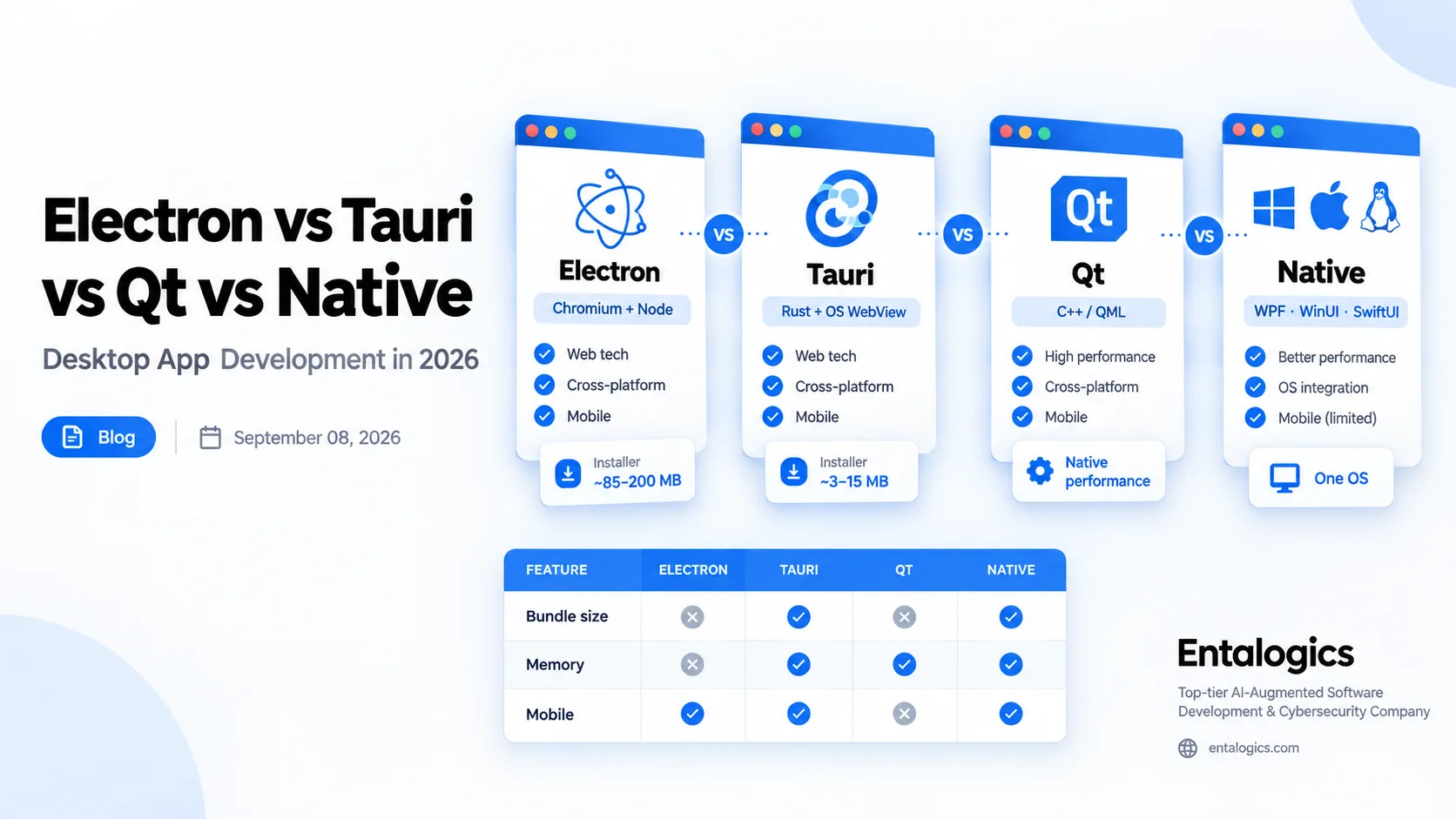
The decision in one table
| Electron | Tauri 2 | Qt 6 | Native (WPF/WinUI, SwiftUI) | |
|---|---|---|---|---|
| UI language | HTML/CSS/JS | HTML/CSS/JS | C++ or QML (Python via PySide) | C#/XAML, Swift |
| Rendering | Bundled Chromium | OS webview (WebView2 / WKWebView / WebKitGTK) | Qt's own renderer (Widgets or Quick/RHI) | OS toolkit |
| Typical installer | ~85–200 MB | ~3–15 MB | ~20–60 MB | ~5–40 MB |
| Idle memory | ~100–300 MB | ~30–80 MB | ~30–90 MB | ~20–70 MB |
| Cold start | ~1–2 s | ~0.2–0.5 s | <0.5 s | <0.5 s |
| Identical look on every OS | Yes | No (webview differs per OS) | Yes (if you want it) | N/A (one OS) |
| Mobile from same code | No | Yes (iOS/Android) | Yes | No |
| Backend language | Node.js | Rust | C++ | C# / Swift |
| Security surface | Large (full Chromium + Node) | Small (capability-based permissions) | Small | Small |
| Team you need | Web devs | Web devs + some Rust | C++ devs | Platform devs |
| Licensing | MIT | MIT / Apache-2.0 | LGPLv3 / GPL or commercial | Free (platform SDK) |
| Best for | JS-only teams, plugin ecosystems, custom browsers | Small fast utilities, security tools, desktop+mobile | Engineering/industrial/medical software, heavy UI, embedded | Single-OS apps that must feel native |
Figures are published 2026 benchmark ranges for comparable apps. Your numbers will vary with what you ship.
Why this decision matters more than it used to
Five years ago "desktop app" meant Electron, full stop. Two things changed. Tauri 2 shipped stable with a Rust backend, OS-native webviews, and mobile targets, and it has now been in production long enough to trust. And Electron kept growing — the current stable line bundles a full Chromium (Chromium 150 in Electron 43) plus Node 24, which is a lot of runtime to ship for a menu-bar utility.
Meanwhile Qt kept doing what it does: Qt 6.11 landed in March 2026, and the WebEngine module now supports Chromium extensions, which quietly matters for anyone building browser-like tooling in C++.
So the question isn't "Electron or not" anymore. It's "what does this app actually need to do, who maintains it, and what does the user's machine look like."
Electron: still the safe default for some teams
What it is. Chromium + Node.js in one binary. Your UI is a web page; your backend is Node. Slack, VS Code, Discord, Figma's desktop client — all Electron.
When we pick it
- The team is 100% JavaScript and there's no appetite to learn Rust or C++.
- You need the exact same rendering on Windows, macOS, and Linux. Tauri can't promise that because it uses whatever webview the OS provides.
- You lean hard on npm packages that touch the OS (native modules, serial ports, printers).
- You're building something that is a browser or browser-like — a custom Electron browser is a legitimate product category. We built a custom Electron browser for Matchups, a sports platform, with multi-screen workflows and isolated session management — the client saw 55% faster onboarding for new agents after rollout.
What it costs you
- Installer size in the 85–200 MB range and idle memory typically 100–300 MB. Multiply that by the six Electron apps already running on a user's laptop.
- Cold start of one to two seconds while Chromium boots.
- A big security surface. Every Electron app is a browser, so every Chromium CVE is your CVE until you update. Auto-update via
electron-updateris mature — but you have to run it. - Code signing and notarization on macOS, plus Windows SmartScreen reputation, are your problem. Budget for it.
Verdict: pick Electron when team skills or rendering consistency outweigh footprint. Don't pick it "because it's easy" — it's easy to start, not easy to keep lean.
Tauri 2: the new default for lean cross-platform apps
What it is. A Rust core that opens the OS's built-in webview and exposes native APIs through a permission system. Your UI is still HTML/JS; your backend is Rust. Tauri 2 (stable since late 2024) also targets iOS and Android.
When we pick it
- The app is a focused tool: a client, a dashboard, a security agent, a launcher, a monitoring utility.
- Footprint matters — enterprise IT pushing to thousands of machines, or consumers on cheap hardware.
- You want a capability-based security model by default rather than bolting one on.
- You want desktop and mobile from one codebase without React Native.
What it costs you
- Rendering differs per OS. WebView2 on Windows is Chromium; WKWebView on macOS is Safari's engine; WebKitGTK on Linux lags both. You will hit CSS and API differences. Test on all three, every release.
- Someone on the team needs to be comfortable in Rust for anything beyond the built-in plugins.
- Windows machines without WebView2 need the runtime installed (most Windows 10/11 boxes already have it; enterprise images sometimes don't).
- Smaller ecosystem than Electron. Fewer battle-tested plugins for exotic hardware.
The numbers people quote: published comparisons in 2026 consistently put Tauri installers at roughly 3–15 MB versus 85–200 MB for Electron, with idle memory around a quarter to a third of Electron's, and cold start well under half a second. Those are hello-world-to-medium-app ranges; a heavy React front end narrows the gap but doesn't close it.
Verdict: for a new, focused desktop tool in 2026, Tauri is where we start unless one of Electron's specific advantages applies.
Qt 6: native performance, three OSes, one C++ codebase
What it is. A C++ framework with its own rendering — Qt Widgets for classic desktop UI, Qt Quick/QML for GPU-accelerated modern UI — plus networking, threading, SQL, serial, Bluetooth, and a WebEngine module if you need embedded Chromium. Python bindings via PySide. Runs on Windows, macOS, Linux, iOS, Android, and embedded targets.
When we pick it
- Heavy UI: CAD-style views, real-time plots, video, large tables, custom-drawn controls. Web renderers choke here; Qt doesn't.
- Hardware-adjacent software: instruments, medical devices, industrial controllers, anything with a serial or USB protocol.
- The app must run for weeks without leaking or growing. C++ with RAII and Qt's object ownership model is predictable in a way JS heaps are not.
- The team already has C++ engineers, or the codebase is already C++.
- You need the same UI on desktop and an embedded Linux panel.
What it costs you
- C++ hiring is harder and slower than JS hiring. (This is most of why people hire Qt developers instead of training up.)
- Licensing needs a decision: LGPLv3 works for most commercial apps if you dynamically link and respect the terms; the commercial license buys you static linking, some extra modules, and support. Get this decided before writing code, not before shipping.
- Build and packaging are more involved than
npm run build. Deployment tooling (windeployqt,macdeployqt) handles most of it, but signing and installers are still on you. - QML has a learning curve if your team only knows Widgets, and vice versa.
Verdict: when performance, longevity, or hardware access are the real requirements, Qt is the professional answer and has been for 25 years. It's what we reach for when a web-tech desktop app would be a compromise.
Native: WPF / WinUI 3 on Windows, SwiftUI / AppKit on macOS
What it is. The platform's own toolkit. On Windows that's WPF or WinForms on .NET (both still fully supported on .NET 10 LTS) or WinUI 3 via the Windows App SDK. On macOS it's SwiftUI or AppKit.
When we pick it
- You ship to one OS and nobody's pretending otherwise. Internal enterprise tooling for a Windows-only estate is the classic case.
- The app must feel native — accessibility, keyboard conventions, system dialogs, Dark Mode, window management — without anyone faking it.
- Deep OS integration: Windows services, COM, Active Directory, Credential Manager, macOS Keychain, sandbox entitlements.
- You're modernizing an existing WinForms/WPF/MFC app and a rewrite in another stack isn't justified.
What it costs you
- Two OSes means two apps, two teams, two release trains.
- WinUI 3 is still maturing versus WPF; WPF is stable but visually dated unless you invest in styling.
- SwiftUI moves fast and older macOS versions lag its features.
Verdict: best-in-class experience for one platform. The moment "and macOS too" enters the conversation, re-run the decision.
Ship faster with senior engineers
Direct collaboration, AI-augmented delivery, and no agency markup.
Get in touchBundle size, memory and startup — what the numbers actually mean
Every 2026 comparison says roughly the same thing: Tauri is an order of magnitude smaller than Electron and uses a fraction of the memory; Qt and native sit close to Tauri on memory and start faster than either web option. That's true and also slightly beside the point.
What matters:
- Download conversion. A 10 MB installer downloads and installs before the user changes their mind. A 180 MB one sometimes doesn't. This is measurable in funnel data.
- Enterprise deployment. IT pushing an update to 5,000 laptops cares about every megabyte. Tauri's built-in updater ships deltas; Electron's
electron-updatercan, with setup. - The sixth app problem. Users already run Slack, Teams, VS Code, Spotify, Discord — all Electron. Yours is the one that tips the machine into swap. Being the lean one is a feature users notice.
- Startup is perceived quality. Sub-half-second launch reads as "well made" even when nothing else changed.
A 10 MB installer downloads before the user changes their mind. A 180 MB one sometimes doesn't.
Where footprint doesn't matter: an app that's open all day, on capable hardware, doing heavy work. There, rendering consistency and developer velocity win, and Electron's cost is amortized.
Security and auto-update: the part everyone skips
Electron. You ship a browser. Keep contextIsolation on, nodeIntegration off, use a strict CSP, and update Electron within weeks of each release because Chromium CVEs are yours. Sign on both platforms. Notarize on macOS.
Tauri. Capability-based: the front end can only call the Rust commands and plugins you explicitly allow, scoped to specific windows. The renderer is the OS's, patched by the OS. Updater is built in with signature verification. Still sign and notarize.
Qt. Small attack surface unless you use WebEngine, at which point you inherit Chromium's patch cadence. Security is mostly about your own C++ — use modern C++, static analysis, and sanitizers in CI. Updates are your own mechanism or a framework like Sparkle/WinSparkle.
Native. Platform-managed. Windows App SDK and macOS handle a lot for you; MSIX and the App Store handle updates if you use them.
If the app is itself a security product — a hardened browser, an endpoint agent, a credential tool — the framework choice is a security decision. That's why our SentryBay hardened browser is built on Chromium directly rather than wrapped in Electron: the client needed control of the engine, not a layer on top of it.
What we'd pick, by product type
SaaS companion app (desktop client for a web product) → Tauri. Small, fast, secure, reuses the web front end, ships to mobile later. Electron only if the team refuses Rust or needs an npm-native module.
Internal enterprise tool, Windows-only → WPF on .NET 10 (or WinUI 3 if greenfield and modern UI matters). Fastest path, deepest OS integration, easiest hiring in .NET shops.
Security or endpoint tool → Tauri for the agent/UI, Qt if it needs to run headless for weeks or talk to hardware, Chromium directly if the product is a browser. Never Electron for the security product itself.
Engineering, scientific, medical, or industrial software → Qt. Heavy UI, plots, device I/O, longevity. This isn't close.
Custom browser or browser-based workspace → Chromium fork for full control, Electron for a faster build with less control. We've shipped both — see Omni Browser (Chromium, with integrated VPN and crypto wallet) versus the Matchups Electron browser.
Consumer creative or media app → Qt or native for performance and feel; Electron if plugins and a web ecosystem are the product.
Cross-platform + mobile from one codebase → Tauri 2 or Qt. Not Electron.
What it costs to build
Framework choice moves cost less than people expect; scope and polish move it more. Rough guidance from our fixed-scope work:
- A focused single-purpose desktop tool (one main window, a few screens, updater, signing, installers for two OSes): typically a fixed-scope engagement in the $15k–$30k range on Electron or Tauri, similar on native for one OS.
- Qt projects tend to be heavier UIs by nature, so they're more often team engagements than fixed quotes.
- Modernizing a legacy WinForms/WPF/MFC app is usually scoped after an audit — the answer is sometimes "keep the stack, fix the architecture."
Full pricing and engagement models are on our desktop application development page.
Building a desktop app and not sure which way to go? We ship on all four stacks and will tell you on the first call which one fits — including when the honest answer is "not the one you were planning." See desktop application development, or talk to us about Electron, Qt, or Tauri engineers directly.