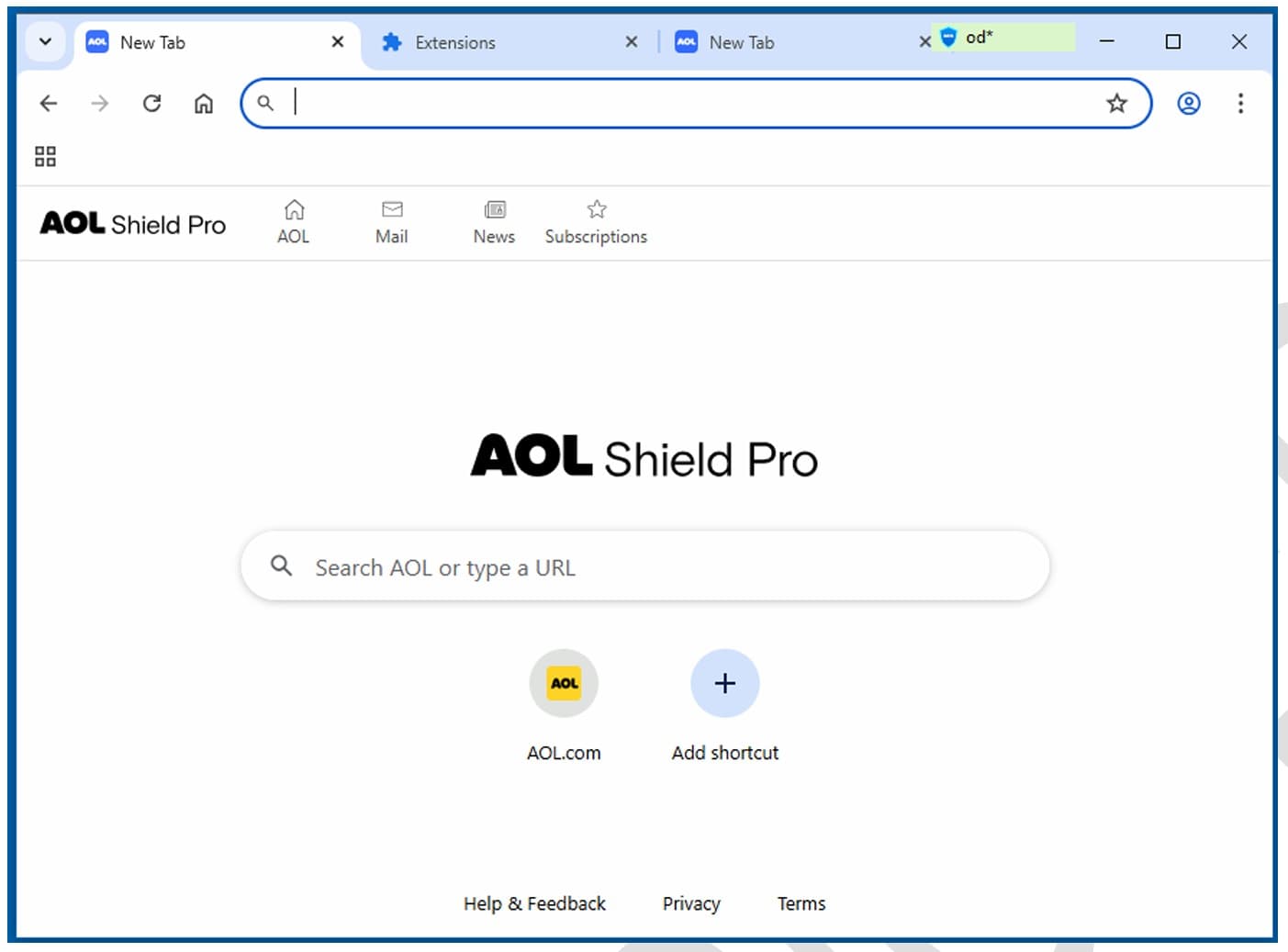
Production-grade custom browsers — enterprise internal browsers, kiosk shells, white-label products, crypto wallets. Not Electron wrappers that break on the next Chrome release.
The reasons clients pick us, in their own words. Each one is something most agencies will swear they do — and most don't.
Expertise01
A browser that holds up in production, not a demo.
Tabs, sandboxing, updates, and crash recovery behave the way your users expect from Chrome — because the work happens in the engine, not in a wrapper around it.
Speed02
Fork it in two weeks.
We have a working Chromium base ready. You don't start from zero — you start from running.
Security03
Enterprise privacy by design.
Full network-stack control, built-in proxy support, certificate management. No third-party telemetry unless you put it there.
Distribution04
Your fork, your distribution.
Signed builds, auto-update infrastructure, and OS-native installers ready for Windows, macOS, and Linux.
SHIPPED, ON THE RECORD
What founders say on the record.
Verified feedback from Upwork, Clutch, and reference calls we're happy to set up before you sign anything.
Ilya Khodakovsky
Project Manager, Omni Browser
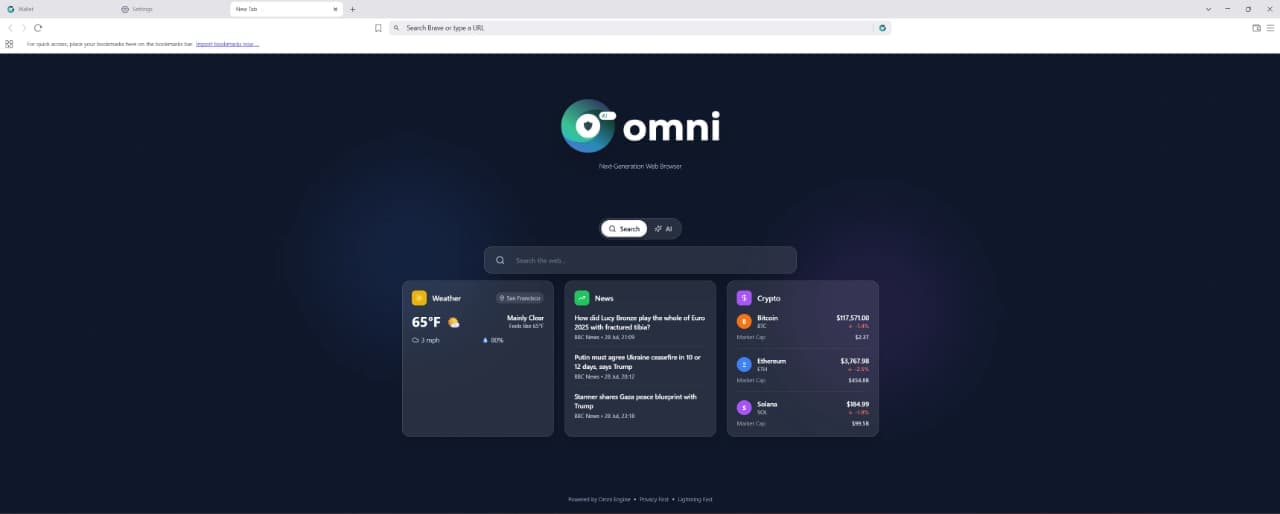
Entalogics built our Omni Browser on top of Chromium with deep product-level execution. They implemented an integrated VPN and Omni Crypto Wallet directly in the browser, made strong architectural decisions, and delivered quality code on schedule with clear communication.
Sherzod Khabibullayev
Project Manager, Digital Office: Aura
Entalogics built Digital Office: Aura as a custom Chromium-based authentication platform. Their team modified Chromium internals and integrated our manual custom authentication flow with reliable implementation, fast delivery, and consistent communication.
Giles Whitman
CTO, SentryBay
Their Chromium expertise helped us ship a hardened browser with live threat controls and enterprise rollout support. Security operations became significantly faster.
Dani Keo
Project Manager, Sociall
Entalogics built our iOS Chromium-based mobile app with a smooth native feel, stable media rendering, and reliable sync. We shipped faster and improved engagement after launch.
SELECTED WORK
Real products, real ARR
Four browsers we built and delivered as complete products — what shipped, and what it did for the people who use it.
Five mistakes we see in every browser project that didn't make it. None of them are visible at kickoff — all of them are fatal by month six.
01
✗
Electron when the project needs a fork.
A wrapper around web tech is the wrong base for a real browser product. Six months in, you hit a wall no plug-in can cover.
02
✗
No upstream-sync plan.
Without a milestone cadence to replay your patches onto new Chromium, your browser falls behind on security in 6 months.
03
✗
No code-signing plan.
The app gets blocked by Windows Defender or macOS Gatekeeper. Real users never see the install screen.
04
✗
No auto-update architecture.
Every patch becomes a manual reinstall. Your CVE-response time is measured in "please update" emails.
05
✗
Engine work done at the wrapper layer.
IPC breaks, sandbox escapes, crashes that don't reproduce — what happens when engine-level features are built by people who've never shipped a browser. Your users get the crash reports.
✓
We've seen each of these on takeovers. None of them happen on our builds — they're scoped, planned, and budgeted from day one.
The receipts
Browser features we've shipped.
Not case studies. A raw list of specific browser features that only someone who has built browsers would know to ship. If it's on this list, we've done it in production.
F01✓Custom tab management & session isolation
F02✓Built-in password manager · OS credential store
F03✓Custom extension API · allowlist / blocklist enforcement
F04✓Hardware-accelerated video with DRM support
F05✓Proxy & VPN integration at the network-stack level
F06✓Custom certificate authority & SSL inspection
F07✓Kiosk mode · input filtering · crash recovery
F08✓Native OS notifications, system tray, auto-launch
F09✓Delta update system with rollback support
F10✓Per-tenant policy engine · 47+ controls
F11✓Hardened runtime · sandboxed renderer pinning
F12✓Telemetry pipeline you own, not Google's
Product types
Six browser types, one engineering bench.
The shapes of browser work we've shipped most often — each with the integrations we reach for first.
#
TYPE
WHAT IT IS
FEATURES
01
Enterprise internal browser
Locked-down, policy-managed, SSO-integrated browser for internal teams. Replaces Chrome on managed fleets.
POLICYSSOMDM
02
Kiosk & single-site browser
Full-screen locked browser for retail, hospitality, or public terminals. One URL, no escape hatches.
Content filtering, screen-time, safe browsing built into the shell. Not a Chrome extension that can be disabled.
FILTERSAFE-BROWSE
05
White-label browser for SaaS
Embed a branded browser inside your product or desktop app. Your tabs, your shortcuts, your brand.
BRANDEDEMBED
06
Developer-tools browser
Custom devtools, debugging overlays, network inspection built for engineering teams. Chromium with the gloves off.
DEVTOOLSOVERLAY
What we build
Six deliverables, one engineering bench.
The specific things clients hire us for, beyond a straight Chromium fork — most of it done under NDA and never shown publicly.
#
DELIVERABLE
WHAT IT IS
STACK
01
Custom browser fork
A working Chromium base, forked and customized for Windows, macOS, and Linux — or built on Brave, Opera, or Arc when the client already has a preferred base to extend. Same engineering discipline either way: process isolation, sandboxing, and a real distribution pipeline from day one.
CHROMIUMBRAVEOPERAARC
02
CEF embedding
Chromium embedded inside a native desktop application — a rendering surface with full control over navigation, resource loading, and the JS bridge to native code, not a standalone browser product. The right call when a product needs web rendering inside an existing native shell.
CEFNATIVEEMBEDDING
03
V8 engine customization
Modifications at the JavaScript engine level — custom bindings, sandboxing changes, or performance tuning for workloads a stock V8 build doesn't handle well. Engine-level work, reserved for projects where the browser layer alone can't solve the problem.
V8JS ENGINEPERFORMANCE
04
Security & privacy hardening
Tracker blocking, fingerprinting resistance, and malware URL classification built into the browser core — not a bolt-on extension a user or an IT policy can disable. The default posture on every enterprise and privacy-focused build we ship.
PRIVACYTRACKER BLOCKINGHARDENING
05
AI-powered browser automation
Page-aware AI chat, natural-language automation, and record/replay workflows built into the browser itself, with local, cloud, or hybrid AI modes depending on what the privacy requirements call for.
AIAUTOMATIONLOCAL/CLOUD
06
Browser extension development
Manifest V3 extensions for Chrome, plus Firefox, Edge, and Safari builds when a project needs the same extension shipped across every browser your users actually run.
CHROMEFIREFOXEDGESAFARI
Version strategy
The Chromium version question.
The question every serious buyer has and nobody answers publicly. Five answers, in writing.
We default to the latest Chromium Stable at kickoff. For long-lived enterprise builds we ship on an LTS branch we maintain ourselves (ESR-equivalent). That's our maintenance policy, not a Chrome release cadence: security backports land continuously, and the branch takes a full feature rebase on a documented window every six months. The decision is made in week 1 of discovery and written into the contract.
Chromium Stable now ships every two weeks (since Chrome 153, September 2026) and Extended Stable every eight. On every milestone you track, we get an automated diff of the changes between our base and upstream. A senior engineer triages security, API surface, and renderer changes; conflicts are mapped before merge.
Three triggers force a rebase: a critical CVE you must absorb, a Chrome API your roadmap depends on, or upstream divergence wide enough to make backports expensive. Otherwise we stay on stable and backport only what matters.
CVEs marked High or Critical in the Chromium security tracker get backported within 72 hours of disclosure. Hotfix builds ship through your delta-update channel; no full user reinstall.
We track Chrome Status (chromestatus.com) for deprecations on every API our build uses. Anything with a deprecation window gets a migration plan in the next sprint — or a documented pin to the last working release if you choose to.
Platforms
Platforms we ship for.
Desktop and mobile by default. Signed, notarized, and packaged for the way real users actually install software — including the enterprise IT teams behind them.
Windows● SHIPPED
Windows 10 · 11 · Server 2019+
MSIXMSIEXE installer
SIGNING
Authenticode · EV cert
EXTRAS
Group Policy ADMX templates · MDM-ready
macOS● SHIPPED
macOS 12 Monterey and above
DMGPKGauto-mount installer
SIGNING
Apple Developer ID · notarized
EXTRAS
Hardened Runtime · sandbox entitlements
Linux● SHIPPED
Debian / Ubuntu · Fedora · Arch
.deb.rpmFlatpakAppImage
SIGNING
GPG signed repos
EXTRAS
systemd integration · XDG-portal compliant
Android● SHIPPED
Android 10+ · API 29 and above
APKAABPlay bundle
SIGNING
Play App Signing · upload key
EXTRAS
Play Integrity · in-app updates · MDM-ready
iOS● SHIPPED
iOS 15+ · iPadOS
IPATestFlightApp Store
SIGNING
Apple Developer · distribution cert
EXTRAS
ATS hardened · enterprise MDM · OTA updates
Engagement shape
From idea to ARR in four phases.
A typical browser engagement, end-to-end. Code signing and upstream sync get scoped at week one — not bolted on after launch.
W01–02
Discovery & architecture
Define browser type, target OS, Electron vs CEF vs Chromium fork decision, distribution strategy, upstream-sync plan. Fixed quote at end of week 2.
W03–10
Core build
Shell, navigation, tabs, extensions API, custom UI, OS integration. Working beta on staging by week 8; first signed installer by week 12.
W11–14
Harden & distribute
Code signing (EV, Apple Dev ID, GPG), auto-update pipeline, crash reporting, notarization, installer build, default-browser handler, telemetry.
W15+
Maintain & evolve
Upstream Chromium sync every milestone, security patches, feature iteration, enterprise policy updates. Long-term retainer with the team that built it.
Stack
Browser stack. Battle-tested.
Each row below has been load-tested across 14+ real browser shipments. Predictable, debuggable, and nothing your future team can't maintain.
Nothing here bills by the hour. Pick the lane that matches your stage: a fixed-quote build, or a fixed-scope monthly retainer for a browser that's already shipped.
Browser MVP buildShip fast
Browser MVP in one quarter.
For founders shipping their first custom browser
For teams who need a working production browser — not an Electron wrapper. Fixed scope, fixed quote, senior-only team. Code signing and auto-update pipeline included from day one.
·Chromium fork or Electron architecture from line one
·Custom UI, tabs, extensions API, OS integration
·Production build with installer and signing
·Quoted at the end of week two, before the build starts
Teams with a shipped browser that has to stay current
Ongoing upstream sync and maintenance as a retainer — we own your milestone rebases, security backports, and signed release builds, so your browser never falls behind Chromium stable.
·Every milestone on the channel you track — Stable or Extended Stable — rebased and shipped
·Security backports as hotfix builds through your update channel
An Electron-based browser or workspace: 8–14 weeks. A Chromium-fork MVP — infrastructure, branding and service removal, your first engine-level feature, update server, signed builds on two platforms — is one quarter, 12–16 weeks. A production browser with enterprise policy, multi-platform signing, and self-hosted updates runs 3–6 months. Fixed quote at the end of week two.
Yes. We've built on Brave (the Omni Browser is a Brave fork) and we can fork Edge as long as Microsoft's licensing terms are clear for your distribution. We pick the base on the discovery call — not by reflex.
Chromium Stable ships every two weeks and Extended Stable every eight — enterprise builds track Extended Stable. On each milestone you track we replay your patches onto the new release, resolve conflicts, run the build matrix, and ship a signed update. High and Critical CVEs get hotfix branches within 72 hours. You stay current without owning a Chromium team.
All five by default: Windows, macOS, and Linux on desktop; Android and iOS for Chromium-based mobile. Signed and notarized — Authenticode + EV on Windows, Apple Developer ID + notarization on macOS, GPG repos on Linux, Play App Signing on Android, and App Store distribution on iOS.
Yes — we've shipped all three. VPN inside Omni Browser, Omni Crypto Wallet inside the address bar, AI side-panels inside Brave-based forks. The hard part is doing it without breaking upstream sync; that's the job.
EV cert + Authenticode on Windows, Apple Developer ID + hardened runtime + notarization on macOS, GPG-signed packages on Linux. Auto-update via Squirrel/Sparkle or our custom delta updater — including a self-hosted update server when the contract requires it.
When you need controls an extension architecturally can't provide — blocking specific web APIs by domain, OS-level screenshot prevention, custom certificate pinning, a VPN or wallet inside the browser — or when the browser itself is the product. If your need fits inside an extension's permission model, an extension is faster and cheaper, and we'll say so on the first call before quoting a browser build.
You do: source, build configuration, signing setup, and documentation, committed to your repositories from day one. At handoff you get the runbook and documented patches for every change against upstream, so a rebase can be run without us — or we stay on under the maintenance retainer.
Senior engineers
Tell us what you're building.We'll scope it this quarter.
Free 30-minute architecture call with a senior Chromium engineer. By the end you'll have an engine recommendation, a distribution plan, and a realistic ship date — whether you build with us or not.