HIRE DEVELOPERS  /  POWERAPPS DEVELOPERS

PowerAppsdevelopment,built to last.

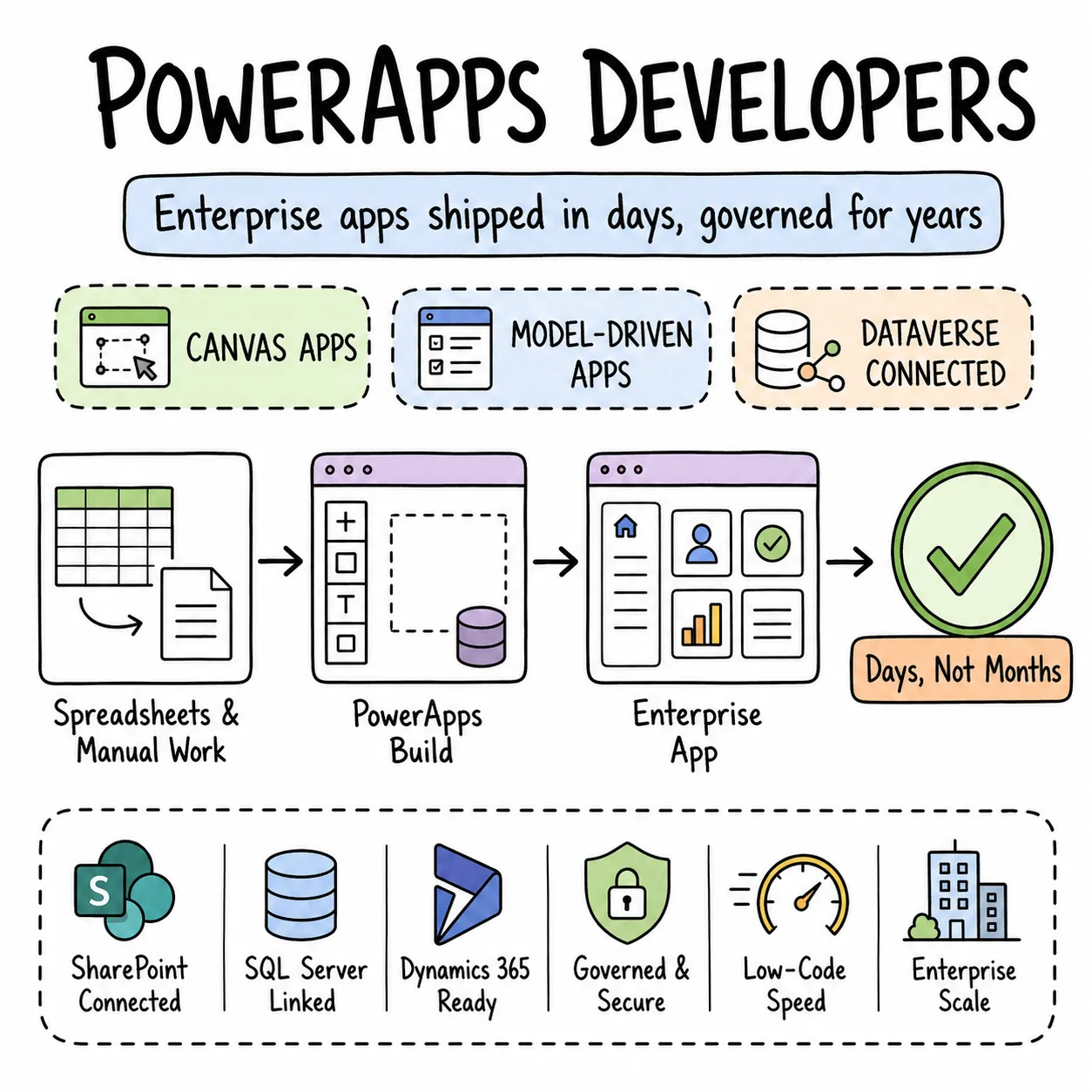
Spreadsheets and manual processes don't scale — PowerApps lets enterprises replace them with proper business applications, without full custom development cost. Our PowerApps development work includes production canvas and model-driven apps for enterprise clients, connected to Dataverse, SharePoint, SQL Server, and Dynamics 365.

Vetted senior talent
Flexible engagement models
Founder-direct delivery
Why Entalogics

Why teams hire
PowerApps developers from us.

Canvas apps for flexible custom UIs, model-driven apps for data-heavy enterprise applications built on Dataverse — the two shapes of PowerApps development our developers work in daily. Efficient Power Fx formulas, custom connectors for external systems, proper Dataverse data models with relationships and business rules, and role-based security so the right people see the right data.

EXPERT BENCH01

PowerApps developers, vetted for enterprise depth.

Delegation-safe formulas, Dataverse entity modelling, component libraries, custom connectors, solution packaging, and real experience deploying managed solutions across enterprise environments — vetted for enterprise PowerApps depth. Not a citizen developer who built a form and stopped.

FAST HIRING02

Contact forms are easy, this pool isn't.

Makers who can build a contact form are everywhere. Developers who understand delegation limits, model Dataverse properly, write reusable components, and deploy through ALM pipelines are a small pool. We keep them ready.

FLEXIBLE ENGAGEMENT03

PowerApps staff augmentation, sized to fit.

A dedicated developer for a multi-department PowerApps rollout. A part-time specialist for app maintenance and Dataverse schema updates. An hourly consultant for a delegation audit or a canvas-to-model-driven migration assessment. Sized to fit.

Hiring model

Three ways
to staff your PowerApps build.

PowerApps is easy to start and hard to do right at enterprise scale. Slow load times, broken delegation, formula spaghetti, and no clear upgrade path are what poorly built apps ship you. Our developers build PowerApps solutions with proper delegation handling, clean formula structure, Dataverse best practices, and solution packaging for ALM — so the app keeps working as your business grows and Microsoft updates the platform.

M01160h / mo

Full-time hiring

One PowerApps developer, embedded full-time, building canvas and model-driven apps, modelling Dataverse, writing Power Fx, and managing solution deployment across environments. Right for an organisation rolling out PowerApps as a core internal app platform.

M0280h / mo

Part-time hiring

Twenty hours a week of focused PowerApps work — enough for maintaining a portfolio of apps, adding features incrementally, migrating legacy Access or Excel tools to PowerApps, or cleaning up delegation warnings across existing apps.

M0340h blocks

Hourly hiring

A delegation audit, a Dataverse schema review, a component library setup, a custom connector development project, or a canvas performance optimisation — targeted PowerApps consulting, scoped and delivered.

Engagement models

Who runs
the project.

Match this to how your team already runs PowerApps work, or tell us and we'll suggest one.

01

Entalogics managed team

Dataverse modelling, app development, component libraries, and ALM deployment across environments — all ours end to end. You review weekly and decide what gets built next.

  • PM + senior PowerApps devs on staff
  • We own the solution pipeline
  • App demos every Friday
02MOST COMMON

Client managed team

Your business or IT lead sets priorities. Our PowerApps developer joins your Teams, your environment, your standups. They build apps and model data — you direct the roadmap.

  • Embedded in your Teams & environment
  • Reports into your IT or business lead
  • Same hiring bar — you direct
03

Hybrid model

Business requirements and user adoption stay with your team. Dataverse architecture, Power Fx optimisation, custom connectors, and solution deployment become ours.

  • Specialists from us, generalists from you
  • Shared standups + app reviews
  • Clear DRI per workstream
Stack & tooling

The stack our PowerApps
development team ships with.

Microsoft Power Apps ecosystem with enterprise Dataverse expertise — what our engineers actually work with, daily.

Power Apps (Canvas + Model-driven)

Low-code apps with custom UX and Dataverse-driven forms.

Power Fx

Formulas, variables, and delegation-safe data operations.

Dataverse

Entity modelling, security roles, and business rules — the same data layer Dynamics 365 runs on.

Custom Connectors

OpenAPI connectors for REST APIs and proprietary systems.

COMMON QUESTIONS

Straight answers.

Six questions we get on every first call about hiring PowerApps developers. If yours isn't here, we'll cover it first.

Canvas apps give you pixel-level UI control — custom layouts, mobile-first designs, flexible placement. Model-driven apps auto-generate the UI from your Dataverse data model, faster to build for data-heavy forms with role-based security. Most enterprise PowerApps development uses both: model-driven for back-office data management, canvas for field and mobile use.
Delegation determines whether a formula runs on the server (fast, scalable) or locally in the app (slow, limited to 2,000 rows by default). Non-delegable formulas silently return incomplete data — the app looks like it works but misses records. Our developers write delegation-safe formulas and flag non-delegable patterns during development, not after users report missing data.
Yes. Premium connectors for SQL Server, SharePoint, Dynamics 365, and hundreds of other data sources. Custom connectors for any REST API. For complex data, we recommend Dataverse as the primary backend with SQL Server connected via Dataflows — better performance, proper security, and delegation support.
Yes. Canvas apps support offline mode with local data caching and sync-on-reconnect. We configure offline tables, conflict resolution logic, and sync indicators so users know when they're working offline and when data has synced.
Everything in managed solutions. Dev to test to prod promotion via Power Platform pipelines or Azure DevOps. No unmanaged apps in production, no editing live. Environment variables for connection references that change per environment.
Yes. We audit the existing tool, model the data in Dataverse or SharePoint, rebuild the UI as a canvas or model-driven app, and migrate the data. Most Access-to-PowerApps migrations run 4–8 weeks depending on complexity and number of forms.
Founder-direct

Ready to build
something amazing?

Tell us what your PowerApps project needs to do, and we'll walk you through what shipping it — enterprise-ready, at a fair price — actually takes.