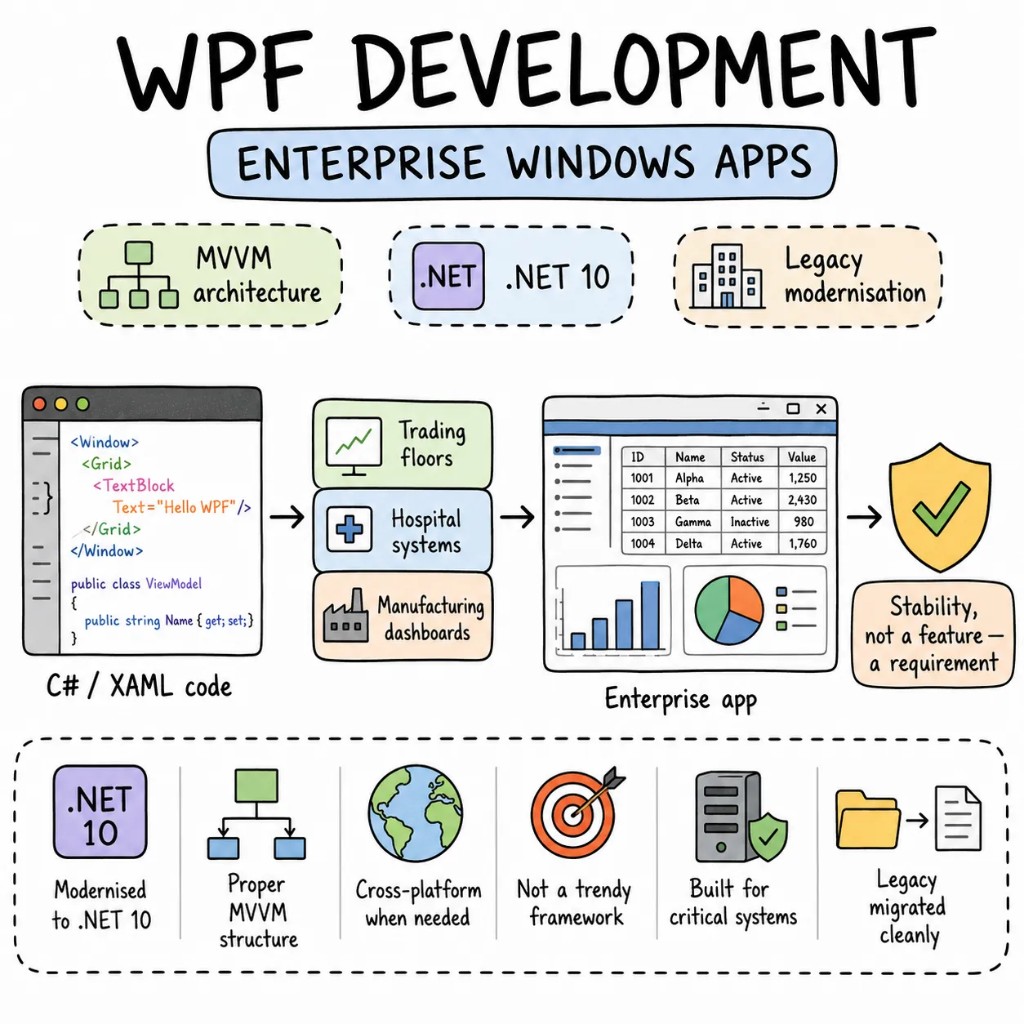
Enterprise Windows apps, built with WPF.

WPF isn't trendy. It's the framework running trading floors, hospital systems, and manufacturing dashboards — applications where stability isn't a feature, it's the requirement. We ship WPF development services that modernise existing applications to .NET 10, build new Windows-only desktop apps with proper MVVM architecture, and migrate legacy WPF to cross-platform when the business genuinely needs it.

  • .NET 10 LTS
  • MVVM strict
  • Fluent theme
  • Enterprise-grade

Why Entalogics for WPF

Four things every
WPF application
actually needs.

The WPF apps we inherit usually share the same story — code-behind that runs to 3,000 lines, no ViewModel layer, data bindings that silently fail, and a .NET Framework version Microsoft stopped patching two years ago. WPF is stable. The codebases built on it usually aren't.

Performance01

Virtualisation on every large collection. No exceptions.

DataGrid and ListView without virtualisation load every row into memory. We've inherited WPF apps that spike to 2GB on a 10,000-row dataset. VirtualizingStackPanel, deferred scrolling, and proper use of CollectionView fix this before users notice.

Architecture02

MVVM with boundaries, not MVVM in name only.

ViewModels own logic and state. Views own layout and templates. No business logic in code-behind. No direct database calls from the ViewModel. Services behind interfaces, injected with DI. A testable architecture that a new developer reads in a day.

State03

Bindings that fail loudly, not silently.

WPF swallows binding errors by default — a misspelled property name just shows nothing. We enable binding error tracing in debug, enforce compiled bindings where possible, and treat a silent binding failure as a bug, not a feature.

Type safety04

C# strong types through every layer.

No magic strings in XAML bindings. Design-time data contexts for compile-time checking. DTO validation at the service boundary. When a property name changes, the build breaks — not the UI at runtime.

When WPF, when not

WPF is a tool.
Not a legacy sentence.

WPF is in maintenance mode — Microsoft ships updates but no major new features. That makes it the wrong choice for some projects and exactly right for others. We'll tell you on the first call which one yours is.

STAY ON WPF WHEN

  • Windows-only is a permanent requirement — your users run Windows, your IT controls the estate
  • The existing WPF codebase works — upgrading to .NET 10 with Fluent theme is 10x cheaper than rewriting
  • Complex data-heavy UI — grids, charts, real-time dashboards — where WPF's rendering engine still outperforms web alternatives
  • Enterprise control libraries (DevExpress, Telerik, Syncfusion) are deeply embedded and working

CONSIDER MIGRATION WHEN

  • Cross-platform is a real business requirement — Mac, Linux, or mobile users need the same app
  • Hiring WPF developers is becoming a bottleneck — web developers outnumber XAML developers significantly
  • The .NET Framework lock-in is blocking security patches and CI/CD modernisation

WE SAY NO WHEN

  • "Rewrite our WPF app in web because WPF is old." If it works, modernise — don't rewrite for fashion.
  • "WPF for a new consumer app." The hiring pool is too small and the framework trajectory doesn't justify it.
  • "Migrate to MAUI in three weeks." That's not a migration — that's a disaster.

What we build with WPF

Six product surfaces.
One quality bar.

The shapes of WPF development work we deliver most. Each built for enterprise production — not a XAML tutorial.

  • S01

    Trading & financial dashboards

    Real-time data grids, live charting, multi-monitor layouts, sub-millisecond UI updates. The surface WPF was purpose-built for.

    WPFDEVEXPRESSPRISM.NET 10
  • S02

    Enterprise line-of-business apps

    Multi-role navigation, complex form workflows, audit logging, Active Directory integration. The internal apps that run departments.

    WPFEF COREPRISMMVVM TOOLKIT
  • S03

    Manufacturing & SCADA interfaces

    Hardware integration, real-time sensor data, custom control rendering, 24/7 uptime requirements. WPF on the factory floor.

    WPFOPC-UASERIAL COMMSCUSTOM CONTROLS
  • S04

    Healthcare & clinical tools

    HIPAA-compliant interfaces, HL7/FHIR integration, patient dashboards, DICOM viewers. Regulated environments where stability is non-negotiable.

    WPFHL7FHIR.NET 10
  • S05

    WPF modernisation (.NET Framework → .NET 10)

    Upgrade from .NET Framework 4.x to .NET 10 LTS. Fluent theme. BinaryFormatter removal. CI/CD pipeline modernisation. No feature freeze.

    .NET 10FLUENT THEMEAZURE DEVOPSNUNIT
  • S06

    WPF to cross-platform migration

    When Windows-only no longer works. Avalonia for WPF-like XAML cross-platform, Blazor Hybrid for web-first migration, or Electron for web team velocity.

    AVALONIABLAZOR HYBRIDELECTRONMAUI

The playbook

Patterns we
ship on repeat.

WPF patterns from real enterprise applications — not MVVM blog posts.

  • P01

    MVVM Toolkit + DI

    CommunityToolkit.Mvvm for ObservableObject and RelayCommand. Microsoft.Extensions.DependencyInjection for service registration. No magic. No framework lock-in. Testable from day one.

  • P02

    Compiled bindings where possible

    x:Bind in UWP-adjacent patterns, design-time DataContext enforcement, binding failure tracing enabled. Silent binding errors treated as bugs.

  • P03

    UI virtualisation on every list

    VirtualizingStackPanel mode on every ItemsControl displaying more than 50 items. Container recycling enabled. Deferred scrolling on large datasets.

  • P04

    Prism module composition

    Each feature is a Prism module with its own registration, navigation, and region management. Modules load independently. Two teams build two features without merge conflicts.

  • P05

    Integration tests on ViewModels

    ViewModels tested with real service fakes, not mocked everything. UI automation tests via FlaUI for critical workflows. CI runs on every PR.

  • P06

    .NET 10 incremental upgrade

    One project at a time. `<TargetFramework>net10.0-windows</TargetFramework>` per assembly. The app stays deployable throughout. No flag-day.

Signature case

A trading dashboard,
modernised from .NET Framework 4.8 to .NET 10.

A financial trading platform on WPF .NET Framework 4.8 — 4-second cold start, DataGrid rendering 15,000 rows without virtualisation consuming 1.8GB, no CI/CD pipeline, and manual ClickOnce deployment requiring IT intervention. Upgraded to .NET 10 with Fluent theme, virtualised grids, and Azure DevOps pipeline in 10 weeks. No feature freeze.

Before

.NET Framework 4.8 · cold start 4s · DataGrid 1.8GB at 15K rows · manual deploy · no CI/CD

After

.NET 10 LTS · cold start 1.4s · DataGrid 180MB at 15K rows · Azure DevOps auto-deploy · full CI

  • Memory on large dataset−90%
  • Cold start−65%
  • To fully upgraded10wk
  • Shipped regressions0

Engagement shape

Eight to ten weeks
to a measurable ship.

A typical WPF development engagement. We modernise or build screen by screen — never flag-day. The current app stays deployed while we work.

  • W01

    Audit + RFC

    Two senior WPF developers. .NET version assessment, binding error inventory, performance profiling, MVVM compliance review. A ranked, dollarized RFC.

  • W02–03

    Foundation + first screen

    .NET 10 baseline, MVVM Toolkit wired in, Fluent theme applied, one production screen modernised end-to-end. Real performance on target hardware.

  • W04–08

    Screen by screen

    Module by module, project by project. Old and new coexist. Your team keeps shipping throughout.

  • W09+

    Deployment + handoff

    CI/CD pipeline live. Fluent theme applied. Runbook handed to your team — or we stay on retainer.

Stack

Tools we
reach for first.

Our default WPF development stack — picked for enterprise production.

  • FrameworkWPF · .NET 10 LTS · Prism · CommunityToolkit.Mvvm
  • LanguageC# 12 · XAML · FluentValidation
  • DataEF Core · Dapper · SQLite · SQL Server
  • UIDevExpress · Telerik · Syncfusion · MaterialDesignInXaml
  • TestingNUnit · xUnit · FlaUI · Moq · BenchmarkDotNet
  • InfraAzure DevOps · GitHub Actions · ClickOnce · MSIX · Sentry

Engagement

Three ways
to work with us.

No hourly retainer that bills for "thinking time." Pick a lane that matches your stage; everything is fixed-quote or transparently rated.

FIXED SCOPEone-off build

Ship a WPF application, end-to-end.

A defined product, a fixed price, a senior-only team. From RFC to deployed desktop app in 8–14 weeks.

$15k–$30k

FIXED SCOPE

  • Senior engineers only
  • Fixed quote in week 1
  • Code, infra, runbook — yours
Plan a fixed build
DEDICATED TEAMmonthly

Hire dedicated WPF developers.

Embedded engineers in your Slack, your Azure DevOps, your standups. Senior XAML and C# engineers. Pause, resize, end with 30 days' notice.

$5k / eng / mo

PER ENGINEER

  • Same senior bar as fixed-scope
  • Embedded in your team
  • Founder-direct escalation
Hire dedicated WPF devs
ENGAGEMENTcustom

Strategic WPF partnership.

A long-term partner for enterprise orgs maintaining or modernising WPF estates — .NET upgrades, cross-platform migration planning, hiring help.

custom

PROCUREMENT-FRIENDLY

  • Multi-quarter roadmap
  • Architecture & migration partner
  • Procurement-friendly paper
Speak to the founder
FAQ

Sharp questions,
straight answers.

Support status, modernisation vs rewrite, .NET upgrades, control libraries — the questions we get on every WPF discovery call.
Yes. WPF ships with .NET 10 LTS (supported until 2028), received the Fluent theme in .NET 9, and continues getting updates. It's in maintenance mode — no major new features — but it's actively supported and a credible path for Windows-only enterprise applications.
Modernise if Windows-only is permanent and the codebase is fundamentally sound. Upgrading to .NET 10 with Fluent theme costs a fraction of a rewrite. Rewrite only if cross-platform is a real business requirement — and even then, Avalonia offers a WPF-like XAML path.
Yes. One project at a time, one assembly at a time. The app stays deployable throughout. BinaryFormatter removal, API compatibility shims, and Fluent theme applied incrementally.
Yes. The engineers who write the RFC ship the code. No handoff mid-engagement. Direct access throughout.
Yes. We've worked inside DevExpress, Telerik, Syncfusion, and fully custom control suites. We adapt to your MVVM framework, your DI setup, and your deployment model. If something needs changing, we flag it in the RFC.

Founder-direct

Tell us whatyou're building.

Thirty minutes with the founder. We'll bring a senior WPF developer, the relevant playbook, and a candid read on whether WPF modernisation is the right call — or whether migration to a cross-platform framework makes more sense for your business.