
FIXED SCOPEone-off build
Modernize a WinForms application, end to end.
Fixed scope, fixed price, senior-only team. Audit to .NET 10 deployment in 8-12 weeks.
FIXED SCOPE
- Zero juniors on client work
- Fixed quote in week 1
- Code, infra, runbook — yours
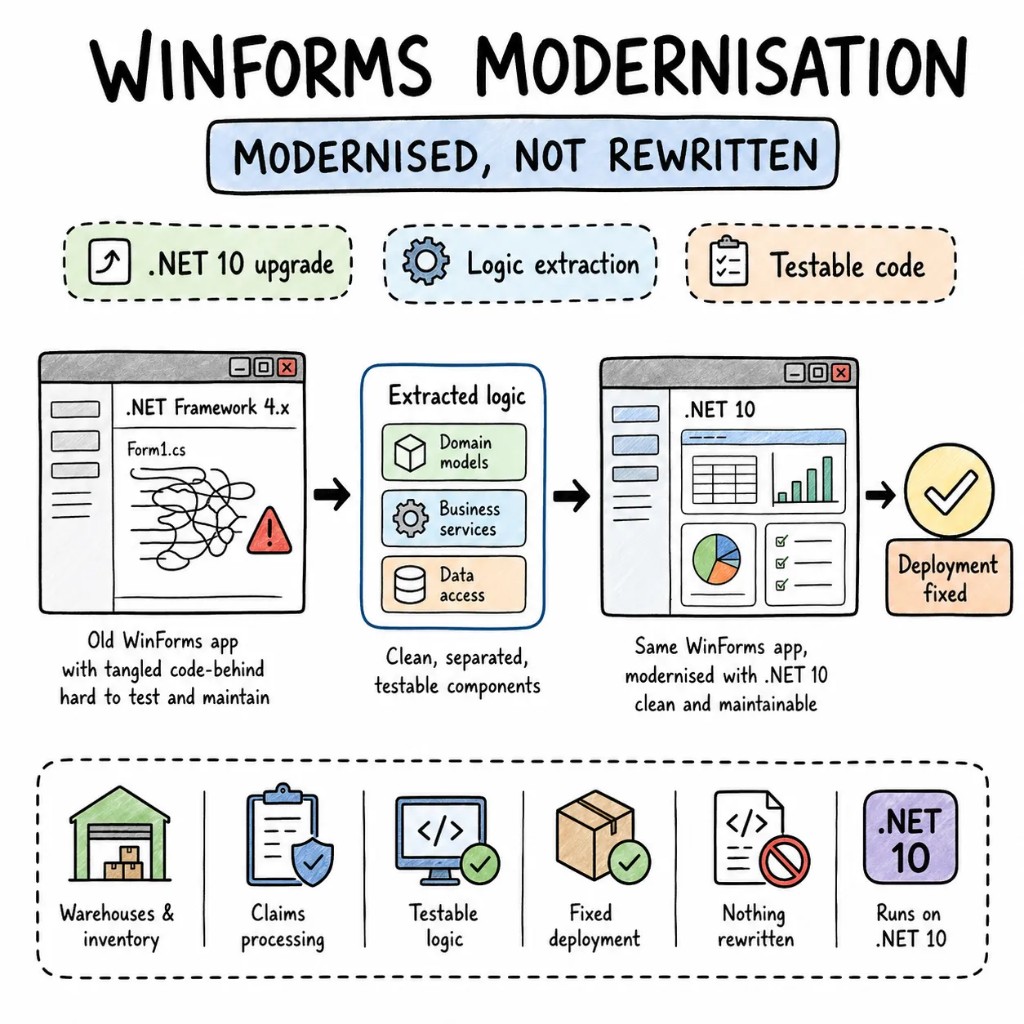
Warehouses, claims processing, inventory management — the places WinForms still runs are the places that can't afford downtime. Our WinForms development services aren't about defending an old framework; they're about fixing what's actually broken underneath it — .NET Framework 4.x nobody's patched, and business logic welded so tightly to the UI that nobody can test it.
Why Entalogics for WinForms
The story repeats on almost every WinForms codebase we take over — a 3,000-line form, SQL built from string concatenation, and a .NET Framework version that stopped getting security patches years ago. WinForms isn't the problem. What's built on top of it usually is.
Fifty thousand rows loaded straight into a grid can eat gigabytes before anyone notices. We turn on virtual mode, push paging down to the data layer, and profile against real production datasets — not the twenty-row sample the original developer tested with.
Extracting it into services and repositories is most of the actual work. The form stays WinForms. What's underneath becomes clean, injectable C# any .NET developer can maintain without archaeology.
BindingSource, BindingList, and INotifyPropertyChanged replace all of it. The UI updates because the data changed — not because someone remembered to wire up another assignment.
Parameterized queries and typed DTOs replace raw ADO.NET and loose DataTables. Rename a column and the compiler catches every broken reference — production doesn't have to find out first.
When WinForms, when not
WinForms is still in active development on .NET 10 — Microsoft modernized the runtime underneath it and left the UI layer alone on purpose. The real question was never "should we leave WinForms." It's "what needs modernizing underneath it."
STAY ON WINFORMS WHEN
CONSIDER MIGRATION WHEN
WE SAY NO WHEN
What we build with WinForms
Eight ways this work shows up for real clients. Each one built for enterprise production — not a drag-and-drop tutorial with a client logo on it.
Multi-form workflows, data grids, report generation, barcode scanning — the exact surface WinForms was purpose-built for, done fast without cutting corners.
Reusable, custom-built controls that keep every form in an application visually and functionally consistent, instead of five different developers solving the same UI problem five different ways.
Barcode scanning, label printing, stock counts, real-time sync — WinForms running on ruggedized Windows hardware where a browser tab genuinely isn't an option.
Transaction entry, reconciliation, report generation, audit trails — the kind of dense data-entry workflow a web UI still struggles to match.
A modern WinForms interface in front of a mainframe, AS/400, or database system that can't be replaced — old backend, new front door.
Runtime upgraded, code-behind extracted into services, ClickOnce replaced with MSIX, CI/CD wired in — the forms stay exactly as they are while everything underneath gets rebuilt.
For the point where Windows-only genuinely stops working — Blazor Hybrid for incremental adoption, Blazor Server for a full migration, or a parallel web app sharing the same service layer.
Ongoing monitoring, bug fixes, and .NET compatibility updates so an application that shipped stable stays that way for the next five years, not just the next five months.
The playbook
Patterns from real enterprise WinForms modernizations — not drag-and-drop tutorial demos.
P01
Every button-click handler reduced to one line: call a service, bind the result. Logic lives in injectable services that can be tested without ever launching a form.
P02
BindingSource and BindingList on every form, INotifyPropertyChanged on every DTO. A manual `textBox.Text = value` line doesn't survive code review.
P03
Dapper or EF Core replacing raw ADO.NET and string-built SQL. Injection-proof by default, with typed result sets instead of loose DataTables.
P04
ClickOnce gets replaced with MSIX — silent install, automatic updates, Group Policy compatible. IT stops walking to individual machines to fix broken installs.
P05
xUnit or NUnit against the service layer that used to be locked inside code-behind. Coverage starts on the paths carrying the most risk.
P06
One project at a time, the app deployable throughout. BinaryFormatter removed, Designer-generated code regenerated cleanly on the new runtime.
Signature case
A warehouse inventory system on WinForms .NET Framework 4.6 — 4,000-line forms, inline SQL with string concatenation, ClickOnce deployment that broke on half the machines, and zero test coverage. Extracted business logic into services, migrated to .NET 10, replaced ClickOnce with MSIX in 9 weeks. No feature freeze. No form redesign.
Before
.NET Framework 4.6 · avg form 4,000 lines · inline SQL · ClickOnce failing · 0% tests
After
.NET 10 · avg form 120 lines + services · EF Core · MSIX silent deploy · 78% service coverage
Engagement shape
Form by form, never flag-day. The current application stays deployed the entire time we're working.
Code-behind complexity inventory, SQL injection scan, .NET compatibility check, deployment audit. A ranked plan with real numbers, not a list of vague concerns.
.NET 10 baseline established, service extraction pattern proven on one form, real MSIX deployment to target machines.
Service extraction, data binding, parameterized queries — one form at a time. The application stays deployed and usable throughout.
MSIX pipeline live, service layer tested. Runbook handed over, or we stay on for WinForms maintenance and support.
Stack
Our default WinForms modernisation stack — picked for enterprise reality.
Engagement
No hourly billing for thinking time. Fixed quote or a transparent monthly rate.
Fixed scope, fixed price, senior-only team. Audit to .NET 10 deployment in 8-12 weeks.
FIXED SCOPE
Senior C# engineers who've modernized WinForms before, embedded in your Azure DevOps and your standups. Pause, resize, or exit with 30 days' notice.
PER ENGINEER
A standing partner for enterprises with a large WinForms estate that needs phased modernization — .NET upgrades, architecture extraction, web migration planning.
PROCUREMENT-FRIENDLY
Founder-direct
Thirty minutes with the founder — a senior WinForms developer, the relevant playbook, and a candid read on whether modernization is the right path, or web migration actually makes more sense for your business.