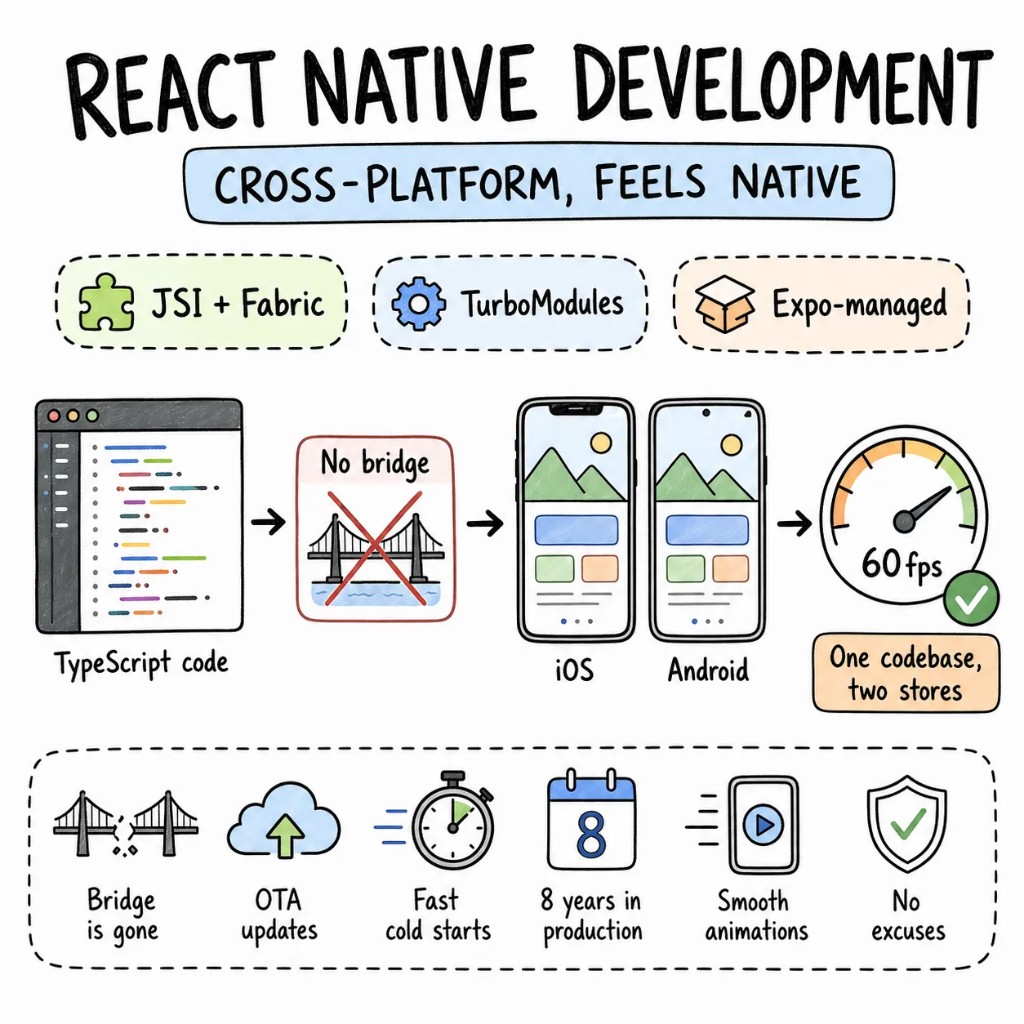
React Native architecture,React Native architecture,the way engineersevaluate it.React Nativearchitecture,the way engineers evaluate it.the way engineers evaluate it
React Native architecture is what's underneath a cross-platform app: the New Architecture, where JSI replaced the old async bridge with direct C++ calls; the Fabric renderer; the Hermes engine, which compiles JavaScript to bytecode ahead of time; and the line where Expo's managed workflow ends and bare React Native begins. Understanding those four things is the difference between an app that feels native and one that stutters on a real phone.
Four things every React Native app development project actually needs.
Most React Native codebases we take over still run the legacy bridge: FlatList on 500-item lists, Redux holding everything from server cache to whether a modal is open, and no over-the-air update pipeline. The New Architecture fixes a lot of that, but only if the app is built on it.
Performance01
The bridge is dead. Build like it.
JSI replaces the async JSON bridge with synchronous C++ calls. Fabric renders concurrent React. Hermes compiles bytecode ahead of time. We build on the New Architecture from the first commit rather than migrating to it in version four.
Architecture02
Expo-managed, until bare is required.
Current Expo gives you full native module access, EAS Build in the cloud, and over-the-air updates without ejecting anything. We go bare only when a native integration can't be expressed as a config plugin. Most apps never reach that point.
State03
Server state and UI state belong in different places.
TanStack Query owns server data. Zustand handles local UI state. MMKV persists preferences fast. Redux stays only when an existing codebase already depends on it and migration costs more than it saves. Less global state means fewer re-renders and a codebase the next developer can read.
Type safety04
TypeScript strict, from API contract to navigation param.
Zod validates every API response at the boundary. Expo Router types every navigation param. Design tokens are typed. If the backend changes a field, the app fails to compile instead of failing on someone's phone on a Tuesday morning.
When React Native, when not
React Native development is a tool. Not always the answer.
React Native is the fastest path to two app stores from one TypeScript codebase. It's also not native; the abstraction layer is real and it costs something. On the first call we'll tell you whether that trade-off works for your product.
PICK REACT NATIVE DEVELOPMENT WHEN
iOS and Android both need to ship and your team already knows TypeScript — the ramp into React Native is near zero
OTA updates matter — pushing a JS fix to production without waiting for App Store or Play Store review is a real operational advantage
The product is data-driven — lists, forms, navigation, API calls — where React Native matches native on feel while beating it on speed and cost
Sharing logic and types with a Next.js or Node.js web stack is a firm requirement
CONSIDER NATIVE WHEN
Deep hardware integration — Bluetooth LE, ARKit, camera pipelines — where the React Native abstraction layer costs more than it saves
A specific performance surface is non-negotiable and every runtime layer adds measurable latency
You only need one platform and the budget supports a focused native team without cross-platform overhead
WE SAY NO WHEN
"React Native because we already know React." Knowing React is necessary for mobile work. It isn't sufficient, and we won't pretend otherwise.
"Wrap our website in a WebView and ship it to both stores." That's not React Native development, and Apple and Google will both reject it.
"Two app stores in three weeks with no design." We'd be guessing, and so would anyone who quotes it.
Under the hood
The parts of React Native that decide how an app feels.
Six layers of the framework, and what each one changes when you build a production React Native app.
S01
The New Architecture: JSI replaces the bridge.
The New Architecture: JSI replaces the bridge.
The old async JSON bridge is gone. JSI (the JavaScript Interface) lets JavaScript hold direct references to native objects and call them synchronously in C++. TurboModules load native modules lazily, and Codegen generates the type-safe glue between JS and native. This is the change that removes the single biggest source of legacy React Native latency.
JSITURBOMODULESCODEGENNEW ARCH
S02
Fabric: concurrent rendering on a new host tree.
Fabric: concurrent rendering on a new host tree.
Fabric is the New Architecture's renderer. It builds an immutable shadow tree in C++, supports React's concurrent features, and lets native and JS share the same view hierarchy without bridge round-trips. Yoga still handles Flexbox layout underneath — but Fabric is why UI updates and gestures can stay in sync under load.
FABRICCONCURRENTSHADOW TREEYOGA
S03
Hermes: the engine that compiles JS ahead of time.
Hermes: the engine that compiles JS ahead of time.
Hermes is React Native's default JavaScript engine. It compiles to bytecode at build time instead of parsing JS on launch, which cuts cold-start time and memory use measurably on mid-range Android hardware. Understanding Hermes is how you reason about startup performance instead of guessing at it.
HERMESBYTECODESTARTUPMEMORY
S04
Native modules: where JavaScript meets platform APIs.
Native modules: where JavaScript meets platform APIs.
Anything the OS exposes but React Native doesn't — Bluetooth, secure storage, a custom SDK — crosses through a native module. Under the New Architecture these are TurboModules; in Expo, most are reachable through config plugins without ejecting. Knowing where that boundary sits is what decides whether you need bare React Native at all.
TURBOMODULESNATIVECONFIG PLUGINSEXPO
S05
Expo vs bare: where the managed workflow ends.
Expo vs bare: where the managed workflow ends.
Expo's managed workflow gives full native module access, cloud builds through EAS, and over-the-air updates without touching Xcode or Gradle. Prebuild generates the native projects on demand. You eject to bare only when a native integration can't be expressed as a config plugin, which is rare.
EXPOEASPREBUILDBARE
S06
OTA updates: shipping JavaScript without store review.
OTA updates: shipping JavaScript without store review.
EAS Update ships JS-and-asset changes straight to devices, skipping the App Store and Play Store review queue — with staged rollout and rollback if a metric degrades. The rule that matters: anything touching native code still needs a full store submission. Knowing which change is which is the whole discipline.
EAS UPDATEOTAROLLBACKJS BUNDLE
The playbook
React Native development patterns we ship on repeat.
The patterns we use on production React Native apps.
P01
Expo-managed by default.
EAS Build in the cloud, EAS Update for JavaScript patches that skip store review, config plugins for native configuration. Ejecting to bare is the exception, reserved for a native integration that can't be handled any other way.
P02
FlashList over FlatList everywhere.
FlashList is measurably faster than FlatList on long lists, so it goes everywhere a list would, with stable keys and memoised renderers. Shopify built it for exactly this problem.
P03
Typed navigation with Expo Router.
File-based routing, typed params, deep-link support from the first screen. If a refactor changes a param type, the build fails, rather than QA finding it three days later.
P04
Reanimated for native-thread animations.
Worklet-based animations running on the UI thread at 60fps — no JS bridge involved, no dropped frames when the JavaScript thread is busy. Gesture Handler for native-feel swipes and drags.
P05
Detox or Maestro for E2E tests.
End-to-end tests on real devices for the flows that matter: onboarding, purchase, deep links. They run in CI on every pull request and catch what unit tests can't.
P06
OTA updates with rollback.
EAS Update pushes JS fixes in minutes without waiting for app store review. Rollback if a metric degrades. For any change that touches native code, standard store review still applies — we scope every update correctly.
Signature case
Sociall, a React Native shell around an embedded Chromium engine.
Sociall needed every social platform in one app with ads and algorithmic feeds stripped out — which meant rendering each platform's web UI inside the app, not rebuilding it. The React Native shell owns navigation, native feel, and the product surface; Chromium embedded underneath renders the feeds with ad blocking and content filtering at the browser level. It shipped to the App Store in seven months, and the client measured feature delivery 25% faster on the hybrid stack than a conventional native plan.
Before
Five platforms' web UIs to render · ads to strip below the DOM · native feel non-negotiable
How a production React Native build goes from audit to store, screen by screen, with the current app live on both stores the whole time.
W01
Audit + RFC
Two senior React Native engineers go through the codebase — bundle analysis, bridge usage audit, New Architecture compatibility check for every native module. The output is a ranked RFC with effort estimates.
W02–03
Foundation + first screen
Current Expo baseline, Expo Router in place, FlashList and Reanimated wired in, one production screen built end to end. Cold-start numbers come from a physical device, not a simulator.
W04–08
Build screen by screen
Feature by feature under feature flags, with TestFlight and internal Play Store track releases weekly. The existing app keeps shipping while the new architecture lands underneath it.
W09+
App Store submission + handoff
Store assets, compliance, first submission to both stores. EAS Update configured for post-launch OTA. Runbook handed to your team — or we stay on retainer.
Stack
Tools we Tools we reach reach for for first.
The default stack for production React Native work.
Detox · Maestro · Jest · React Native Testing Library
Infra
EAS Build · EAS Update · Firebase · Sentry · Datadog
VOICES
What founders say on the record.
Verified feedback from Upwork, Clutch, and reference calls we're happy to set up before you sign anything.
Evan Kanouse
CEO, Modestly
Entalogics has successfully delivered extension prototypes on time, and we are impressed with their project management and the finished product. The client communicates with Entalogics via virtual meetings, email, and messaging apps.
Adam Strock
Founder, Flourish Schools
Collaborating with Entalogics was a great experience. Communication was clear, we aligned quickly, and their team delivered high-quality code on time with thoughtful technical decisions.
Giles Whitman
CTO, SentryBay
Their Chromium expertise helped us ship a hardened browser with live threat controls and enterprise rollout support. Security operations became significantly faster.
George Irvin
Founder, G3 Ventures LLC
Entalogics delivered our custom Electron browser in six months with isolated profile workflows and stable policy sync. Agent onboarding improved by 55% after rollout.
Dani Keo
Project Manager, Sociall
Entalogics built our iOS Chromium-based mobile app with a smooth native feel, stable media rendering, and reliable sync. We shipped faster and improved engagement after launch.
Project Manager
RozmeriGPT
The web dashboard and Chrome extension now share prompts, billing, and analytics in one platform. Our content turnaround improved 4x after launch.
Ilya Khodakovsky
Project Manager, Omni Browser
Entalogics built our Omni Browser on top of Chromium with deep product-level execution. They implemented an integrated VPN and Omni Crypto Wallet directly in the browser, made strong architectural decisions, and delivered quality code on schedule with clear communication.
Sherzod Khabibullayev
Project Manager, Digital Office: Aura
Entalogics built Digital Office: Aura as a custom Chromium-based authentication platform. Their team modified Chromium internals and integrated our manual custom authentication flow with reliable implementation, fast delivery, and consistent communication.
Expo or bare, New Architecture migrations, over-the-air updates. The questions engineers ask most.
Expo, for nearly everything. Current Expo gives you full native module access, EAS Build in the cloud, and over-the-air updates without ejecting. Go bare only when a native integration can't be handled through a config plugin. We'll tell you on the first call whether your requirements are one of those exceptions.
With the New Architecture, yes. The legacy bridge bottleneck is gone — JSI makes native calls synchronous, Hermes cuts startup time measurably, and Reanimated runs animations on the UI thread. For data-driven apps — lists, forms, navigation, API calls — React Native matches native performance where it matters to users.
Yes. We audit every native module for New Architecture compatibility, migrate screen by screen under feature flags, and validate performance at each step. The app stays live on both stores throughout. Most migrations run 8–12 weeks depending on codebase size and how many legacy native modules are involved.
Yes. Under the legacy bridge a native module was hand-wired on both sides and every call crossed an async JSON boundary. With TurboModules, you declare the module's interface once in TypeScript, Codegen generates the type-safe native glue for Swift and Kotlin, and JSI lets JavaScript call it synchronously. Modules load lazily, so a big app doesn't pay for every native binding at startup — and a signature change fails the build instead of failing on a device.
Yes, including your navigation library, your state management, and your CI setup. If something structural needs to change, we flag it in the RFC with a specific recommendation. If what's already there works, we build on top of it.
Senior engineers
Tell us whatyou're building.
Thirty minutes with a senior engineer and a senior React Native developer, and a straight answer on whether cross-platform is the right call or native gets you there better.