Ship a Qt application, end-to-end.
A defined product, a fixed price, a senior-only team. From RFC to deployed app in 8–14 weeks.
$15k–$30k
FIXED SCOPE
- Senior engineers only
- Fixed quote in week 1
- Code, infra, runbook — yours
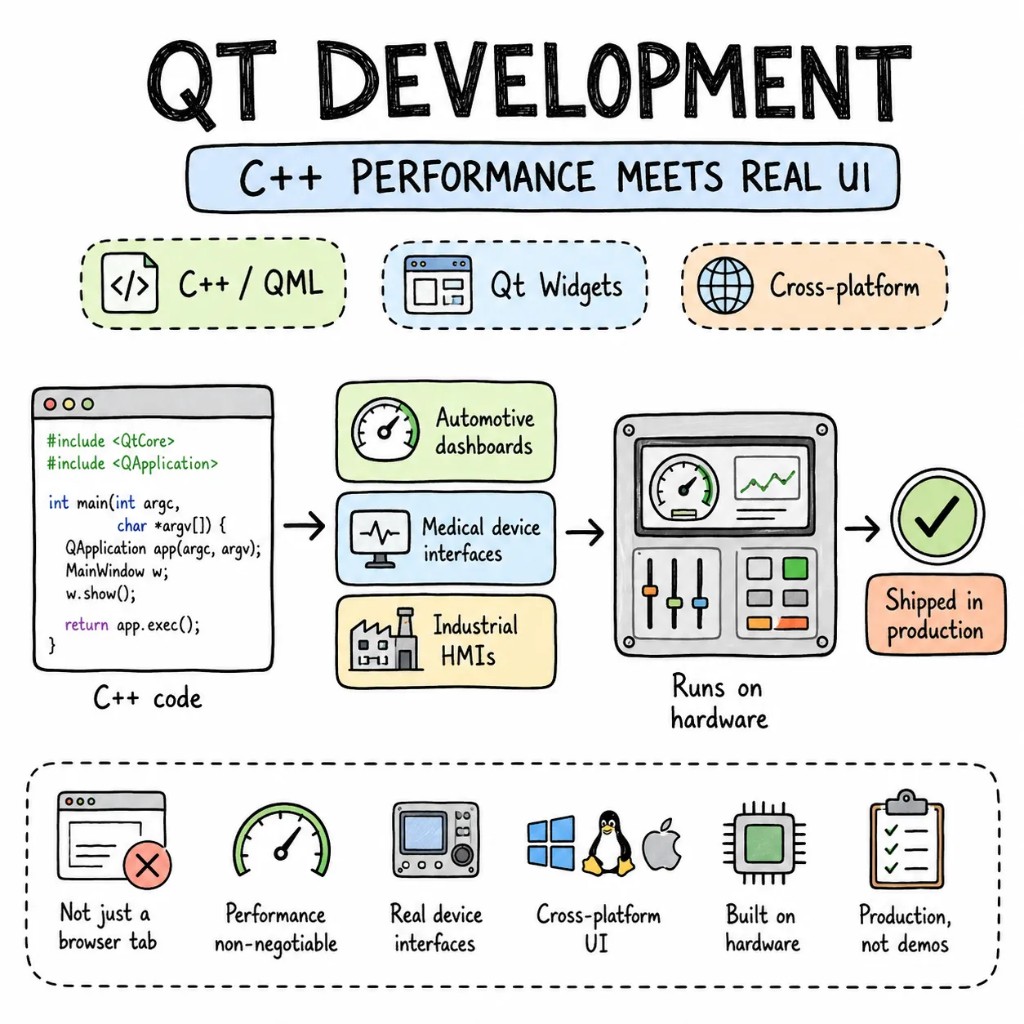
We don't build Qt demos — we ship Qt in production. Automotive dashboards, medical device interfaces, industrial HMIs, and desktop applications where C++ performance isn't optional. Qt development services for teams building software that runs on hardware — not just in a browser tab.
Why Entalogics for Qt
The Qt codebases we inherit usually have C++ doing everything including UI layout, QML treated as an afterthought, signal/slot connections that nobody can trace, and zero separation between business logic and presentation. Qt is powerful. Most teams use about 30% of it properly.
Heavy data processing, hardware communication, and real-time calculations stay in C++. Fluid animations, touch interactions, and screen layouts belong in QML. When teams mix these responsibilities, both performance and maintainability suffer.
C++ exposes typed models and controllers via Q_PROPERTY and Q_INVOKABLE. QML binds declaratively. No business logic in QML JavaScript. No UI manipulation in C++. Two developers work on two layers without stepping on each other.
Qt's signal/slot mechanism is elegant until you have 400 connections nobody can trace. We enforce explicit connection types, avoid string-based connections, and document the signal graph so the next engineer doesn't spend a week reverse-engineering state flow.
C++17/20 with RAII, smart pointers, and strong types. QML interfaces exposed through typed models — not raw QVariantMaps. When a property type changes, the compiler catches it in C++ and QML tooling flags it in the IDE.
When Qt, when not
Qt is the most capable cross-platform native framework in existence. It's also C++ — and C++ demands discipline that most web-first teams don't have. We'll tell you on the first call if Qt is the right fit for your product and your team.
PICK QT WHEN
CONSIDER ALTERNATIVES WHEN
WE SAY NO WHEN
What we build with Qt
The shapes of Qt development work we deliver most. Each built for real hardware and real production — not a conference demo.
Digital instrument clusters, infotainment systems, HVAC controls. Qt for Automotive with multi-display support, real-time rendering, and AUTOSAR compliance.
Patient monitoring dashboards, diagnostic equipment UIs, lab instrument panels. IEC 62304 compliance-ready. Touch interfaces that work with gloves.
Factory floor HMIs, process monitoring, alarm management. Real-time data from PLCs and sensors rendered at 60fps on industrial-grade hardware.
Professional creative tools, scientific instruments, developer utilities. One C++ codebase, native look on every platform, no browser engine bundled.
Touch-screen interfaces on Yocto or Buildroot targets. Qt for Device Creation with boot-to-UI in under two seconds. Resource-constrained hardware, full-featured UI.
Qt 4 to Qt 6, Widgets to QML, qmake to CMake. Module by module — the current application keeps shipping while we modernise.
The playbook
Qt patterns from production embedded and desktop apps — not Qt Creator tutorials.
P01
Declarative QML for layout, animation, and interaction. C++ models and services exposed via Q_PROPERTY. The boundary is strict and testable on both sides.
P02
QAbstractListModel subclasses with typed roles. No QVariantMap abuse. QML binds to strongly typed properties. When a role changes, the compiler catches it.
P03
Qt 6 requires CMake. We structure multi-target builds — desktop, embedded, test — with clean CMakeLists. No qmake legacy. CI builds for every platform in parallel.
P04
Unit tests with QTest on C++ logic. Squish or Appium for automated GUI testing on target hardware. CI runs on every PR.
P05
On embedded targets: minimal init system, EGLFS renderer, precompiled QML cache, splash screen while services start. Users see UI before the kernel finishes booting everything.
P06
Existing Qt Widgets apps get QML screens one at a time via QQuickWidget. No full rewrite. The current app keeps shipping.
Signature case
A factory floor HMI on Qt 4.8 with Widgets — 12-second boot on the target hardware, a UI that couldn't be restyled without recompiling, no touch support, and a qmake build system that only one engineer understood. Migrated to Qt 6 with QML, EGLFS rendering, and CMake in 11 weeks. Boot-to-UI dropped to 1.8 seconds. Touch support added. Restyling now takes hours, not days.
Before
Qt 4.8 Widgets · 12s boot · no touch · qmake · restyle = recompile
After
Qt 6 QML · 1.8s boot · full touch · CMake · restyle = QML edit
Engagement shape
A typical Qt development engagement. We build or migrate module by module — never flag-day. The current app stays deployed while we work.
Two senior Qt developers. Rendering performance profiling, signal/slot audit, build system review, target hardware validation. A ranked, dollarized RFC.
Qt 6 baseline, QML architecture established, C++ models wired, one production screen on target hardware. Real frame times on the actual device.
Screen by screen under feature flags. Nightly builds on target hardware. Your roadmap keeps moving.
Target image finalised. Qt Test coverage on critical paths. Build and deploy runbook handed to your team — or we stay on retainer.
Stack
Our default Qt development stack — picked for production, not tutorials.
Engagement
No hourly retainer that bills for "thinking time." Pick a lane that matches your stage; everything is fixed-quote or transparently rated.
A defined product, a fixed price, a senior-only team. From RFC to deployed app in 8–14 weeks.
$15k–$30k
FIXED SCOPE
Embedded engineers in your Slack, your Jira, your standups. Senior C++ and QML engineers. Pause, resize, end with 30 days' notice.
$5k / eng / mo
PER ENGINEER
A long-term partner for product orgs shipping embedded or desktop Qt — HMI architecture, Qt 6 migration, performance tuning, hiring help.
custom
PROCUREMENT-FRIENDLY
Founder-direct
Thirty minutes with the founder. We'll bring a senior Qt developer, the relevant playbook, and a candid read on whether Qt is the right framework — or whether your product's UI belongs in a browser or a lighter native toolkit.