Mobile app architecture,Mobile apparchitecture,the way engineers evaluate it.the way engineers evaluate it.
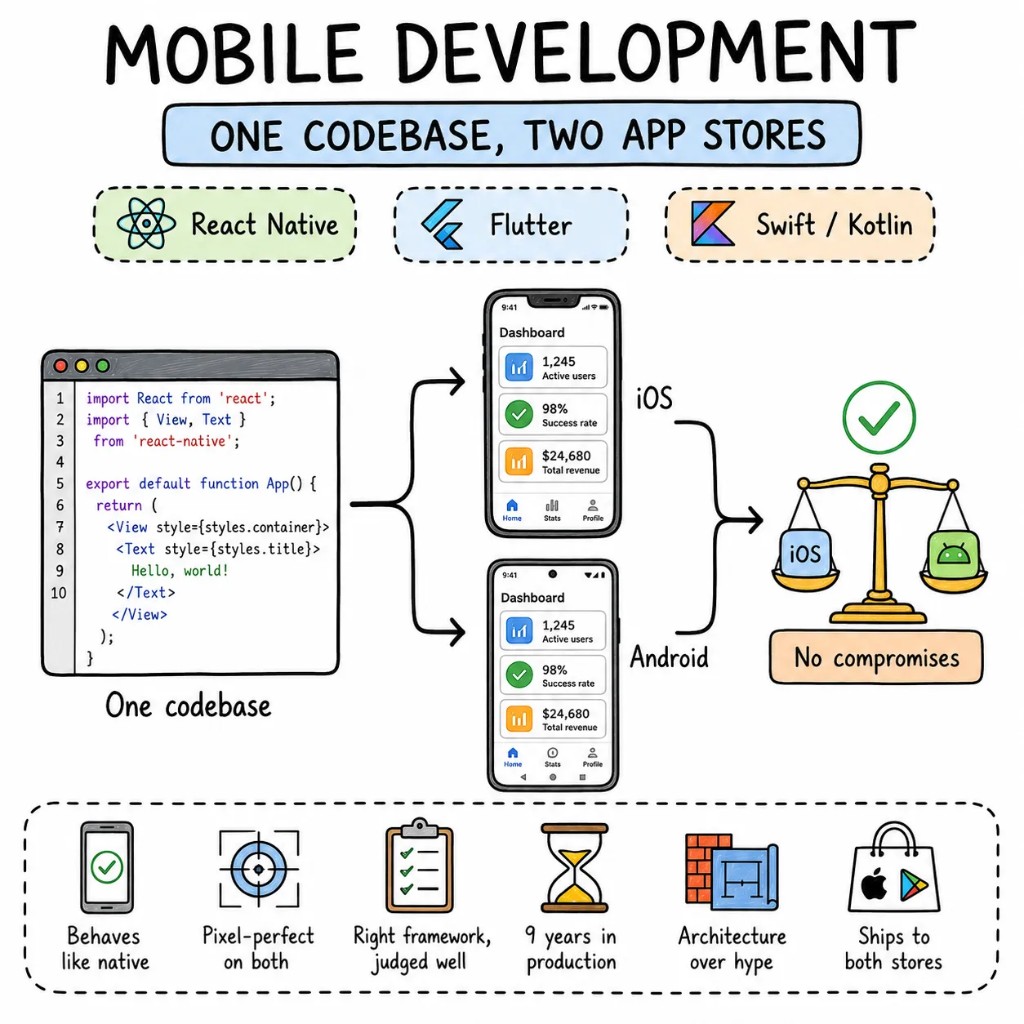
Mobile app architecture means the decisions that outlive the first release — native Swift and Kotlin versus a React Native or Flutter runtime, where server state ends and UI state begins, how offline sync and push get wired, and what a release pipeline needs so a fix reaches phones without waiting a week for review. This is what separates an app that holds up after version one from one that gets rebuilt at version three.
Cross-platform apps that come to us tend to have the same four problems: scroll performance nobody profiled, navigation that fights the platform, a state layer that re-renders the whole screen on every keystroke, and no plan for over-the-air updates. We fix the architecture before the store reviews point it out.
Performance01
60fps or users notice. There's no in between.
We profile render cycles from the start: list virtualisation, memoised components, animations on the native driver. A dropped frame or a sluggish list reads as a one-star review, not a cosmetic issue.
Architecture02
Feature modules, not a screens folder.
Each feature owns its screens, hooks, types, and tests. Navigation is typed. Shared components live in a design-system package. Two engineers can work on two features without merge conflicts eating the sprint.
State03
Server state and client state don't belong in the same store.
TanStack Query for server data. Zustand or Jotai for local UI state. Deep link state handled by the router. Less global state means fewer re-renders, faster screens, and a codebase the next developer can read.
Type safety04
TypeScript strict, from API contract to component prop.
Zod-validated API responses, typed navigation params, typed design tokens. If the backend renames a field, the app fails to compile instead of failing on someone's phone.
When cross-platform, when native
Mobile development is a tool decision. Not a tribal one.
React Native, Flutter, or native iOS and Android each come with trade-offs. On the first call we'll tell you which one fits your product, your team, and your timeline. We don't have a favourite.
PICK REACT NATIVE WHEN
Your team knows JavaScript and TypeScript — the ramp-up into React Native is near zero
Sharing logic and types with a Next.js or Node.js web stack matters to your team
OTA updates via Expo EAS are important — skip app store review for JavaScript bundle fixes
A large hiring pool of JavaScript developers matters more than framework-specific expertise
PICK FLUTTER WHEN
Pixel-perfect custom UI is the product — Flutter renders every pixel on its own canvas
iOS, Android, web, and desktop from one codebase is a firm requirement
Your product is animation-heavy or graphics-heavy and Impeller's GPU rendering earns its place
Your team can invest in learning Dart and doesn't carry JavaScript as the default
GO NATIVE IOS OR ANDROID WHEN
Deep hardware integration — Bluetooth, ARKit, camera pipelines — where the abstraction layer costs more than it saves
App size and startup time are hard requirements under 5MB that a cross-platform runtime can't hit
Platform-specific UX is non-negotiable and the budget supports two separate codebases
WE SAY NO WHEN
"Wrap our website in a WebView and call it a mobile app." That's not mobile app development.
"Build it in Flutter because someone read an article." We'll tell you if React Native fits better.
"We need both apps in three weeks." Three weeks gets you a scoped plan and a first screen, not two store listings.
What we build for mobile
Six mobile app development surfaces. One quality bar.
The kinds of mobile app we build most often, all of them built for the App Store and Google Play rather than for a demo on an engineer's phone.
S01
Consumer apps
Consumer apps
Onboarding flows, push notifications, in-app purchases, analytics — the full consumer mobile stack polished to pass App Store and Play Store review on the first submission.
REACT NATIVEEXPOREVENUECATFIREBASE
S02
SaaS companion apps
SaaS companion apps
Your web dashboard, in your user's pocket. Offline-first sync, biometric auth, push notifications tied to backend events.
REACT NATIVETANSTACK QUERYMMKVONESIGNAL
S03
E-commerce mobile apps
E-commerce mobile apps
Product browsing, cart, checkout, and order tracking, with scroll performance that holds up on product lists of hundreds of SKUs.
REACT NATIVESHOPIFYALGOLIASTRIPE
S04
Internal field apps
Internal field apps
Barcode scanning, offline data collection, GPS tracking, photo capture — native iOS and Android tools for teams working outside the office.
REACT NATIVEEXPOSQLITEMAPBOX
S05
Flutter brand apps
Flutter brand apps
Pixel-perfect brand experiences where every animation, transition, and micro-interaction is custom. Flutter's GPU rendering earns its place here.
FLUTTERRIVERPODIMPELLERFIREBASE
S06
Native performance layers
Native performance layers
Swift or Kotlin modules for Bluetooth, ARKit, camera, or codec work — integrated into a cross-platform shell or shipped as standalone native iOS and Android apps.
SWIFTKOTLINTURBO MODULESPLATFORM CHANNELS
The playbook
Mobile app development patterns we ship on repeat.
The patterns we use on production mobile apps.
P01
Expo-first for React Native
Expo managed workflow by default, EAS Build for cloud compilation, EAS Update for OTA patches that skip app store review. Eject to bare only when a native module requires it.
P02
Typed navigation
Every route and every param typed end to end. If a refactor changes a param type, the build fails, rather than QA finding it three days later.
P03
Server state via TanStack Query
Cache-first, background refetch, optimistic updates. No manual loading/error/success state spread across every mobile screen. Data shows instantly from cache and refreshes silently.
P04
Design tokens across platforms
Colour, spacing, and typography as code — shared between iOS and Android. Light/dark mode, dynamic type, and brand variants from one token source.
P05
Detox or Maestro for E2E tests
End-to-end tests on real devices for the flows that matter: onboarding, purchase, deep links. They catch the regressions unit tests can't.
P06
OTA updates with rollback
EAS Update for React Native, Shorebird for Flutter. Push a fix to production without waiting for App Store or Play Store review. Rollback if the update degrades a metric.
Signature case
Sociall, an iOS app with a Chromium engine inside a React Native shell.
Sociall needed one app for every social platform — feeds from Instagram, X, Facebook, TikTok, and LinkedIn with the ads and algorithmic noise stripped out. The architecture that made it work: a React Native UI over an embedded Chromium engine, so each platform's web interface renders natively inside the app with ad blocking and content filtering applied at the browser level, plus AI fact-checking on top. Seven months from kickoff to the App Store.
Before
Five separate social apps · ads and suggested posts everywhere · no control over the feed
After
One iOS app · every feed ad-free at the browser level · AI fact-checking · 4.6★ at launch
App Store rating at launch4.6★
Faster feature delivery on the hybrid stack25%
Creator content output with unified access2×
Kickoff to App Store7 mo
Engagement shape
Ten to fourteen weeks to a shipped mobile app.
A typical engagement, end to end. Screen by screen rather than a six-month big bang, with the current app live the whole time.
W01
Audit + RFC
Two senior mobile developers on the project. Render profiling, navigation audit, state architecture review. The output is a ranked RFC with effort estimates against each item.
W02–03
Foundation + first screen
Expo or Flutter baseline, design tokens set up, typed navigation wired in, and one production screen built end to end. Performance numbers come from a physical device.
W04–08
Build screen by screen
Feature by feature under feature flags. TestFlight and internal Play Store track releases weekly. Your roadmap keeps moving throughout.
W09+
App Store submission + handoff
Store assets, review guideline compliance, first submission to both stores. App Store review typically takes 1–2 business days. Runbook handed to your team — or we stay on retainer.
Stack
Tools we Tools we reach reach for for first.
The default stack for production mobile work.
Framework
React Native · Expo · Flutter · Swift · Kotlin
Language
TypeScript (strict) · Dart · Zod · Swift · Kotlin
State
TanStack Query · Zustand · Riverpod · MMKV
Testing
Detox · Maestro · Jest · Flutter Test · Patrol
Infra
EAS Build · EAS Update · Fastlane · Firebase · Sentry
VOICES
What founders say on the record.
Verified feedback from Upwork, Clutch, and reference calls we're happy to set up before you sign anything.
Evan Kanouse
CEO, Modestly
Entalogics has successfully delivered extension prototypes on time, and we are impressed with their project management and the finished product. The client communicates with Entalogics via virtual meetings, email, and messaging apps.
Adam Strock
Founder, Flourish Schools
Collaborating with Entalogics was a great experience. Communication was clear, we aligned quickly, and their team delivered high-quality code on time with thoughtful technical decisions.
Giles Whitman
CTO, SentryBay
Their Chromium expertise helped us ship a hardened browser with live threat controls and enterprise rollout support. Security operations became significantly faster.
George Irvin
Founder, G3 Ventures LLC
Entalogics delivered our custom Electron browser in six months with isolated profile workflows and stable policy sync. Agent onboarding improved by 55% after rollout.
Dani Keo
Project Manager, Sociall
Entalogics built our iOS Chromium-based mobile app with a smooth native feel, stable media rendering, and reliable sync. We shipped faster and improved engagement after launch.
Project Manager
RozmeriGPT
The web dashboard and Chrome extension now share prompts, billing, and analytics in one platform. Our content turnaround improved 4x after launch.
Ilya Khodakovsky
Project Manager, Omni Browser
Entalogics built our Omni Browser on top of Chromium with deep product-level execution. They implemented an integrated VPN and Omni Crypto Wallet directly in the browser, made strong architectural decisions, and delivered quality code on schedule with clear communication.
Sherzod Khabibullayev
Project Manager, Digital Office: Aura
Entalogics built Digital Office: Aura as a custom Chromium-based authentication platform. Their team modified Chromium internals and integrated our manual custom authentication flow with reliable implementation, fast delivery, and consistent communication.
Engagement
Three ways to work with us on mobile app development.
Nothing here bills by the hour. Every option is either a fixed quote or an openly stated rate.
FIXED SCOPEone-off build
Ship a mobile app, end-to-end.
One product, scoped and priced once, built entirely by senior mobile developers. RFC to App Store submission in 10–14 weeks.
That's a different page for a different buyer — a mobile engineer matched to your platform, priced per engineer per month, embedded in your repo and standups.
PER ENGINEER
·Matched to iOS, Android, Flutter, or React Native
For product teams that want a long-term mobile partner rather than a one-off build: cross-platform architecture, a performance programme, and help with hiring.
React Native or Flutter, whether a PWA would do, how long the stores take. The questions that come up on most calls.
React Native when your team knows JavaScript and wants to share code with your web stack. Flutter when pixel-perfect custom UI is the product and your team can invest in Dart. For most SaaS and consumer mobile apps, React Native with Expo ships faster and draws from a larger hiring pool. We'll tell you which fits on the first call.
A PWA when your users come through web search and don't need push notifications, biometrics, or offline access. A native mobile app when you need the App Store, Play Store, or a first-class mobile experience. We'll tell you which one earns its build cost.
Yes. We audit every native API, map it to a cross-platform equivalent or Turbo Module, and rebuild screen by screen. The existing native app stays live on both stores until the new one is ready to replace it.
By what the user does when the signal drops. If any core action has to work on a train or in a warehouse, the app gets a local store (SQLite or MMKV), queued writes, and background sync from the first screen — retrofitting it later means rewriting the data layer. If the product has no use offline, we skip the complexity and don't build for it.
Yes. We adapt to your navigation library, state management, and testing setup. If something structural needs changing, we flag it in the RFC. If it works, we build on top of it instead of rewriting it to match our preferences.
Senior engineers
Tell us whatyou're building.
Thirty minutes with a senior engineer and a senior mobile developer, and a straight answer on whether React Native, Flutter, or native is right for your product.