Native iOS apps that feel likeApple built them.

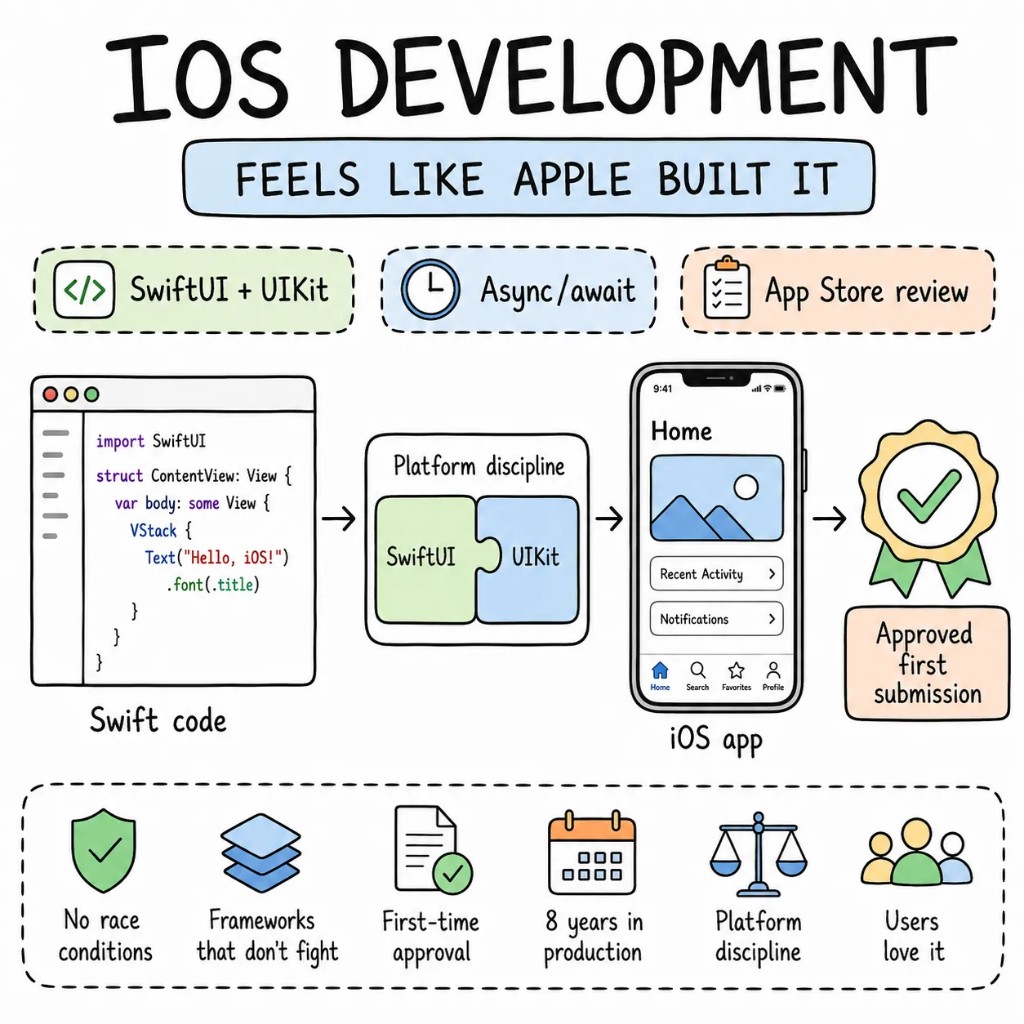
Eight years of iOS in production. SwiftUI that doesn't fight UIKit when it shouldn't, async/await concurrency that doesn't race, and architecture that passes App Store review on the first submission. The difference between an app that works and one users love is the platform discipline most teams skip.

  • SwiftUI
  • Swift 6
  • async/await
  • App Store-ready

Why Entalogics for iOS

Four things every
iOS app
actually needs.

Most iOS codebases we inherit have massive ViewControllers nobody will touch, a networking layer with six different patterns, Core Data migrations that crash on update, and zero UI tests. We bring the architecture that keeps an iOS app shippable past version 3.0.

Performance01

Main thread blocked means frames dropped. Users notice.

We profile with Instruments from day one — Time Profiler, Allocations, Core Animation. Image decoding off the main thread. Heavy computation on background actors. A janky scroll isn't a bug — it's a one-star review.

Architecture02

MVVM with clear boundaries, not Massive View Controller.

ViewModels own the logic. Views own the layout. Navigation is coordinator-driven and testable. Each feature is a Swift Package with explicit dependencies — not an Xcode project where everything imports everything.

State03

SwiftData where it earns it. UserDefaults where it doesn't.

SwiftData for structured persistence that needs migration support. Keychain for credentials. UserDefaults for simple preferences. Core Data only when the existing codebase already depends on it. Each tool chosen for the job — not carried over from the last project.

Type safety04

Swift's type system used fully, not fought.

Enums with associated values for state machines. Result types for expected failures. Codable with custom keys at every API boundary. When the backend changes a field, the compiler catches it — not the QA team three days later.

When native, when not

iOS native is a tool.
Not always the answer.

Native Swift gives you the deepest access to Apple's platform. It also costs the most. We'll tell you on the first call if native is genuinely justified — or if cross-platform gets you there at half the cost.

GO NATIVE WHEN

  • Deep platform integration — HealthKit, ARKit, CarPlay, Widgets, Live Activities — where the abstraction layer costs more than it saves
  • Performance-critical surfaces — camera pipelines, real-time audio, GPU rendering — where every millisecond matters
  • Apple ecosystem is the product — iPhone, iPad, Watch, Vision Pro from one Swift codebase
  • Brand experience demands pixel-perfect platform-native feel that cross-platform can't replicate

CONSIDER CROSS-PLATFORM WHEN

  • You need iOS and Android and budget doesn't support two native teams
  • The app is primarily data display, forms, and navigation — React Native handles this cleanly
  • Speed to market matters more than platform depth right now

WE SAY NO WHEN

  • "Build it native because native is better." That's a belief, not a requirement. We'll tell you if cross-platform fits.
  • "We need an iOS app that's just our website in a frame." That's a WebView, not native development.
  • "Ship to the App Store in three weeks with no spec." That ship has sailed.

What we build for iOS

Six product surfaces.
One quality bar.

The shapes of native iOS work we ship most. Each built to Apple's standards — not just functional, but reviewable.

  • S01

    Consumer iOS apps

    Onboarding, subscriptions via StoreKit 2, push notifications, App Clips, Widgets. The full consumer stack — polished for App Store featuring.

    SWIFTUISTOREKIT 2APNSWIDGETKIT
  • S02

    Health & fitness apps

    HealthKit integration, workout tracking, background delivery, Apple Watch companion. Data handling that respects Apple's privacy requirements from day one.

    HEALTHKITWATCHOSSWIFTDATACOMBINE
  • S03

    AR & spatial computing

    ARKit experiences, RealityKit rendering, and visionOS-ready spatial UI. SwiftUI skills that transfer directly to Vision Pro development.

    ARKITREALITYKITVISIONOSSWIFTUI
  • S04

    Enterprise iOS apps

    MDM compatibility, SSO via ASWebAuthenticationSession, certificate pinning, offline-first sync. Enterprise distribution without App Store dependency.

    MDMKEYCHAINURLSESSIONSWIFTDATA
  • S05

    Internal tooling

    Replace the spreadsheet your field team emails around. Barcode scanning, offline data capture, GPS logging — built for iPad and iPhone.

    SWIFTUIAVFOUNDATIONCORELOCATIONSQLITE
  • S06

    UIKit to SwiftUI migrations

    UIHostingController for incremental adoption. Screen by screen, no flag-day. The current app stays on the App Store while we modernise underneath.

    SWIFTUIUIKITSWIFT 6SWIFT PACKAGES

The playbook

Patterns we
ship on repeat.

iOS patterns proven in production apps with real App Store reviews — not WWDC sample code.

  • P01

    SwiftUI-first, UIKit when earned

    New screens in SwiftUI by default. UIKit only for components SwiftUI doesn't handle well yet — complex text editing, custom collection view layouts. No mixed-for-no-reason codebases.

  • P02

    Swift Concurrency everywhere

    async/await for networking. Actors for shared mutable state. Task groups for parallel work. No more completion handler pyramids or GCD queue juggling.

  • P03

    Swift Package modularisation

    Each feature is a Swift Package with explicit imports. Build times drop. Test targets isolate. Two engineers build two features without touching the same Xcode project file.

  • P04

    Design tokens via SwiftUI extensions

    Colour, spacing, typography as typed extensions on SwiftUI primitives. Light/dark, Dynamic Type, and accessibility contrast from a single token source.

  • P05

    Snapshot + UI tests on critical paths

    Snapshot tests for visual regression. XCUITest for critical user flows. CI runs on every PR against real simulators. Catches the regression a unit test can't see.

  • P06

    Incremental SwiftUI adoption

    UIHostingController wraps new SwiftUI views inside existing UIKit navigation. One screen at a time. The app ships continuously — no rewrite required.

Signature case

A health app,
migrated from UIKit to SwiftUI with a Watch companion.

A B2C health tracking app on UIKit — 6,000-line ViewControllers, no test coverage, a networking layer with three different patterns, and a Watch app that hadn't compiled in four months. Migrated to SwiftUI with MVVM, async/await networking, and a working watchOS companion in 12 weeks. App Store rating went from 3.4 to 4.8.

Before

UIKit · avg ViewController 6,000 lines · 0% test coverage · Watch app broken · rating 3.4★

After

SwiftUI · avg View + ViewModel 280 lines · 82% coverage · Watch companion live · rating 4.8★

  • Code per feature−95%
  • App Store rating+41%
  • To fully migrated12wk
  • Shipped regressions0

Engagement shape

Eight to ten weeks
to a measurable ship.

A typical iOS engagement, end-to-end. We build or migrate screen by screen — never a six-month rewrite. The current app stays on the App Store while we work.

  • W01

    Audit + RFC

    Two senior iOS engineers on the project. Instruments profiling, architecture review, test coverage audit. A ranked, dollarized RFC.

  • W02–03

    Foundation + first screen

    SwiftUI baseline, Swift Package modularisation, MVVM established, one production screen built end-to-end. Real performance numbers on a physical device.

  • W04–08

    Build screen by screen

    Feature by feature under feature flags. TestFlight releases weekly. Your roadmap keeps moving.

  • W09+

    App Store submission + handoff

    Store assets, review guidelines compliance, first submission. Runbook handed to your team — or we stay on retainer.

Stack

Tools we
reach for first.

Picked for production iOS — not tutorial starters.

  • LanguageSwift 6 · SwiftUI · UIKit · Combine
  • DataSwiftData · Core Data · Keychain · UserDefaults
  • NetworkingURLSession · async/await · Codable · Zod-equivalent validation
  • TestingXCTest · XCUITest · Swift Snapshot Testing · Quick/Nimble
  • ToolingSwift Package Manager · Xcode Cloud · Fastlane · SwiftLint
  • InfraTestFlight · App Store Connect · Firebase · Sentry · Datadog

Engagement

Three ways
to work with us.

No hourly retainer that bills for "thinking time." Pick a lane that matches your stage; everything is fixed-quote or transparently rated.

FIXED SCOPEone-off build

Ship an iOS app, end-to-end.

A defined product, a fixed price, a senior-only team. From RFC to App Store submission in 8–14 weeks.

$15k–$30k

FIXED SCOPE

  • Senior engineers only
  • Fixed quote in week 1
  • Code, infra, runbook — yours
Plan a fixed build
DEDICATED TEAMmonthly

Hire dedicated iOS developers.

Embedded engineers in your Slack, your Linear, your standups. A scaled pod of senior Swift engineers. Pause, resize, end with 30 days' notice.

$5k / eng / mo

PER ENGINEER

  • Same senior bar as fixed-scope
  • Embedded in your team
  • Founder-direct escalation
Hire dedicated iOS devs
ENGAGEMENTcustom

Strategic iOS partnership.

A long-term partner for product orgs shipping across Apple's ecosystem — iPhone, iPad, Watch, Vision Pro. Architecture, performance, hiring help.

custom

PROCUREMENT-FRIENDLY

  • Multi-quarter roadmap
  • Architecture & hiring partner
  • Procurement-friendly paper
Speak to the founder
FAQ

Sharp questions,
straight answers.

SwiftUI vs UIKit, native vs React Native, migrations — the questions we get on every iOS discovery call.
SwiftUI for all new projects — it's mature, Apple's recommended path, and significantly faster to build with. UIKit when you're inside an existing UIKit codebase and a full rewrite isn't justified. We migrate incrementally — SwiftUI screens inside UIKit navigation, one screen at a time.
Native when you need deep platform access — HealthKit, ARKit, CarPlay, Widgets — or when performance on a specific surface is non-negotiable. React Native when you need both platforms and the app is primarily data-driven UI. We'll tell you which one on the first call.
Yes. UIHostingController lets SwiftUI views live inside UIKit navigation. We migrate screen by screen, the app ships continuously to the App Store throughout. No feature freeze. No flag-day.
Yes. The engineers who write the RFC ship the code. No handoff mid-engagement. Direct access throughout.
Yes. We adapt to your patterns, your dependency management, and your CI setup. If something structural needs changing, we flag it in the RFC. If it works, we build on top of it.

Founder-direct

Tell us whatyou're building.

Thirty minutes with the founder. We'll bring a senior iOS engineer, the relevant playbook, and a candid read on whether native Swift is the right call — or whether cross-platform gets you there faster.