
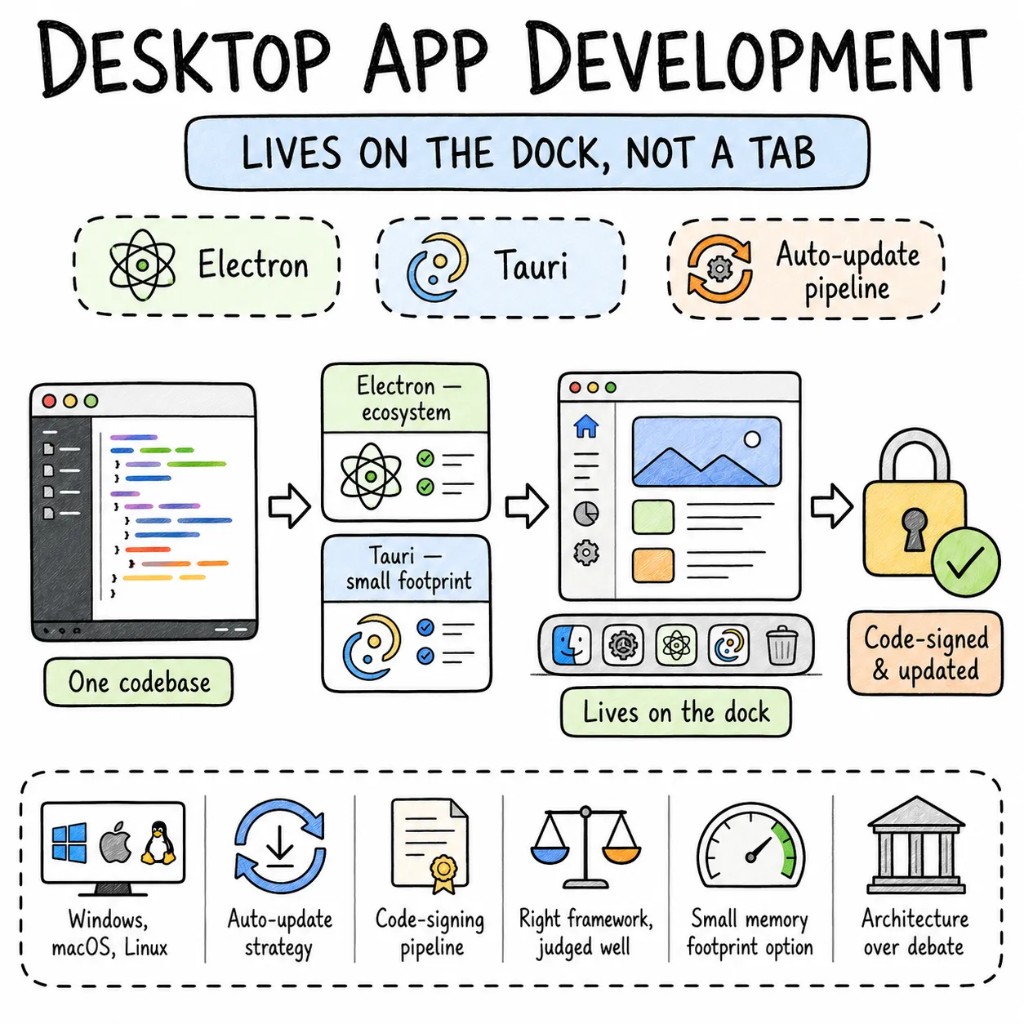
Desktop appsDesktop apps thatlive on the dock –not in the browser tab.that live onthe dock – notin the browser tab.
We ship cross-platform desktop applications that run on Windows, macOS, and Linux from a single codebase. Electron when ecosystem maturity and web team velocity matter. Tauri when bundle size and memory footprint are non-negotiable. The framework debate matters less than the architecture, auto-update strategy, and code-signing pipeline most teams skip.
The desktop apps we inherit usually share the same problems — 300MB Electron bundles nobody optimised, auto-update that silently breaks, no code-signing pipeline, and a main process that blocks the UI thread. Desktop development has real operational complexity that web teams don't expect.
Performance01
Memory matters when your app shares the dock with everything else.
An idle Electron app uses 150–300MB. Tauri uses 30–50MB. We pick the framework based on your user's machine constraints — and then optimise within it. Lazy window loading, IPC batching, off-main-thread processing.
Architecture02
Main process and renderer process are separate apps. Treat them that way.
Business logic in the main/backend process. UI in the renderer. IPC typed end-to-end. No database calls from the renderer. No UI work in the main process. The boundary is strict or it becomes a debugging nightmare.
State03
Local-first data that syncs when it can.
SQLite via better-sqlite3 or Tauri's SQL plugin for structured local data. Conflict-free sync when the server is reachable. Desktop users expect their app to work offline by default — not as a progressive enhancement.
Type safety04
TypeScript strict in the renderer. Typed IPC between processes.
Every IPC message typed. Every file system call typed. Every auto-update payload validated. When the backend changes a command signature, the frontend fails to compile — not at runtime when a user triggers it.
When desktop, when not
Desktop is a tool decision. Not a default one.
Not every product needs a desktop app. We'll tell you on the first call if a desktop application genuinely solves your problem — or if a PWA or web app gets you there at a fraction of the cost.
BUILD A DESKTOP APP WHEN
Offline-first is non-negotiable — the app must work without internet, fully, not partially
File system access, local database, or hardware integration are core to the product
Your users live in the app all day — dock presence, system tray, keyboard shortcuts matter
Data sensitivity requires local processing — nothing leaves the device
PICK ELECTRON WHEN
Your team writes TypeScript and React — Electron is the fastest path to production
You need deep native API access — Electron's ecosystem has thousands of battle-tested packages
Consistency across platforms matters more than bundle size
PICK TAURI WHEN
Bundle size under 10MB and memory under 50MB are hard requirements
Security posture demands a smaller attack surface than bundled Chromium
Your team can work with Rust for the backend layer — or you're willing to invest in it
WE SAY NO WHEN
"Desktop app because it feels more serious." That's not a product requirement.
"Electron for a calculator." You don't need us — or Electron.
"Ship to three platforms in three weeks." That ship has sailed.
What we build on desktop
Six product surfaces. One quality bar.
The shapes of desktop app development services we deliver most. Each ships signed, auto-updating, and production-ready on all three platforms.
S01
SaaS desktop companions
Your web dashboard as a native desktop app. System tray presence, native notifications, offline access, keyboard shortcuts. Dock-worthy, not tab-worthy.
ELECTRONREACTSQLITEAUTO-UPDATE
S02
Developer tools & IDEs
Code editors, database GUIs, API clients, CLI wrappers. Desktop apps that developers install once and use daily — where memory footprint and startup time matter.
TAURIREACTRUSTMONACO
S03
AI-native desktop apps
Local model inference, on-device processing, privacy-first AI tools. Tauri + Rust for ONNX Runtime inference or Electron + Ollama sidecar for LLM integration. Data never leaves the machine.
TAURIONNXRUSTOLLAMA
S04
Enterprise internal tools
Replace the VPN-accessed internal web portal with a signed, auto-updating desktop app. SSO, certificate pinning, local data cache, MDM-compatible.
ELECTRONREACTSQLITESSO
S05
Media & creative tools
Image editors, audio tools, video processors. Desktop-native file handling, GPU acceleration, drag-and-drop that feels native because it is.
TAURIWEBGPURUSTFFMPEG
S06
Electron to Tauri migrations
Shrink your bundle from 150MB to 10MB. Replace Node.js backend with Rust. Migrate IPC layer and native modules. The app keeps shipping during migration.
TAURI 2RUSTREACTAUTO-UPDATE
The playbook
Patterns we ship on repeat.
Desktop patterns from production apps — not Electron quick-start demos.
P01
Typed IPC between processes
Every message between main/backend and renderer is typed. Zod validation on both sides. No untyped `ipcRenderer.send` calls surviving past code review.
P02
Auto-update that actually works
electron-updater or Tauri's built-in updater. Signed releases, delta updates where possible, rollback on failure. The update pipeline is tested in CI — not discovered broken in production.
P03
Code-signing for all three platforms
macOS notarization, Windows Authenticode, Linux AppImage signing. CI handles it end-to-end. No manual signing steps in the release process.
P04
Local-first SQLite
better-sqlite3 for Electron, Tauri SQL plugin for Tauri. The app works fully offline. Sync when available. Conflict resolution strategy defined before the first sync — not after the first data loss.
P05
Secure context isolation
Context Bridge in Electron. Tauri's command allowlist. No Node.js access from the renderer. No arbitrary shell execution from the frontend. The attack surface stays small.
P06
Multi-window architecture
Main window, settings, detachable panels — each window lifecycle managed properly. Memory released on close. State synced via IPC, not global variables.
Signature case
A developer tool, migrated from Electron to Tauri.
A B2B database GUI on Electron — 180MB bundle, 340MB memory at idle, 6-second cold start on Windows, and auto-update that failed silently for 20% of users. Migrated to Tauri 2 with Rust backend in 9 weeks. Bundle dropped to 12MB. Memory to 45MB. Auto-update now works for everyone.
A typical desktop app development engagement. We build feature by feature — signed releases shipping to testers from week two.
W01
Audit + RFC
Two senior desktop engineers. Bundle analysis, memory profiling, IPC architecture review, auto-update audit. A ranked, dollarized RFC.
W02–03
Foundation + first window
Electron or Tauri baseline, typed IPC, auto-update wired, code-signing configured, one production window end-to-end. Signed test build on all three platforms.
W04–08
Feature by feature
Window by window under feature flags. Signed beta releases weekly. Your roadmap keeps moving.
W09+
Release + handoff
Signed production release on Windows, macOS, Linux. Auto-update verified. Runbook handed to your team — or we stay on retainer.
Stack
Tools we Tools we reach reach for for first.
Our default desktop development stack — picked for production, not quick-start templates.
Electron vs Tauri, web companions, migrations, existing codebases — the questions we get on every desktop discovery call.
Electron if your team writes TypeScript and you need the deepest native API ecosystem — it's battle-tested behind VS Code, Slack, and Figma. Tauri if bundle size, memory, and security posture are hard requirements — 10MB bundles vs 150MB, 45MB memory vs 300MB. For most new projects in 2026, Tauri is the stronger default.
Only if desktop-specific capabilities matter — offline-first, file system access, system tray, local AI processing, or "lives on the dock all day" UX. If users just need a tab, a PWA is cheaper and ships faster.
Yes. We migrate the IPC layer, replace Node.js backend code with Rust commands, and update native modules to Tauri plugins. The app keeps shipping during migration. Most migrations take 8–12 weeks.
Yes. The engineers who write the RFC ship the code. No handoff mid-engagement. Direct access throughout.
Yes. We adapt to your IPC patterns, build pipeline, and auto-update setup. If something needs changing, we flag it in the RFC. If it works, we build on top of it.
Founder-direct
Tell us whatyou're building.
Thirty minutes with the founder. We'll bring a senior desktop engineer, the relevant playbook, and a candid read on whether a desktop app is the right call — or whether a PWA or web app solves your problem at lower cost.