
SEPTEMBER 30, 2026
What Isolated Fingerprinting Actually Requires at the Browser Level
Not a VPN. Not a proxy. Not an extension. Why managing hundreds of ad accounts without triggering bans means controlling canvas, WebRTC, fonts, and hardware signals inside the browser itself — and what we built to do it for AdsLogins.

By Umar Abdullah · Chromium & Browser Development
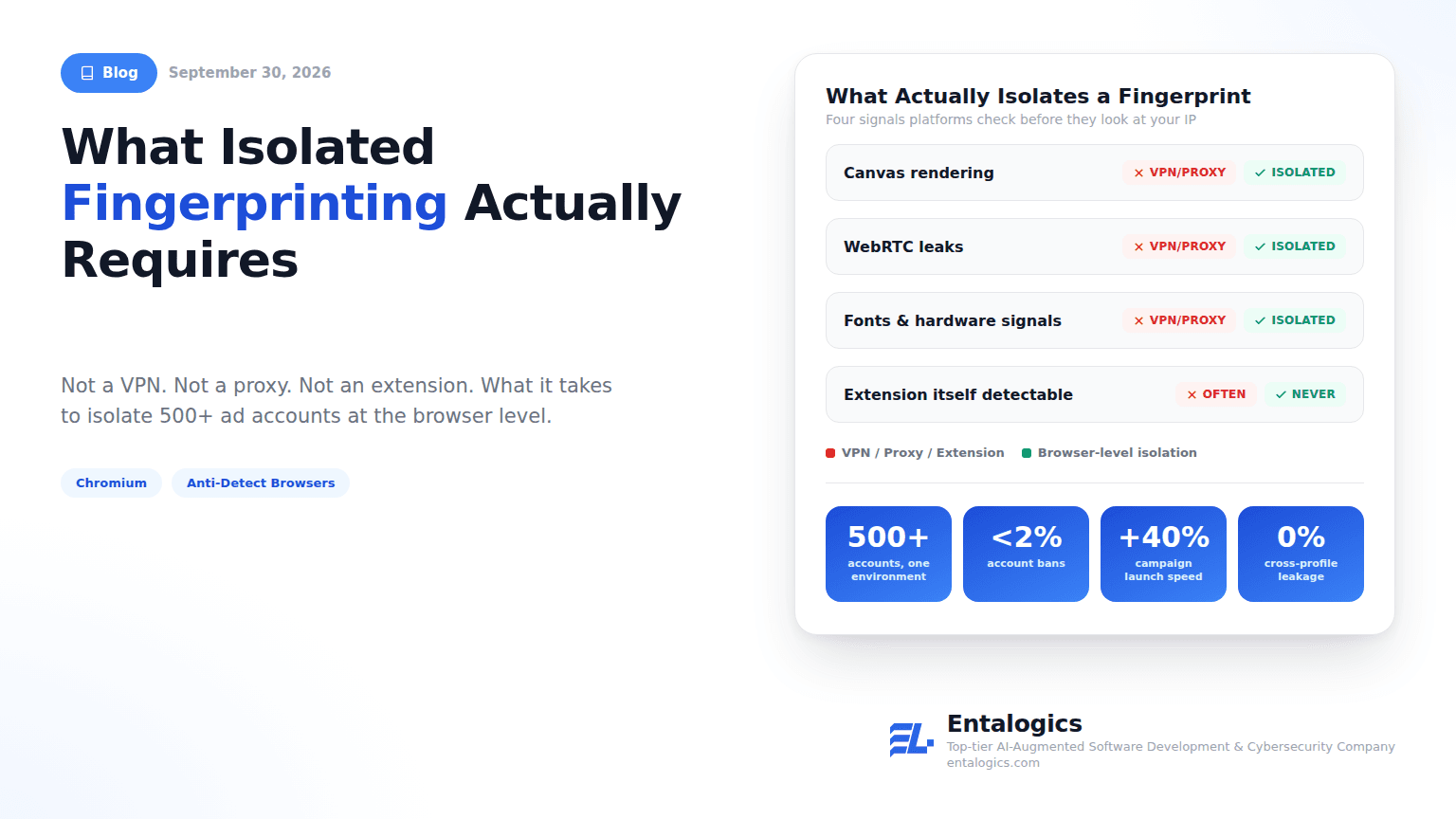
Run enough ad accounts through the same browser and one of them will get flagged. Not because the account did anything wrong — because the platform fingerprinted the browser underneath it, and every other account sharing that fingerprint just became suspicious too. For a marketer running 500 accounts, one leaked fingerprint doesn't cost one account. It costs a wave of them.
This was the actual problem AdsLogins came to us with, and it's worth being precise about what doesn't fix it, because the wrong answer is the default one.
Why the obvious answers don't work
| Approach | Masks IP | Randomizes canvas | Prevents WebRTC leaks | Spoofs fonts/hardware | Detectable as itself |
|---|---|---|---|---|---|
| VPN | Yes | No | No | No | Sometimes (known VPN ranges) |
| Proxy | Yes | No | No | No | Sometimes (known proxy ranges) |
| Browser extension | No | Partial, on top of the real canvas | No | No | Often — extensions are their own signal |
| Isolation at the browser level | Yes | Yes, native | Yes | Yes | No — it's the browser, not a layer on it |
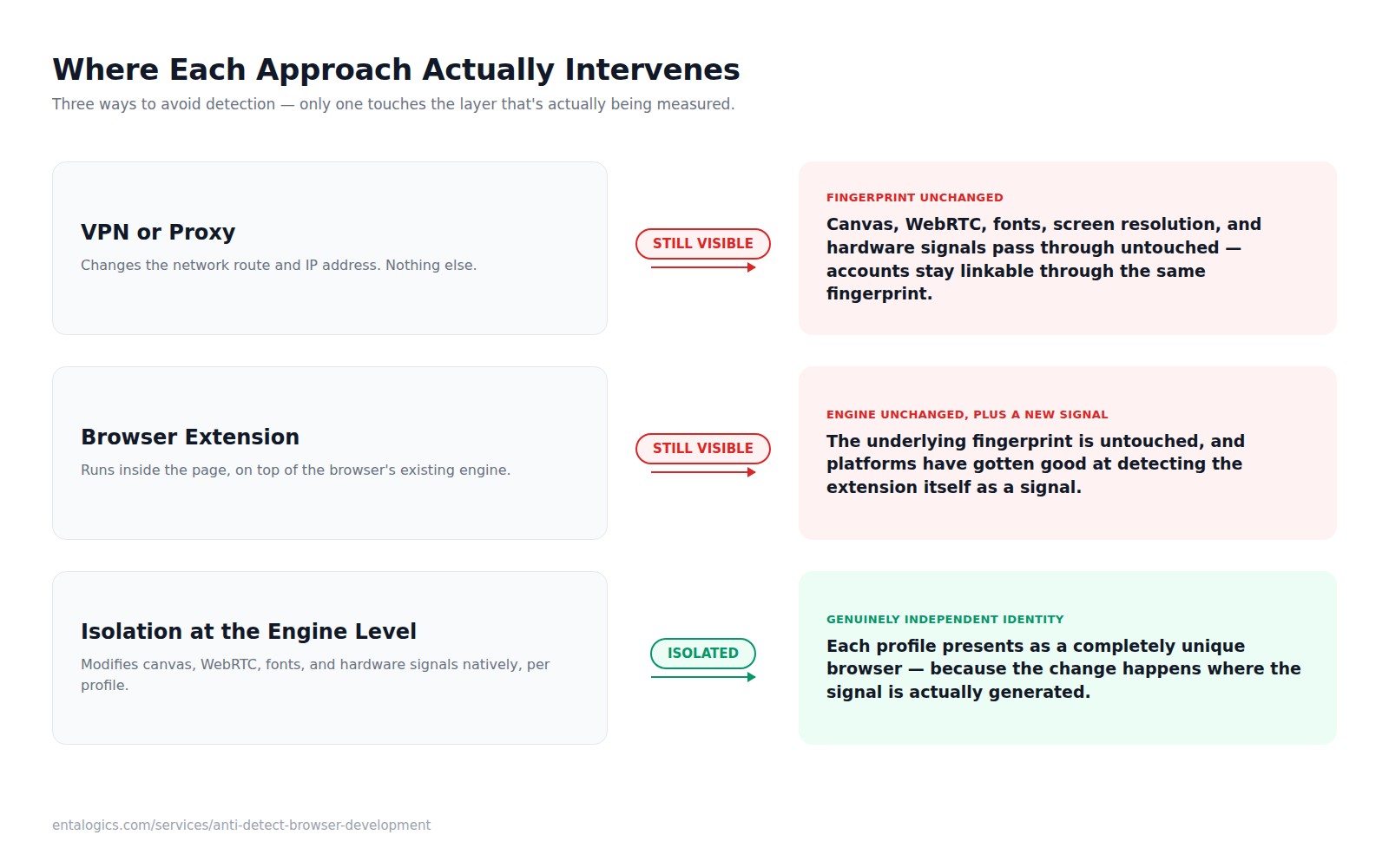
A VPN changes your IP. It does nothing to canvas rendering, WebRTC leaks, installed fonts, screen resolution, or the dozens of other signals a fingerprinting script reads before it even looks at your IP address. A proxy has the same blind spot. A browser extension runs inside the browser's existing fingerprint — it can't change the surface it's sitting on top of, and platforms have gotten good at detecting the extension itself as a signal, which means the "privacy tool" becomes the thing that gets you flagged.
None of these touch the actual thing being measured. AdsLogins didn't need a browser with privacy add-ons. It needed a browser where fingerprinting is handled natively, across every surface, per profile — canvas, WebRTC, fonts, screen resolution, hardware signals, all of it, isolated and controlled at the engine level, not patched on top of it. That's a browser-engineering problem, not a configuration problem, which is why it needed a custom Chromium build rather than a hardened config of an existing one.
What "isolated at the browser level" actually means
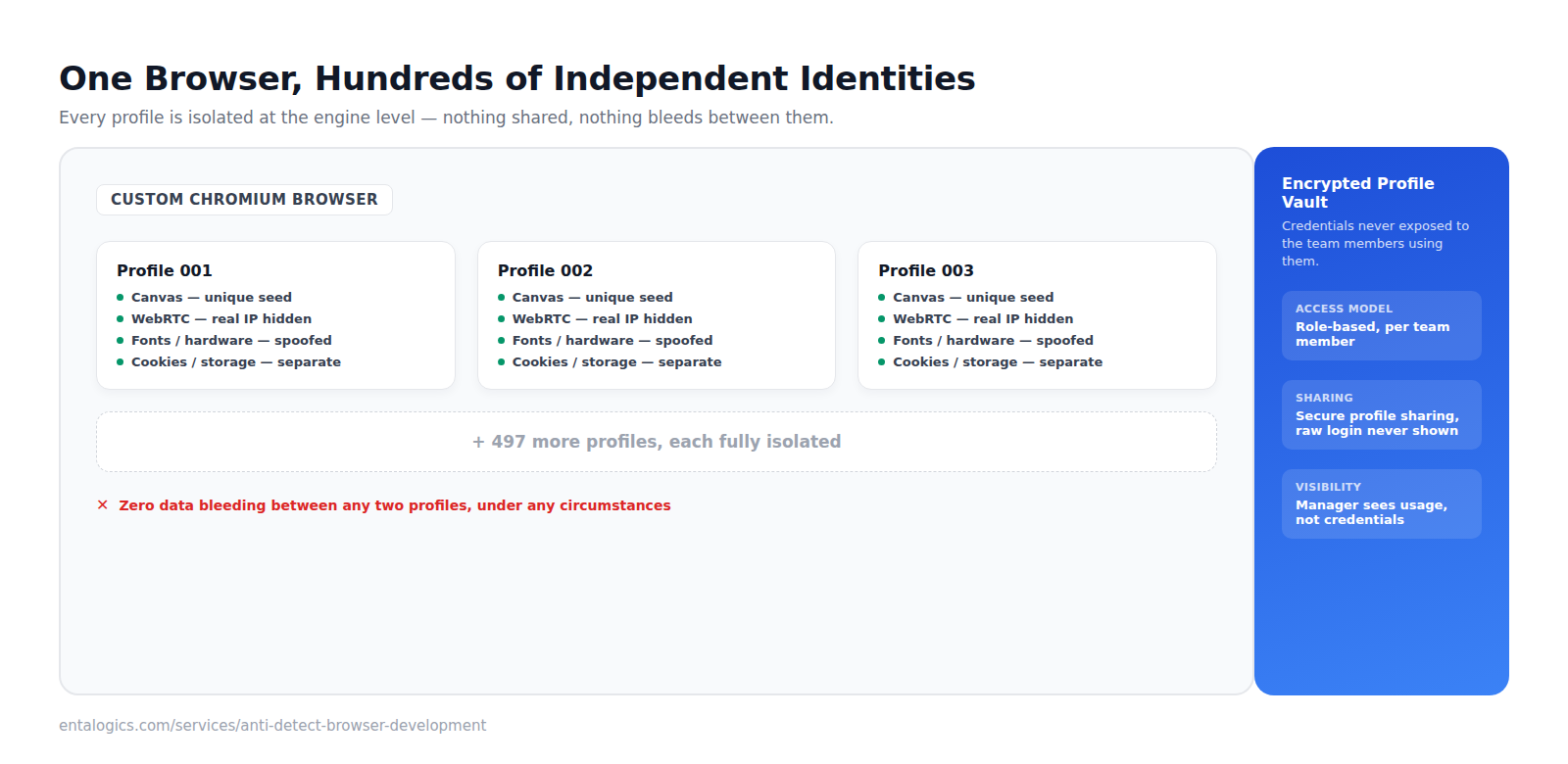
We built a fully custom Chromium browser where every fingerprint signal is modified and isolated per profile:
- Canvas fingerprint randomization built into the browser core, not injected via script
- WebRTC leak prevention — the real IP is never exposed, even if a page tries to read it directly
- Font, screen resolution, and hardware signal spoofing, generated per profile so no two profiles present identical hardware
- Each profile renders as a completely unique, independent browser identity — not a container, not a sandboxed tab, a distinct fingerprint from the ground up
The isolation goes deeper than the fingerprint layer. Each ad account runs in its own fully sandboxed profile with separate cookies, storage, cache, and session data. Nothing bleeds between profiles under any circumstances — profiles persist across sessions, so switching back to profile 214 six days later picks up exactly where it left off, with zero cross-contamination from the other 499 running alongside it. Credentials sit in an encrypted profile vault, and for teams, profiles can be shared across members without ever exposing the raw login underneath.
This is also why the rebrand mattered as much as the isolation engineering. AdsLogins needed zero visible Chromium or third-party browser origin — a clean, purpose-built interface for people managing hundreds of accounts at once, not a modified version of something else with a new coat of paint.
Ship faster with senior engineers
Direct collaboration, AI-augmented delivery, and no agency markup.
Get in touchThe part that's actually hard
Isolating one signal is straightforward. Isolating all of them, consistently, across hundreds of concurrent profiles, without any profile's automated behavior creating a detectable pattern across the set — that's the real engineering problem. A single shared quirk across 500 "independent" profiles is itself a fingerprint: if every profile's login script fires with the same timing curve, or every "unique" canvas output comes from the same randomization seed pattern, the platform doesn't need to break the isolation to notice something's off — the isolation is the pattern. The automation layer — login scripting, credential storage, routine account health checks — had to be built to respect the same per-profile independence as the browser surface itself, or the engineering work upstream wouldn't have meant anything.
Team use added a second constraint on top of the technical one. Ad operations at this scale usually isn't one person running 500 accounts alone — it's a team, with people who need access to a shared pool of profiles without every member holding every account's raw credentials. That meant a profile vault with role-based access, secure profile sharing that never exposes the underlying login, and enough visibility for an account manager to see what the team is touching without becoming a second, unofficial fingerprint of its own — a shared dashboard is only safe if using it doesn't leave its own detectable trace across the accounts it's managing.
Where it landed
500+ ad accounts managed safely within a single environment. Account bans reduced to under 2%. Campaign launch speed improved 40%, largely from removing the manual overhead of babysitting flagged accounts. Zero cross-profile fingerprint leakage in production — the number that actually mattered, since it's the one the other three depend on.
This is one of the most specialized browsers we've built. Every architectural decision on it exists to answer one question — will this leak a signal between profiles — and nothing shipped until the answer was no.
If you're managing accounts at a scale where a standard browser's fingerprint is the actual bottleneck, talk to us about anti-detect browser development, or see the full AdsLogins case study.