
NOVEMBER 16, 2026
WebMCP Explained: How Websites Give AI Agents Tools
WebMCP lets a web page hand AI browser agents a set of named tools instead of leaving them to click through the interface. Here is how it works, which browsers support it, what it does not protect you from, and how to decide whether your product needs it yet.

By Umar Abdullah · Chromium & Browser Development
Short answer
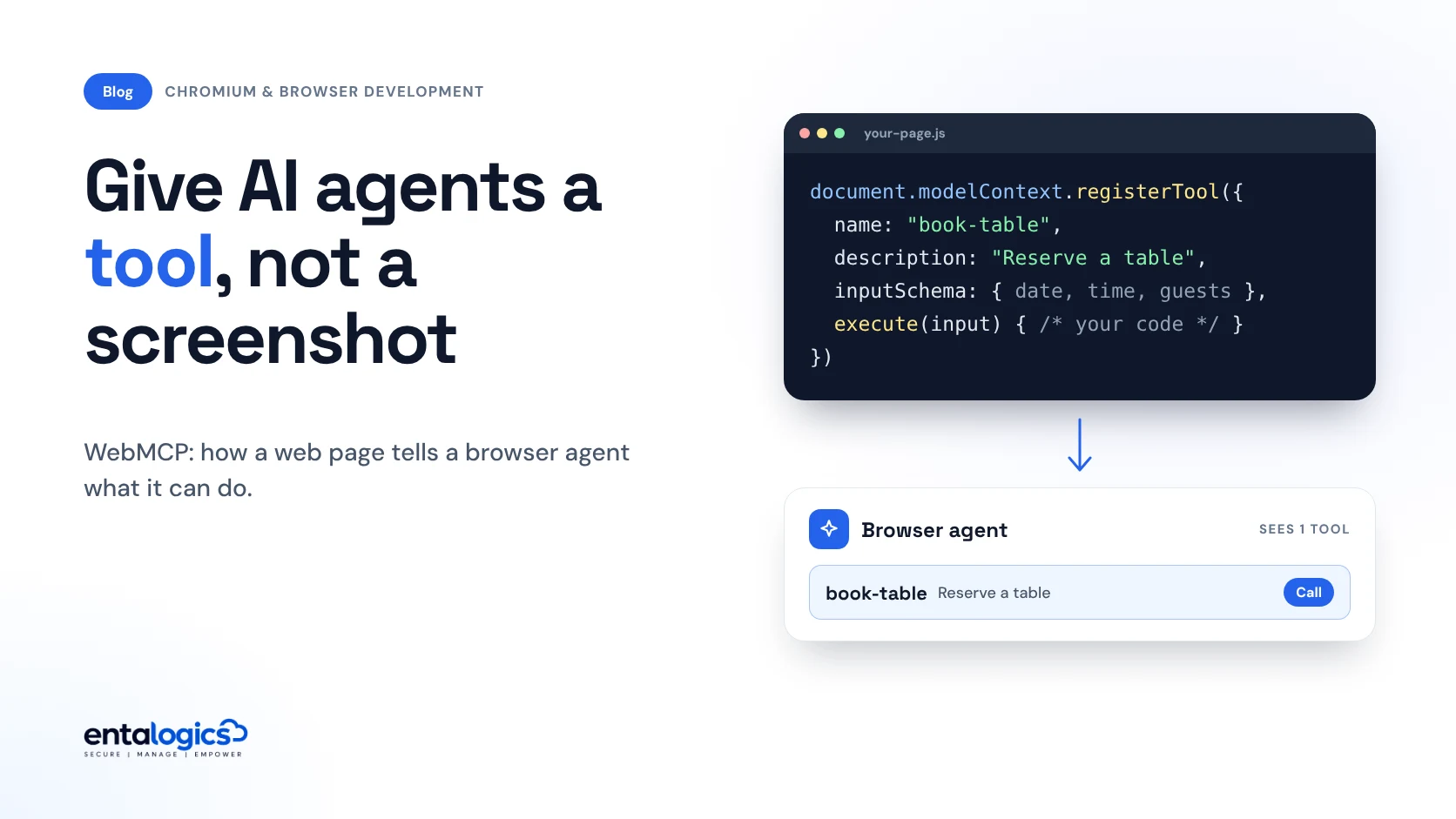
WebMCP is a proposed browser API that lets a web page give AI agents a list of named tools, each with a description, an input schema and a JavaScript function. Instead of reading screenshots and guessing which button to click, the agent calls the tool and your own code does the work. It is an origin-trial experiment in Chrome and Edge today, not a finished standard. It is designed to make agents more reliable on your site. It does not make them safe, and your server still has to check every request.
What problem does WebMCP solve?
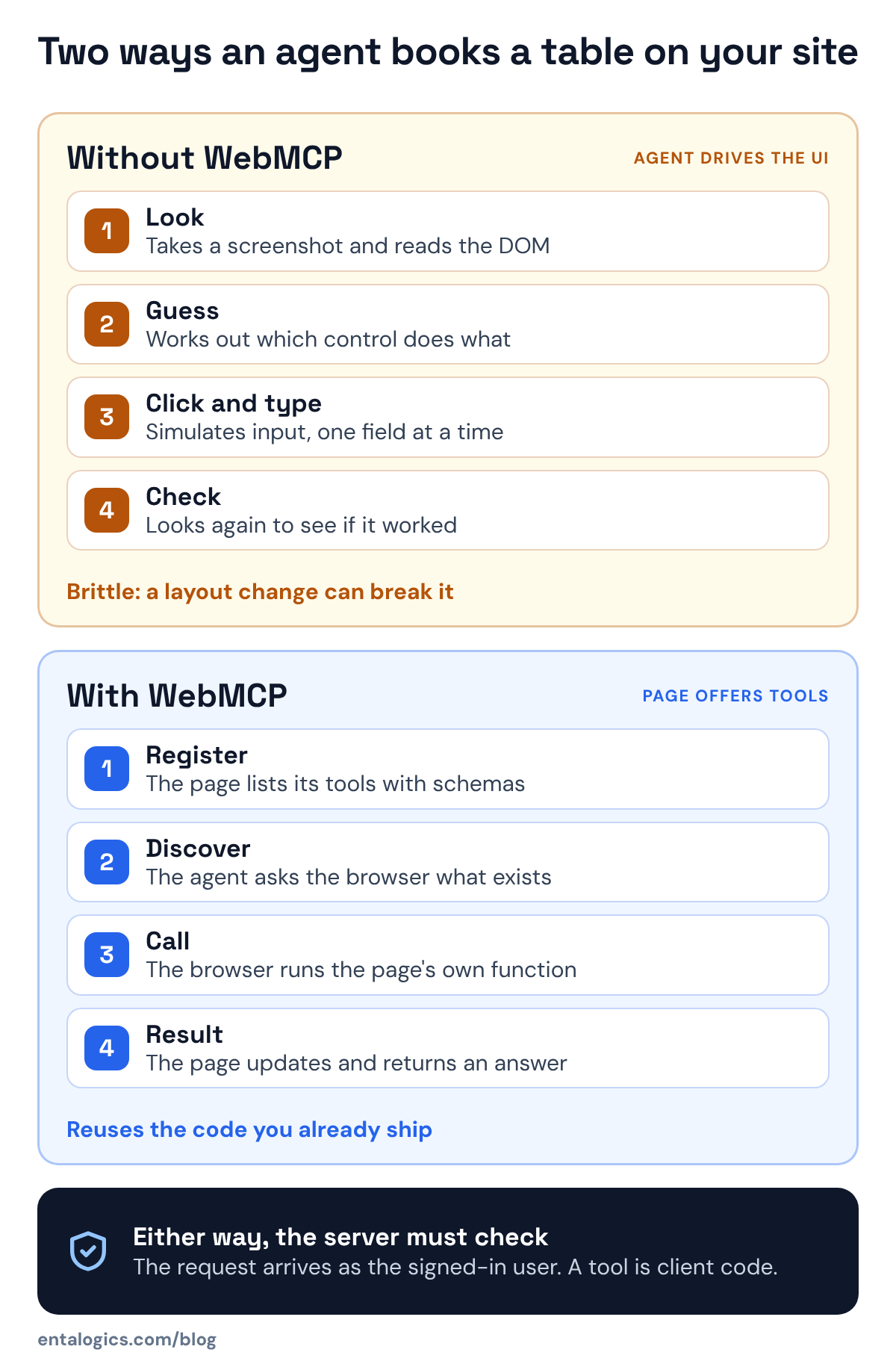
Browser agents use websites the hard way. The WebMCP explainer describes it: agents observe the page "through a combination of screenshots, and DOM and accessibility tree snapshots, and then interact with the page by simulating human user input." That works until a layout changes, a modal appears or a date picker behaves in an unusual way.
The usual alternative is a backend integration such as an MCP server. The agent's platform talks to your servers and never touches your page. The explainer lists what that costs an interactive web app: the agent bypasses your interface, you have to copy the user's state and login to a separate server, and you write and run that server.
WebMCP is the third option. The page itself declares what it can do. The specification's own summary is that pages using WebMCP "can be thought of as Model Context Protocol servers that implement tools in client-side script instead of on the backend."
How does WebMCP work?
A page registers a tool with one call. This example is shortened from the explainer. The original also passes an abort signal, which is how a tool is removed later:
await document.modelContext.registerTool({
  name: "add-todo",
  description: "Add a new item to the user's active todo list",
  inputSchema: {
    type: "object",
    properties: {
      text: { type: "string", description: "The text content of the todo item" }
    },
    required: ["text"]
  },
  async execute({ text }) {
    await addTodoItemToCollection(text);
    return { content: [{ type: "text", text: `Added todo item: "${text}" successfully.` }] };
  }
});
From there the explainer describes five steps. The page registers tools. An agent connected to the page asks the browser which tools exist. The agent requests a call with arguments that match the schema. The browser mediates the call and runs the page's execute function. The function returns a result to the agent.
Three details matter in practice.
- The function is your code. It runs in the page, in the user's session, and should update the visible interface. The explainer asks for this directly, because the user and the agent share one browser session.
- Tools come and go. A page can remove a tool at any time, and the recommended pattern for larger apps is to register only the tools that fit the current screen.
- The page still works without it. If the tools do not cover a task, the agent can fall back to ordinary browser automation.
A second, declarative form is being explored, where the browser would build tools from annotated HTML forms. The declarative explainer covers the idea, and the main explainer is clear that it is not part of the specification at this time.
WebMCP vs MCP vs letting the agent click
| Agent drives the UI | Backend MCP server | WebMCP tools in the page | |
|---|---|---|---|
| Where the work runs | Simulated clicks in the page | Your server, called by the AI platform | Your page's JavaScript |
| Needs your site open in a browser | Yes | No | Yes |
| User's login and state | Reused from the session | Must be recreated on the server side | Reused from the session |
| User can watch and step in | Yes, but slow and unreliable | No, the page is bypassed | Yes, the page updates as tools run |
| What you build | Nothing | A separate server and its auth | Tool definitions around existing front-end code |
| Breaks when the layout changes | It can, the approach is brittle | No | No |
| Suits | Sites that expose nothing | Server-side tasks with no UI | Interactive apps used with an agent alongside |
The authors are explicit about what WebMCP is not for. Fully autonomous workflows with no browser UI are a non-goal. So is replacing backend integrations. And the human interface "remains primary".
Ship faster with senior engineers
Direct collaboration, AI-augmented delivery, and no agency markup.
Get in touchWhich browsers and agents support it?
The project keeps an implementation status page. As of mid-November 2026 its entries include:
- Chrome: an origin trial live in Chrome 149, plus a flag for local testing.
- Edge: an origin trial live in Edge 150.
- Brave: support in Leo AI chat as of the Brave 1.102.2 release, expected in early January 2027.
- ChatGPT Desktop: supported.
- Firefox and Safari: open requests for a standards position, with no implementation listed.
- Meta Ray-Ban Display: listed as coming soon for web apps.
The specification source is marked as a community group draft, with editors from Microsoft and Google. Treat all of it as moving. An origin trial is a time-limited experiment and the draft is still being edited, so check any tutorial against the current explainer before copying its code.
What WebMCP does not protect you from
The security section of the specification is non-normative, which means it advises and does not set requirements. It is also frank, and three points in it should shape your design.
The agent arrives as your user. The specification assumes agents inherit "user identity and authentication context from the browser", and that they can carry personal data and information from other sites. A tool call from an agent is a call made with your user's session.
A tool is a second way in. The specification says WebMCP "does not inherently expand the attack surface", because the same function usually exists in the interface. Then it adds the warning that matters: agents calling tools exercise a different code path than agents clicking buttons, and "these different paths may have different validation logic or security checks, potentially introducing exploitable vulnerabilities."
We have seen that shape before. In the 35+ code security audits we reported on in September, 9 had a payment or billing bypass, typically a price, quantity or plan that the server accepted from the browser. A WebMCP tool is client code. If its execute function sends a price, an owner ID or a role to your API and the API believes it, you have built that bug again with a friendlier name.
Hints are not enforcement. A tool can carry annotations: a read-only hint, a hint that its output contains untrusted content, and a consequential hint for actions that are "significant, real-world, or non-reversible". These help a well-behaved agent decide when to ask the user. The specification itself says that "a malicious site can omit or misrepresent those hints", and that protecting the agent from manipulation is mainly the job of the agent's own security model. As a site owner, set the hints honestly and assume nothing about how a given agent treats them.
The explainer's own advice lines up with this: a tool's execute function "should still validate current inputs, authorization, and preconditions before running." The rule from our post on where AI agent permissions have to live applies unchanged: rules belong in code, and here that means the server decides.
Should you add WebMCP to your product now?
It depends on how people use your product, not on how new the API is.
Worth a prototype now if your product is an interactive web app where users already work with an assistant beside them, the valuable actions are multi-step forms or editors that agents handle badly, and you can live with an experimental API behind a feature check.
Wait if your product is mostly content, if nothing a user does there takes more than a click or two, or if your server cannot yet be trusted to enforce its own rules. Fix that last one first. It matters with or without agents.
Choose a backend MCP server instead if the task makes sense with no page open, such as checking an order status from a chat window.
If you build or maintain a browser, the question is different: your browser is the thing that mediates the call. A fork inherits what its upstream adds unless the team removes it, and Brave's Leo is on the status page. We built Omni on Brave's open-source codebase, so this kind of decision is familiar. Decide early whether the feature ships, to which agent, and under which policy.
How to design tools that agents use well
The explainer's best practices are short and practical. Points 1 to 6 are the ones from it we would start with. Points 7 to 9 are our own additions, drawing on the specification's security section.
create-event, which books at once, against start-event-creation, which opens the form.1.Permissions-Policy: tools=() header disables the API for a document and its frames, which also stops an injected script from registering tools on pages that should have none.Tools like these are a thin layer over front-end code you already have, which is why they fit naturally into web development work on an existing app. If you ship your own browser and need to decide how agent features reach your users, that is part of custom Chromium browser development.
Sources: WebMCP explainer, specification source, implementation status and declarative API explainer, read on 16 November 2026. Entalogics figures are from our own audit reports and project records.