
NOVEMBER 14, 2026
AI Agent Permissions: Rules Belong in Code, Not Prompts
An AI agent inside your product should never decide what it is allowed to do. Here is where each permission rule has to live, from the tool list down to the database, and how to sort actions into ones that run freely and ones that wait for a person.

By Umar Abdullah · AI Product Engineering
Short answer
An AI agent's permissions belong in your code and your database, not in its prompt. The prompt tells the agent what you would like it to do. Only the tool layer, the server and the database can decide what it is able to do. Give the agent few, narrow tools, run every tool call as the signed-in user, check each call on the server as if it came from a stranger, and make irreversible actions wait for a person.
Why can't the prompt be the permission system?
Because the model reads your rules and an attacker's text in the same way. A line in the system prompt that says "never refund more than the order total" is one more piece of text. So is a sentence hidden in a support ticket, a web page or a PDF that the agent is asked to read.
The 2025 edition of OWASP's guidance on prompt injection is direct about this. It says that, given how models work, "it is unclear if there are fool-proof methods of prevention for prompt injection." It also notes the injected text does not have to be visible to a person, as long as the model parses it.
Attack is not the only cause. OWASP's entry on excessive agency describes damaging actions performed "in response to unexpected, ambiguous or manipulated outputs from an LLM, regardless of what is causing the LLM to malfunction." A confused model and a hijacked model do the same harm if the tool lets them.
So the design question is not "how do we make the model obey?" It is "what is the worst this tool call can do if the model is wrong?" The answer has to be acceptable before you ship.
The same mistake we find in AI-built apps, one layer up
We have seen this shape before. In the code security audits we delivered over the last year, 35+ in total and 24 of them mostly AI-built, 18 had broken or missing authorization and 16 had database rules open to every logged-in user. These overlapped heavily and had one cause: the access check lived in the UI. The dashboard only showed your records, so the demo looked right, while the API behind it answered any logged-in user who changed an ID.
A rule in a prompt is that mistake moved up a layer. The agent only talks about your own orders, so the demo looks right. The tool behind it will still fetch any order ID it is handed.
This is why two of the three decisions our engineers keep on every project are where each rule lives and what runs on the server. Business logic gets one home, not copies spread across the client, the server and the prompts. Anything that touches money, permissions or user data stays on the server and is reviewed. An agent does not change that rule. It adds one more client that must not be trusted.
Where should each rule live?
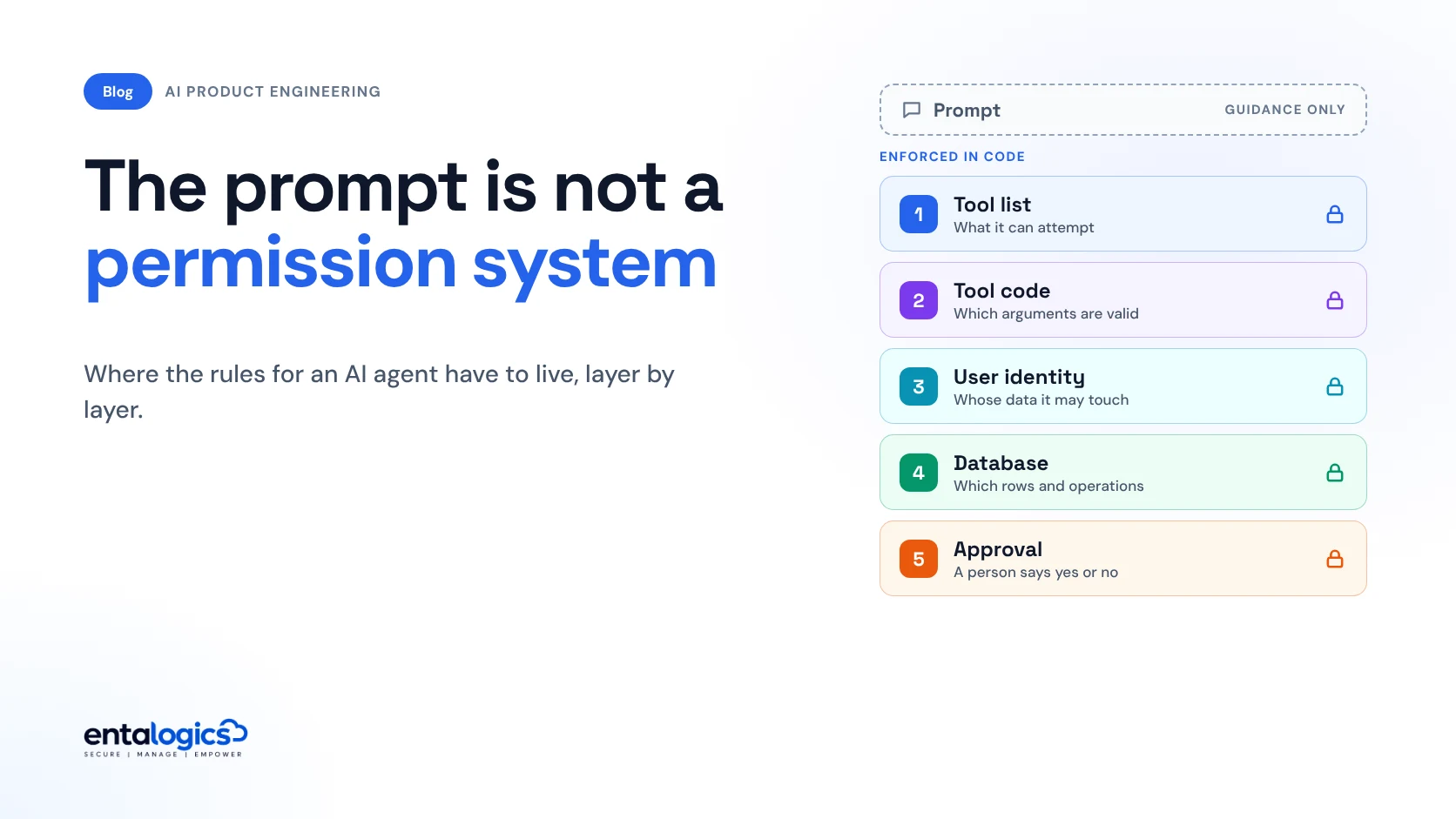
Think of an agent as five enforcement layers, with the prompt sitting outside them. Each layer can stop a bad action, and each lower layer still holds when the one above it fails.
| Layer | The rule it enforces | Who can change it |
|---|---|---|
| Tool list | What the agent can attempt at all | Your engineers, in code |
| Tool code | Which arguments are valid: ranges, formats, allowed values | Your engineers, in code |
| User identity | Whose data this call may touch | Your auth system |
| Database | Which rows and operations this identity may use | Your schema and policies |
| Approval step | Whether this specific action goes ahead | A person, at the time |
| Prompt | Tone, steps, when to ask, what to prefer | Anyone whose text the model reads |
Only the last row can be rewritten by a stranger. Keep it for behaviour, and never let it be the only thing between a user and a damaging action.
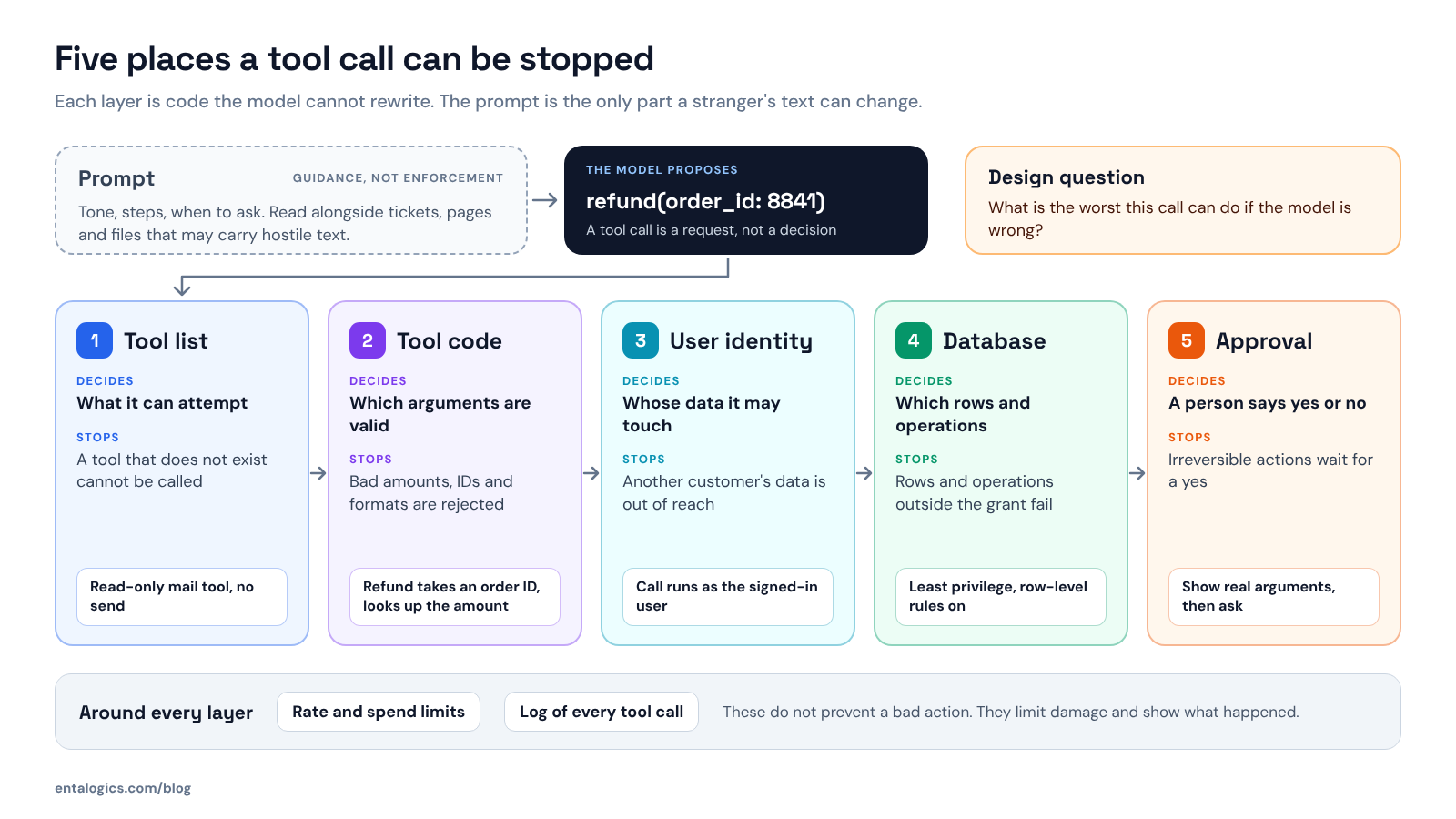
Tool list. OWASP's first advice is to limit tools to the minimum necessary, and to avoid open-ended ones such as "run a shell command" or "fetch a URL" in favour of narrow tools that do one thing. Its example is an assistant that summarises a mailbox through a plugin that can also send mail. One hostile email later, the assistant forwards sensitive mail to an attacker. With a read-only tool there is nothing to send with.
Tool code. Treat tool arguments like any request body from the internet. The model wrote them, and the model may have been steered. Validate types and ranges, and recompute anything that matters from your own records. A refund tool takes an order ID and looks up the amount. It does not accept an amount. The Model Context Protocol specification makes this a requirement for tool servers: validate all tool inputs, implement proper access controls, rate limit tool invocations and sanitize tool outputs.
User identity. OWASP calls this executing in the user's context. The agent acts for one signed-in user, so every downstream call carries that user's identity and scope. The failure it warns about is a tool that reaches downstream systems "with a generic high-privileged identity." If the agent's service account can read every tenant, one bad tool call can too.
Database. OWASP's example here is a tool meant to read data that connects with an identity holding SELECT, UPDATE, INSERT and DELETE. Give the agent's connection only the tables and operations its tools need, and keep row-level rules on, so a mistake in tool code still cannot cross a tenant boundary. OWASP's name for the principle is complete mediation: "Implement authorization in downstream systems rather than relying on an LLM to decide if an action is allowed or not."
Approval step. Some actions should not run on a model's judgment at all. Those wait for a person.
Which actions can run alone, and which wait for a person?
Sort every tool by what happens if it runs when it should not have.
| Action class | Examples | Control |
|---|---|---|
| Read, inside the user's scope | Look up my orders, search our docs | Run. Enforce scope on the server. Log it. |
| Reversible write | Draft a reply, add a tag, save a note | Run. Keep an undo and an audit trail. Rate limit. |
| Write that leaves the system | Send an email, post a message, call a partner API | Show the exact content and wait for approval. |
| Irreversible or financial | Refund, delete, change a role, cancel a plan | Approval every time, plus server-side limits. |
| Open-ended | Run code, fetch any URL, query any table | Avoid. Replace with narrow tools, or isolate it. |
Decide by action and by argument, not by agent. A refund under a small limit and a refund of a full annual contract are different risks, even though they are one tool.
Agent frameworks now support this in code. In the OpenAI Agents SDK, a tool can be marked as needing approval, either always or through a function that inspects the parsed arguments for each call. The run pauses until a person approves or rejects it. The documentation notes two details worth copying whatever stack you use. Function-based approval rules "fail closed" when the arguments cannot be safely inspected, so a malformed call goes to a person instead of slipping through. And for the SDK's local shell and file-edit tools, approval is opt-in and off by default, so the safe setting is something you have to choose.
Ship faster with senior engineers
Direct collaboration, AI-augmented delivery, and no agency markup.
Get in touchWhat should an approval step look like?
An approval that people click without reading is not a control. Three things keep it useful.
The MCP specification puts the baseline in one sentence: there "SHOULD always be a human in the loop with the ability to deny tool invocations."
What do guardrails and filters still do?
They are useful, as long as you know which job they do. A guardrail is usually a second, cheaper model or classifier that checks input or output. It can stop off-topic requests, catch obvious abuse and save cost.
It is not a permission check, and timing matters. The OpenAI Agents SDK guardrails documentation explains that input guardrails run in parallel with the agent by default, so if one trips, "the agent may have already consumed tokens and executed tools before being cancelled." A blocking mode exists for that reason. The same page notes that input guardrails run only for the first agent in a chain, while tool guardrails run on every guarded function-tool call and do not cover hosted tools or the built-in shell and file-edit tools. If a check has to hold on every action, put it in the tool's own code.
There is also research on defeating prompt injection by design, such as CaMeL from Google, Google DeepMind and ETH Zurich. Its authors publish the code as a research artifact, not a product. It is worth following. It does not remove the need for the layers above.
What does this look like in a real product?
The plain version is one backend that owns every rule, with the model as one more caller. When we built RozmeriGPT, a web dashboard and a Chrome extension shared a single backend. The OpenAI integration, with its usage monitoring and cost controls, lived in that backend, and prompt and usage controls were centralised across both clients. An agent is a third client of that same backend. If it has to pass through the same checks as the web app, most of the work is already done.
The reverse also holds. If your API today trusts its own frontend, adding an agent turns a quiet weakness into a loud one, because the agent will send requests no screen of yours would ever send.
A checklist before you ship an agent
When we take on AI app development, we build the evaluation set before the first prompt is released and model token spend before launch. Agent permissions belong in that same early design step. If the agent is already live and nobody has tried step 9, our AI code security audit covers prompt injection and API abuse paths along with the rest of the code.
Sources: OWASP Top 10 for LLM Applications, 2025 edition, LLM01 Prompt Injection and LLM06 Excessive Agency; Model Context Protocol specification 2026-07-28, Tools; OpenAI Agents SDK documentation, Human-in-the-loop and Guardrails; CaMeL research code. Entalogics figures are from our own audit reports and project records.