
SEPTEMBER 12, 2026
iOS 27: What Actually Breaks in Your App
iOS 27 doesn't just add features — it turns three things that used to be optional into hard requirements, and one of them crashes your app before AppDelegate even fires. Here's what actually breaks, what's worth adopting, and what a real production build has to account for.

By Umar Abdullah · Mobile Development
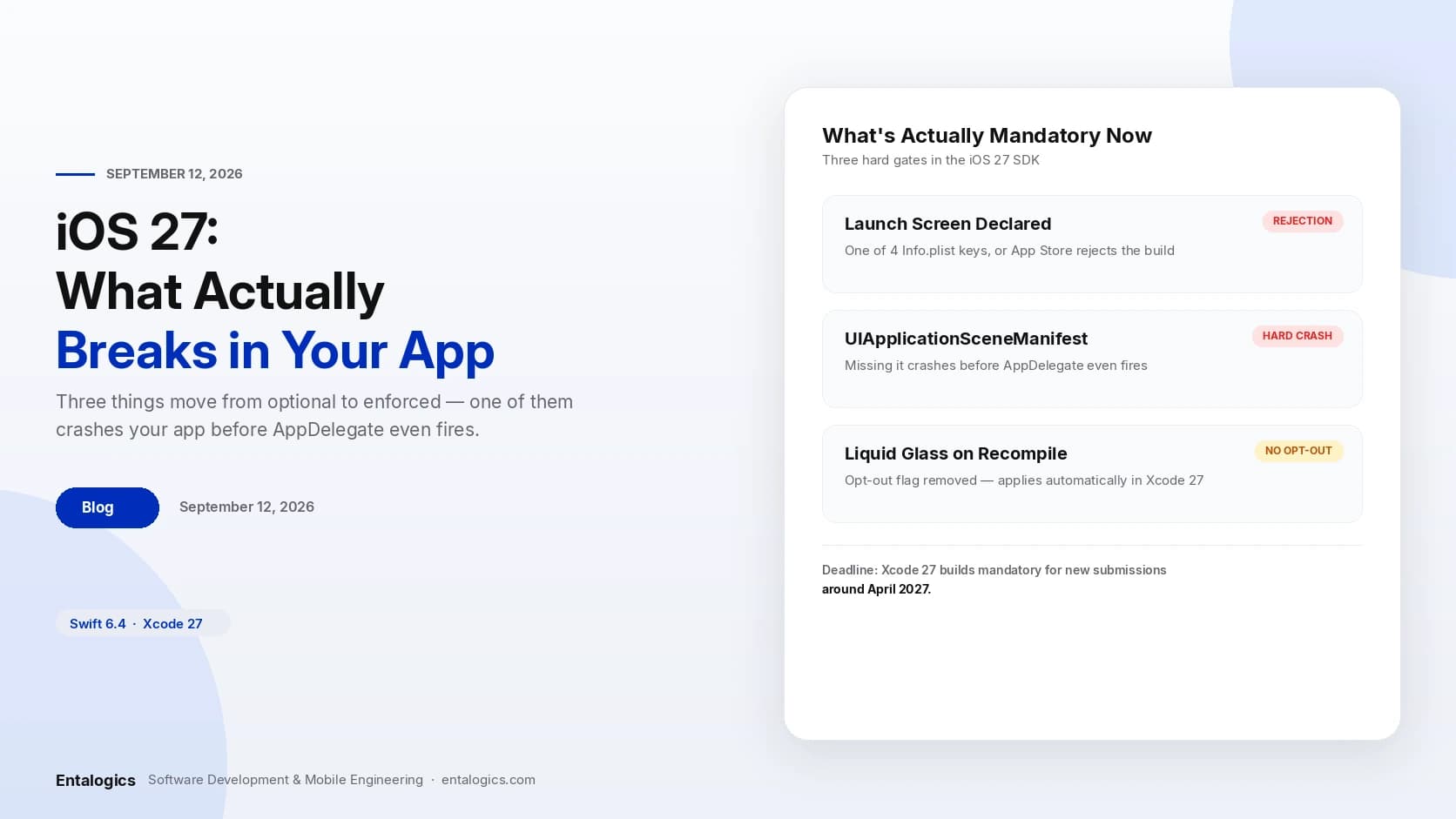
Short answer: iOS 27 turns three things that used to be optional into requirements Apple enforces at either submission or launch. Ship without a declared launch screen and the App Store rejects the build. Ship without a UIApplicationSceneManifest entry and the app doesn't get a deprecation warning — it crashes before AppDelegate even fires. Recompile with Xcode 27 and Liquid Glass applies automatically, with no opt-out flag left to stop it, and Apple has set an April 2027 date after which Xcode 27 builds become mandatory for new App Store submissions. None of this is exotic engineering. It's configuration most teams assumed was already handled, on projects nobody has opened since the app shipped.
What Apple actually requires now
Three changes move from "recommended" to "enforced" with the iOS 27 SDK:
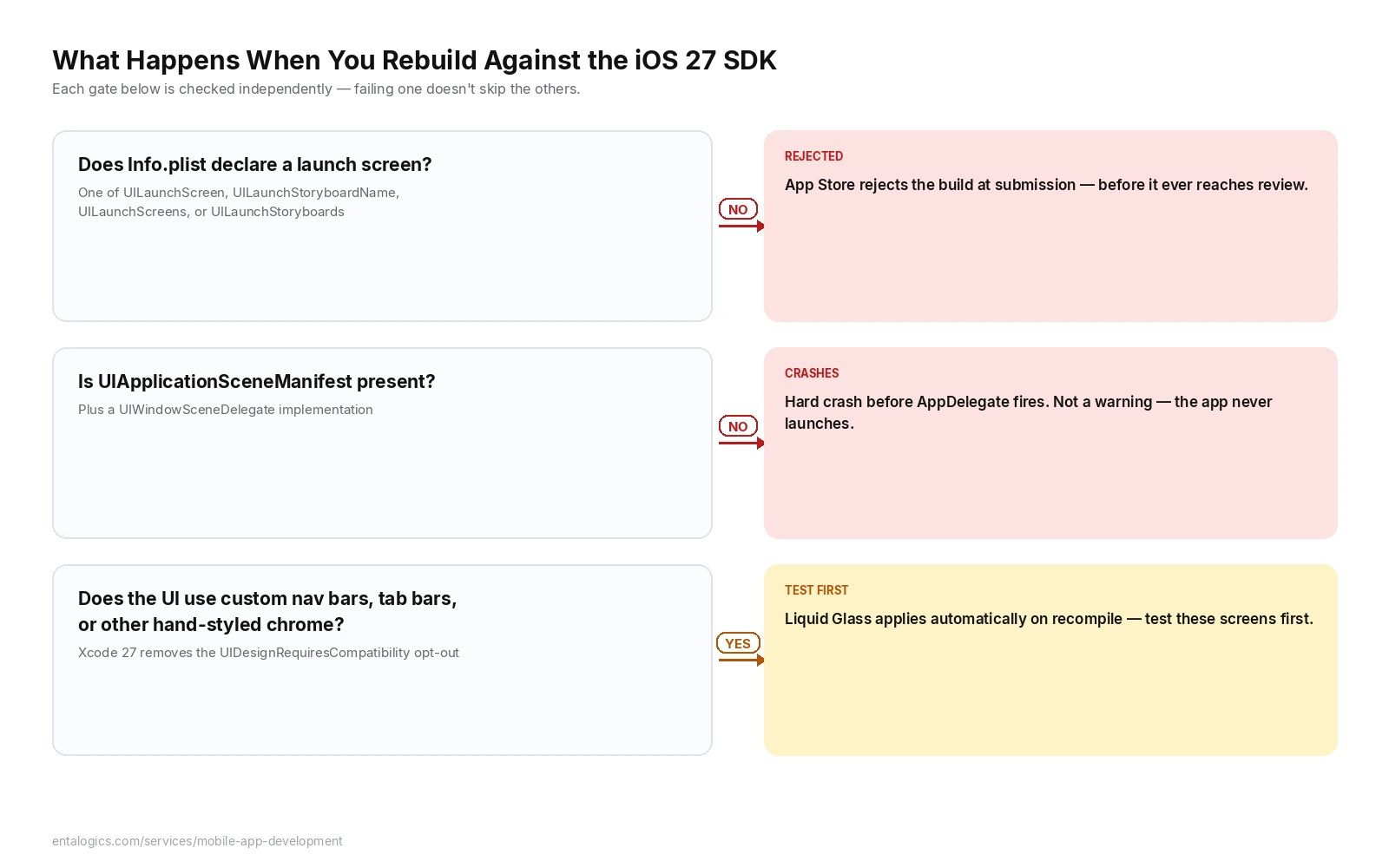
A launch screen, declared one of four ways. Every app built against the iOS 27 SDK needs a launch screen defined through one of four Info.plist keys: UILaunchScreen (inline configuration, no storyboard file needed), UILaunchStoryboardName (the classic storyboard reference), UILaunchScreens, or UILaunchStoryboards (both for apps that need different launch screens per URL scheme). Miss all four and the App Store rejects the build at submission, once it starts accepting apps built against the 27.0 SDK. Most apps built from a current Xcode template already comply through default build settings — this mainly bites older projects and anything with a hand-rolled build system.
A scene manifest, or a hard crash. This is the one that matters. The old app-based lifecycle — where AppDelegate alone managed the app's one window — is no longer supported. Apps need UIApplicationSceneManifest in Info.plist and a UIWindowSceneDelegate implementation. An app missing the manifest entry doesn't get a warning. It fails to launch before AppDelegate fires at all. If your app has ever run fine without scene support because it never needed multiple windows, iOS 27 is where that stops being an option.
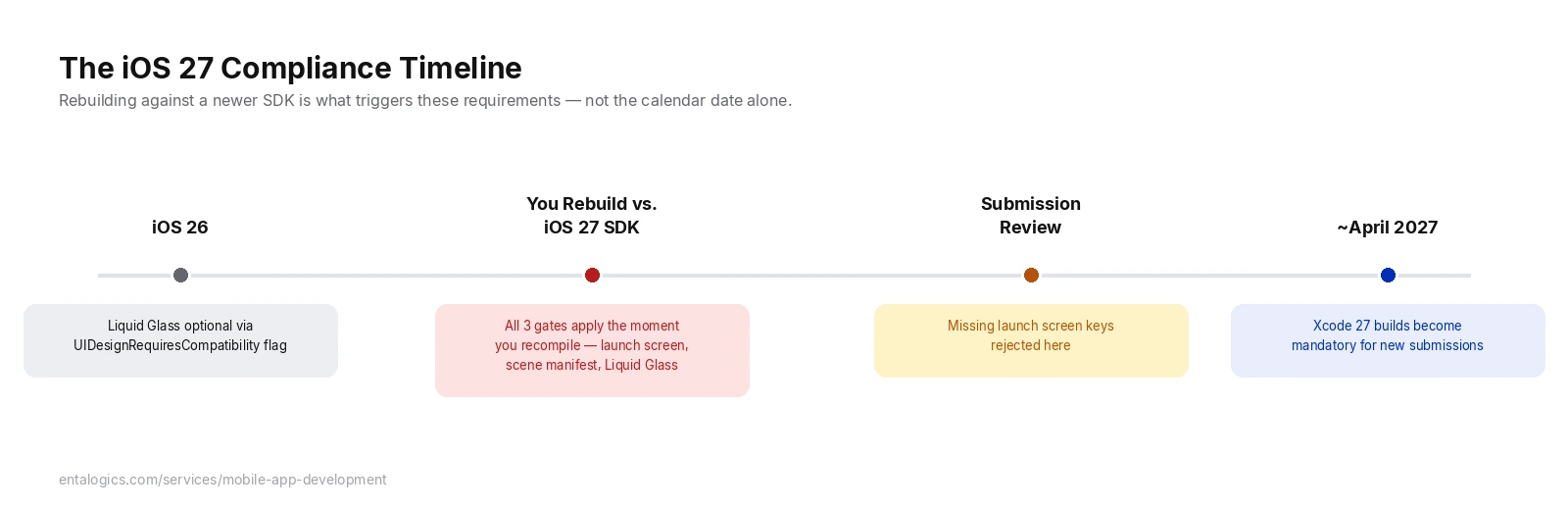
Liquid Glass, with a compile-time deadline. iOS 26 shipped Liquid Glass with an opt-out: the UIDesignRequiresCompatibility flag let apps keep their existing look. Xcode 27 removes that flag entirely. Recompile against the new SDK and Liquid Glass is applied automatically — no flag, no gradual rollout, no per-screen control. Apps with custom navigation bars, tab bars, or other hand-styled chrome can see real visual breakage until those screens are rebuilt against the new materials. Apple has said Xcode 27 builds become mandatory for new App Store submissions around April 2027, which sounds distant until you count backward through a real review and QA cycle.
What's quietly deprecated alongside all this
Two smaller changes are easy to miss because they don't fail loudly:
- UIKit's status bar accessors are deprecated.
statusBarFrameandstatusBarOrientationstill work in iOS 27, but Apple's guidance is to read from the window scene instead —windowScene?.statusBarManager— because a per-window scene can have its own status bar state that the old singleton-style accessors were never built to represent. @Stateis now a macro, with a real gotcha. SwiftUI's@Stateproperty wrapper compiles to a macro under Swift 6.4. The practical trap: you can no longer set an initial value both at declaration and insideinit— the macro discards theinit-assigned value silently rather than erroring, which is the kind of bug that only shows up when a screen's initial state looks subtly wrong in testing.
What's new and actually worth adopting
Not everything in this release is compliance work. A few additions are worth building with on purpose, separate from the mandatory changes above:
- Foundation Models, a Swift API for content generation that runs against on-device or server-side models depending on the task — the first time Apple has offered this as a first-class framework rather than something built on top of Core ML by hand.
- Core AI, for teams that want to ship a custom model that runs entirely on-device with ahead-of-time compilation, rather than depending on network access at inference time.
- Reorderable containers and lazily loaded subviews with prefetching in SwiftUI — drag-to-reorder lists and large scrolling content are both meaningfully less code than before.
- Document-based apps with direct disk access, useful for anything that manages files rather than just talking to an API.
- Resizable windows across iPad and Mac mirroring — iOS apps are no longer guaranteed a fixed frame on iPad, which means layouts built assuming one fixed size need to become genuinely adaptive, not just "looks fine at the one size we tested."
Ship faster with senior engineers
Direct collaboration, AI-augmented delivery, and no agency markup.
Get in touchWhat this looks like on a real build
FoodGo, the native iOS ordering app we built for UrbanBite Foods, shipped before any of the iOS 27 requirements existed — so it's a useful example of the gap between "well-architected" and "already compliant." The app's delivery-status updates arrive through Firebase push rather than a polling loop, its cart and customization state persists through Core Data as it's built rather than only at checkout, and each cart line item owns its customization state independently so one item's options can't corrupt another's. None of those decisions have anything to do with scene lifecycles or launch screen keys — they're just good architecture, made for reasons that had nothing to do with an OS release that didn't exist yet. And that's exactly the point: a well-built app still needs the same compliance pass every other iOS app needs right now, because Apple enforces these three changes at the SDK level, not the code-quality level. Good architecture buys you a faster, lower-risk pass through this list. It doesn't exempt you from it.
iOS 26 vs iOS 27, side by side
| Behavior | iOS 26 | iOS 27 |
|---|---|---|
| Launch screen | Recommended, several valid approaches | One of four Info.plist keys required, or App Store rejection |
| App lifecycle | AppDelegate-only apps still ran fine |
UIApplicationSceneManifest required — missing it crashes before AppDelegate fires |
| Liquid Glass | Optional via UIDesignRequiresCompatibility |
Flag removed; applied automatically on recompile |
| Xcode 27 builds for submission | Not required | Mandatory for new submissions from ~April 2027 |
| Status bar access | Direct accessors (statusBarFrame, etc.) |
Deprecated in favor of windowScene?.statusBarManager |
@State |
Property wrapper | Macro — dual init values silently discard the init value |
| iPad window sizing | Fixed frames commonly acceptable | Resizable across iPad and Mac mirroring; layouts need to adapt |
Straight answers
Does my app need to change anything if I don't touch it before April 2027? If you never rebuild against the iOS 27 SDK, your existing build keeps running under whatever SDK it was compiled with. The deadline is about new App Store submissions built against Xcode 27, not existing binaries already live. The moment you do rebuild — for a feature, a fix, or because Apple requires the newer SDK for some other reason — all three requirements apply at once.
Will my app actually crash on users' phones if I'm missing the scene manifest? Only if you rebuild and resubmit against the iOS 27 SDK without adding it. An existing app already live on the App Store, built against an older SDK, isn't retroactively broken. The crash risk is specifically for a fresh build compiled against iOS 27 that skips the scene manifest.
Is Liquid Glass going to break my app's design? It can, if your UI uses heavily customized navigation bars, tab bars, or other chrome that assumed the old Human Interface Guidelines materials. Standard SwiftUI and UIKit components generally adopt the new look cleanly. Custom-drawn chrome is where teams see real visual regressions worth testing for before submission.
How long does a typical iOS 27 compliance pass take? For an app already using standard Xcode templates and components, often a day or two of testing plus fixes for whatever the scene lifecycle audit turns up. Apps with custom launch screens, hand-rolled app-based lifecycles, or heavily customized chrome take longer — closer to a week, depending on how much of the UI needs rework for Liquid Glass.
Should I adopt Foundation Models or Core AI now, or wait? Depends on whether on-device AI is core to what the app does or a nice-to-have. If it's core — a feature users would notice missing — building against Foundation Models now means it ships with the current OS cycle instead of a future one. If it's speculative, there's no cost to waiting for the APIs to mature through another release.
Building or maintaining an iOS app right now? The scene lifecycle and launch screen requirements are worth checking before they show up as a rejected submission. Our mobile app development team builds and maintains native iOS apps for exactly this kind of long-term ownership — if you'd rather have someone else own the SDK migrations, hire iOS developers who already do this work.
Sources: iOS 27 for Developers: Breaking Changes and New APIs; The iOS 27 Launch Screen Rule: Four Keys or Rejection; UIKit's Scene Mandate: What Fails to Launch on iOS 27; iOS 27 Makes Liquid Glass Mandatory: Act Before April 2027. FoodGo architecture details from our own delivered project for UrbanBite Foods.