
AUGUST 1, 2026
GitHub Shows AI Security Detections in PRs
GitHub AI security detections now appear in pull requests, label findings as AI, and cover languages and frameworks CodeQL misses.

By Asad, Senior Content Writer at Entalogics · Cybersecurity
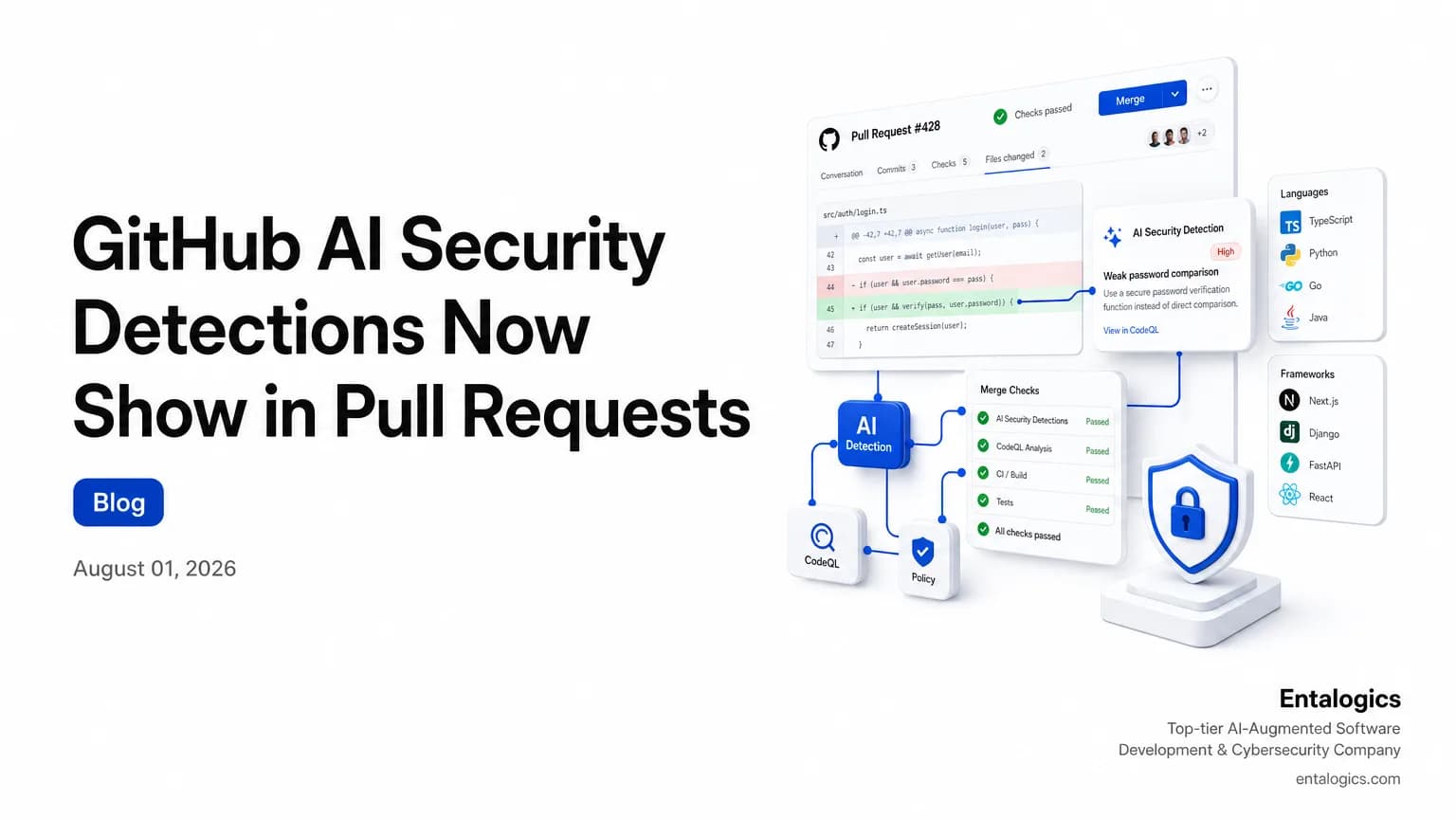
GitHub puts AI security findings inside pull requests
GitHub now surfaces AI-powered security detections directly on pull requests, so reviewers see findings where code changes land instead of chasing them in a separate queue. The feature is aimed at languages and frameworks not currently supported by CodeQL, which matters for teams that rely on mixed stacks or older app frameworks.
The new flow is simple: the AI scan runs when a pull request is opened or updated, and it keeps running as new commits arrive. Results appear as the engine returns them, so reviewers do not have to wait for every analysis source to finish before they see something useful.
GitHub says these findings are informational and won’t block pull request merges.
That design choice is the main story. GitHub is trying to move detection closer to code review without turning the AI layer into a gate. The result is a faster signal for reviewers, but also a weaker enforcement model than teams may expect if they are used to hard merge checks.
How GitHub AI security detections work
GitHub says the AI-based scan is triggered on pull request creation and after each new commit. It analyzes pull requests only; full repository scans are not supported. That means this is a review-time signal, not a backfill scan across your whole codebase.
The detections are meant to fill gaps in CodeQL coverage. GitHub explicitly calls out languages such as PHP, Shell/Bash, Terraform configuration (HCL), and Dockerfiles, along with framework gaps like JSP for Java and Blazor for C#. In practice, that makes the feature most useful when your codebase has scripts, infrastructure files, or application paths that standard query packs do not cover well.
The findings also appear alongside CodeQL alerts on the Conversation and Files changed tabs of a pull request. That placement matters. Reviewers do not need a separate security console to see the result. The security signal sits beside the diff, which is where most real merge decisions happen.
For teams still deciding how to use GitHub's security stack, this is a good moment to compare the new detection path with your existing review controls. If you want a broader view of where AI-assisted development can create blind spots, see AI Coding Tools and AppSec Risk: What to Audit Now.
What the labels and merge behavior mean
GitHub says alerts generated using AI are labeled with AI so reviewers can distinguish them from CodeQL results. That is a small detail with a real operational effect. If your team triages code scanning alerts every day, the label tells you which alerts came from the new detector and which came from the older ruleset-driven workflow.
AI-powered findings are advisory and do not block pull request merges.
That line should shape how you deploy the feature. Advisory findings can improve awareness, but they also create a gap between detection and enforcement. A reviewer can still merge a pull request even when the AI layer raises a finding. GitHub also says AI-powered findings cannot yet be used in rulesets to enforce merge requirements.
So the feature is useful for surfacing risk early, but it is not a control plane by itself. Treat it like a review aid, not a policy engine. If your process depends on security checks stopping the merge, you still need other checks that can fail the pull request.
One practical question follows from that: if AI detections are advisory, how should teams decide whether they are good enough to trust in a release process? GitHub's own answer is limited, because the feature is still in public preview and the supported set may shift over time.
Public preview limits and license requirements
GitHub says the feature was in public preview on github.com for customers with GitHub Code Security, and during that preview it requires a GitHub Copilot license. It also draws down your organization's AI credits. In other words, this is not free extra scanning layered onto the product you already use. It consumes licensed capacity.
The docs add a second requirement during the preview: a GitHub Advanced Security license and a GitHub Copilot license. That matters for procurement, but it also matters for rollout planning. If you want to test the feature across multiple repositories, you need to confirm both entitlement and credit consumption before you assume it will scale cleanly.
The docs also warn that detection categories and supported languages may change as the feature evolves. That is standard for preview software, but it has an operational consequence. A team that tunes process around the current output may need to revisit triage rules later.
If you are already running a broader AI development program, the review question is not whether AI can detect issues in pull requests. It is whether the detection layer fits into your approval process without creating noise or false confidence. For a wider view of the surrounding risk model, see Enterprise AI Agents: How to Secure Them in 2026.
Ship faster with senior engineers
Direct collaboration, AI-augmented delivery, and no agency markup.
Get in touchWhat security teams should do next
Start with scope. GitHub says the detections cover pull requests only, so do not mistake this for repository-wide assurance. If your biggest risk sits in build scripts, Terraform, or framework paths outside CodeQL coverage, the feature may help. If your biggest risk is merge policy, it will not replace your current gates.
Next, decide who owns triage. Because findings are labeled AI and sit beside CodeQL alerts, reviewers need a rule for what gets inspected first and what gets escalated. Otherwise, the new signal can get buried under existing alert volume.
Then test the feature against the files your team actually changes. The docs explicitly mention PHP, Shell/Bash, Terraform configuration (HCL), and Dockerfiles, plus JSP for Java and Blazor for C# coverage gaps. That is a useful hint about where to focus validation.
Finally, if you want the feature to change behavior, not just awareness, map it to a human review step. GitHub says the findings are advisory and do not block pull request merges, so the enforcement still has to come from your process.
If you need help deciding whether this should sit in your review workflow, that is the point where an AI Code Security Audit becomes relevant. You are not buying a tool; you are checking whether the tool's signal is strong enough for your merge path.
For teams using GitHub's latest security stack, the takeaway is plain: turn on the preview, watch the labeled findings on real pull requests, and decide whether the signal improves review quality before you trust it with release decisions.
Bottom line for GitHub users
GitHub is pushing AI deeper into the pull request flow, not into full-codebase scanning or hard enforcement. That makes the feature useful for coverage gaps and faster review-time visibility, but weak as a policy control. Use it where CodeQL misses, label it correctly in triage, and keep merge rules separate until GitHub lets AI findings participate in enforcement.