
NOVEMBER 28, 2026
Electron Session Partitions: One App, Many Logins
An Electron app can hold many logins to the same site at once, each with its own cookies, storage and cache. The mechanism is the session partition. Here is how partitions work, the choices you have to make, and the mistakes that let one account leak into another.

By Umar Abdullah · Chromium & Browser Development
Short answer
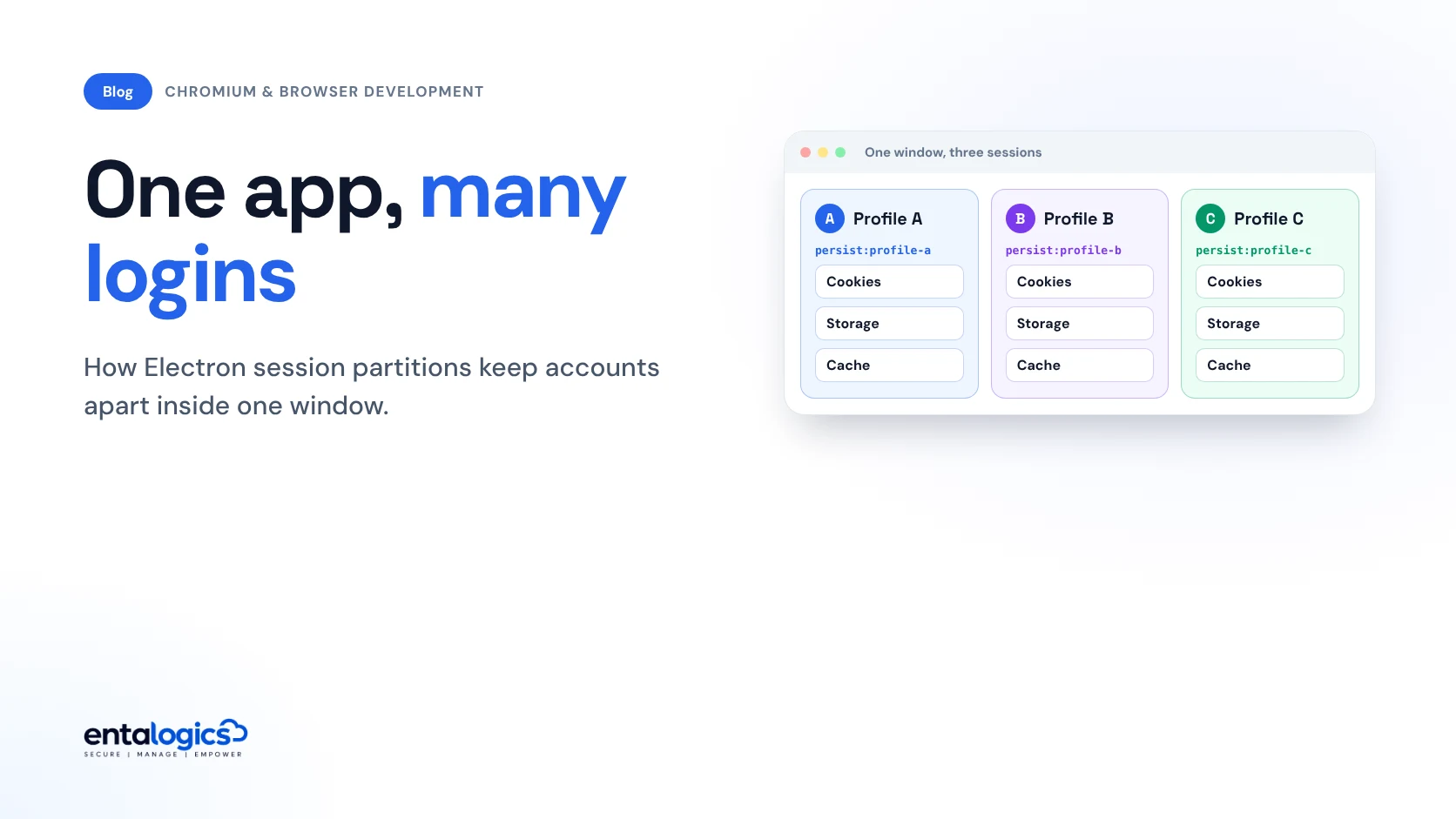
In Electron, every page runs inside a session, and a session owns that page's cookies, cache, storage, proxy settings and permission handlers. A partition is the name that selects the session. Give each profile its own partition and you can show three logins to the same site in one window, with no cookies, storage or cache shared between them. Most leaks come from two mistakes: a view left on the default session, and security handlers registered on only one session.
What does a session own?
Electron's session documentation describes the module in one line: "Manage browser sessions, cookies, cache, proxy settings, etc." In practice a session is the unit of isolation for everything a website stores or negotiates:
- cookies, local storage, IndexedDB, service workers and the HTTP cache
- the proxy configuration
- the user agent string
- permission handlers, which decide whether a page may use notifications, the camera and similar features
- the web request hooks, custom protocols and registered preload scripts
Each of these is set or cleared through the session object, not the window. That is the fact to hold on to. Two views in the same session share all of it. Two views in different sessions get separate copies.
How do partitions work?
You get a session by naming it. The rules are short, and they are all in the documentation for session.fromPartition.
- Same name, same session. "When there is an existing
Sessionwith the samepartition, it will be returned; otherwise a newSessioninstance will be created withoptions." - The
persist:prefix decides whether data survives. A partition that starts withpersist:uses "a persistent session available to all pages in the app with the samepartition." Without the prefix, the page uses an in-memory session. - Empty means default. "If the
partitionis empty then default session of the app will be returned." - Options are fixed at creation. "There is no way to change the
optionsof an existingSessionobject."
There is also session.fromPath, which creates a session from an absolute folder path instead of a name.
To attach a session to a page, set it in the page's web preferences, either as a partition string or as a session object. If you pass both, the documentation says session is preferred. If you pass neither, you get the default session.
The following sketch is ours, written against those documented APIs. It puts two profiles side by side in one window.
const { app, BaseWindow, WebContentsView, session } = require('electron')

function createProfileView(profileId) {
  const partition = `persist:profile-${profileId}`
  const ses = session.fromPartition(partition)

  // Handlers belong to the session, so set them for every profile.
  ses.setPermissionRequestHandler((webContents, permission, callback) => {
    callback(false)
  })

  return new WebContentsView({ webPreferences: { partition } })
}

app.whenReady().then(() => {
  const win = new BaseWindow({ width: 1600, height: 900 })
  const left = createProfileView('a')
  const right = createProfileView('b')
  win.contentView.addChildView(left)
  win.contentView.addChildView(right)
  left.setBounds({ x: 0, y: 0, width: 800, height: 900 })
  right.setBounds({ x: 800, y: 0, width: 800, height: 900 })
})
Each view can now be logged in to the same site as a different user.
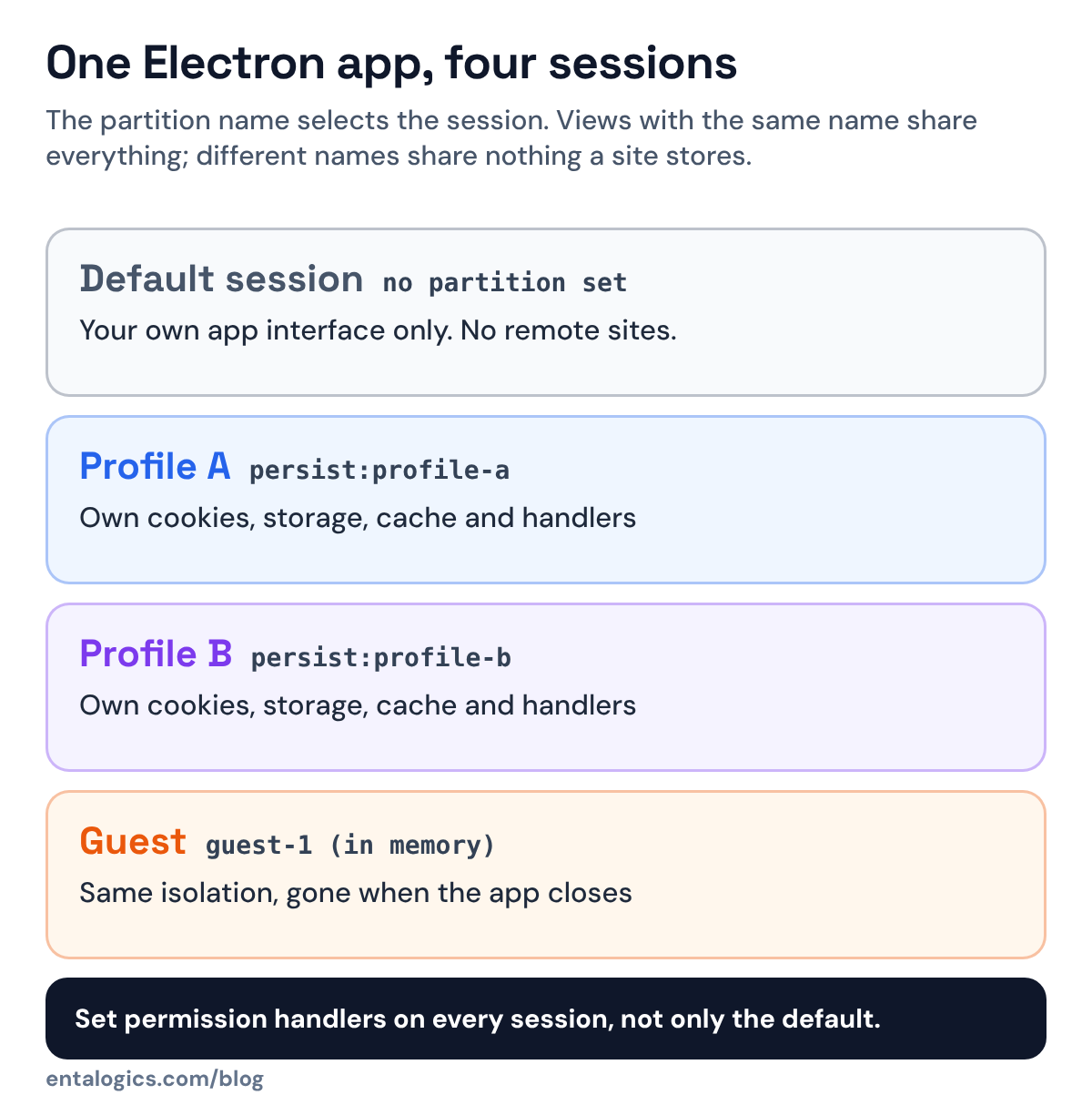
Which kind of session should each part of the app use?
| Kind | How you get it | Data survives restart | Use it for |
|---|---|---|---|
| Default session | No partition set | Yes | Your own app interface only |
| In-memory partition | A name without the persist prefix | No | Guest or one-off sessions, previews, tests |
| Persistent partition | A name starting with persist: | Yes | A user profile or account that should stay signed in |
| Session from a path | fromPath with an absolute folder | Not stated in the page we read; test it | When you need to choose where profile data lives |
The first three rows follow the documentation directly. The "use it for" column is our recommendation.
Ship faster with senior engineers
Direct collaboration, AI-augmented delivery, and no agency markup.
Get in touchWhat this looked like on a real browser
We built this kind of isolation for Matchups, a sports platform whose users work across multiple screens and multiple accounts at once. The requirement was several browser sessions running at the same time, each with its own cookies, storage, login state and active tabs, and no bleeding between screens. Each workflow got its own sandboxed profile with separate credentials, browsing state and cache.
That requirement is why the product is built on Electron. Electron let us implement session isolation at the application layer, with control over how profiles are created, stored and managed. The trade-off, as we said in the case study, is a larger application footprint. The case study does not go into which APIs were used, and this post is not a description of that codebase; the requirement is what matters here.
Two pieces of general design advice for a product like this. A profile is a product concept, not only a storage detail: users create and switch profiles, so the mapping from profile to session has to be something your app owns and stores. And a profile can span more than one view or screen, so the same session must be reachable from each of them.
Five mistakes that leak one account into another
These come from reading the documentation closely and from building a product of this shape. The framing is ours.
1. Something is still on the default session. Any window or view your code creates without a partition lands in the default session. A login window, a new-tab page or an OAuth window built in a different part of the main process will quietly share cookies with everything else there. Our rule: only your own interface may use it. For popups that a page opens itself, the documentation we read does not say which session they get, so test that case.
2. Handlers are set on one session only. Electron's security guide tells you to use a permission request handler "in all sessions that load remote content", and it explains why: "By default, Electron will automatically approve all permission requests unless the developer has manually configured a custom handler." Handlers are set per session, so as we read the API, one set on the default session does not cover persist:profile-b. The same goes for web request hooks and anything else configured on the session. Create every profile session through one function that applies the full set.
3. Partition names are built from loose strings. Because a new name silently creates a new session, a typo or an unnormalised value gives you a fresh empty profile, and the user appears to be logged out. Because the same name returns the same session, two profiles that collide on a name share a login. Generate names from a stable internal ID, never from user-typed text.
4. The persist: prefix is missing. The session works perfectly until the app restarts, and then every login is gone. If you want to check at runtime, a session can report whether it is persistent.
5. Deleting a profile leaves its data behind. Removing a profile from your own database does not remove its cookies. Clear the session's storage and cache. For a persistent session we also remove the folder it exposes as its storage path, once its views are closed; the documentation does not describe that step, so test it on each platform. Until the data is gone, a profile that reuses that name gets the same session back, old login included.
What partitions do not give you
A partition separates what a site stores. It does not change what a site can observe about the machine: the same screen, the same fonts and graphics hardware, the same network address. Two accounts in two partitions keep separate cookies and still come from what looks like one device. If your product needs accounts that cannot be linked that way, you are solving a different problem, which we describe in what isolated fingerprinting requires at the browser level.
Partitions also do not replace the rest of Electron's security model. Context isolation, the sandbox and a narrow preload bridge still apply to every view, in every session. We covered those in where the real Electron vulnerabilities are.
A checklist for multi-account Electron apps
persist: prefix where logins should survive.If you are weighing Electron against other shells for a product like this, our comparison of Electron, Tauri, Qt and native covers the wider trade-offs. Electron apps like this are part of our desktop app development work.
Sources: Electron documentation in the electron/electron repository as of 28 November 2026: session, WebPreferences, WebContentsView and the security guide. Details about Matchups are from our published case study.