
AUGUST 23, 2026
Chrome Cuts 7B+ Abusive Notifications
Chrome cut abusive notification volume by over 7 billion a day in Q1, using auto-revocation and 1,000-message limits to curb spam.

By Asad, Senior Content Writer at Entalogics · Cybersecurity
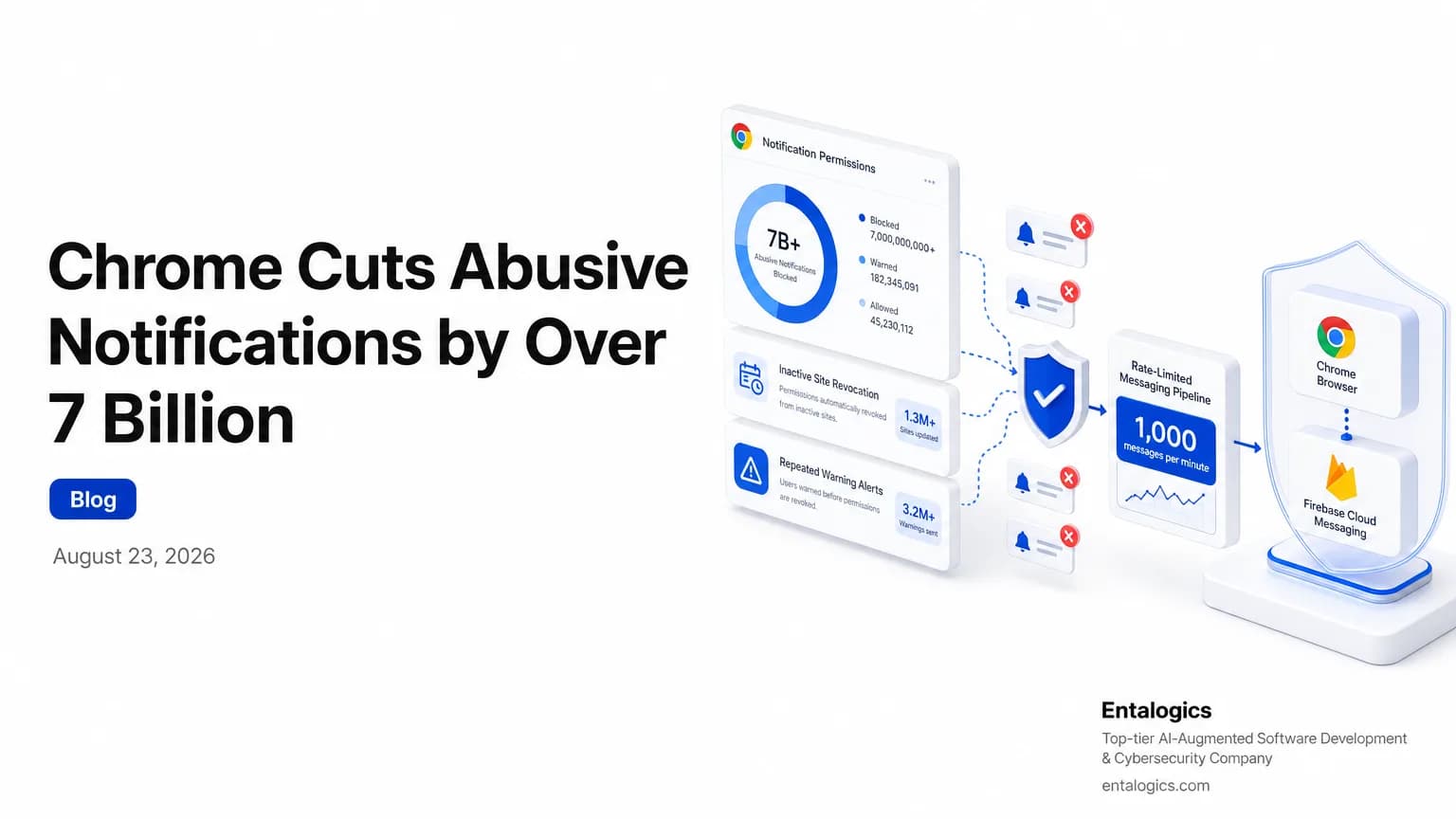
Chrome’s abusive notification controls just hit hard
Chrome reduced unwanted notification volume on Android by over 7 billion a day in Q1. That is not a small tuning win. It is a large-scale cleanup of a feature that bad actors have abused for years.
The browser did not get there with one switch. It used a layered set of defenses. Chrome now automatically revokes notification permissions for sites users have not recently engaged with. It also revokes permissions from sites that have repeatedly received suspicious notification warnings. And for the worst offenders, Chrome and Firebase Cloud Messaging now cap disruptive domains at 1,000 messages per minute.
Chrome reduced unwanted notification volume on Android by over 7 billion a day in Q1.
For security teams, this matters because abuse at browser scale looks different from abuse in a single app. Notification spam is not just noise. It is a delivery channel for phishing, fake alerts, and user fatigue. The controls Chrome added are a good example of reducing harm without asking users to make every call themselves.
How Chrome notification protection works
The first control is automatic revocation. If a site has not recently earned user attention, Chrome can remove its notification permission. That cuts off stale subscriptions that no longer have a valid relationship with the user.
The second control is warning-based enforcement. Chrome revokes notification permissions from sites that repeatedly trigger suspicious notification warnings. This matters because the browser is not waiting for a site to cross a hard spam threshold before acting. It is using repeated warning signals as evidence of abuse.
The third control is server-side rate limiting. Disruptive domains are limited to 1,000 messages per minute. If they exceed that threshold, they get HTTP 429 responses. That is a blunt but effective brake. It stops a domain from turning notification infrastructure into a firehose.
Together, these controls reduce the chance that one bad sender can keep pushing content at scale after trust has eroded.
Chrome and Firebase Cloud Messaging limit disruptive domains to 1,000 messages per minute.
What changed in Q1 for Android users
The headline number is the biggest signal in the report: Chrome reduced unwanted notification volume on Android by over 7 billion a day in Q1. That kind of drop suggests the browser is not only blocking a few obvious offenders. It is suppressing a broad pattern of abuse.
That is important for two reasons.
First, notification abuse scales well for attackers. Once a site has permission, it can keep reaching a user until the user notices and manually turns it off. That creates a long tail of exposure.
Second, users are not good at maintaining permission hygiene across hundreds of sites. A permission granted months ago can linger long after the original context is gone. Chrome’s automatic revocation for inactive sites addresses that exact problem.
If your own product uses push, in-app alerts, or inbox-style messaging, the lesson is simple: do not assume persistence equals consent. Re-check it.
For teams that want a broader view of how browser and app controls fit together, AI Coding Tools and AppSec Risk: What to Audit Now is a useful companion read on where automated systems still need human review.
Ship faster with senior engineers
Direct collaboration, AI-augmented delivery, and no agency markup.
Get in touchWhy abusive notifications are a security problem
Notification abuse is easy to dismiss as a UX issue. That is a mistake.
A browser notification can look like a system alert. It can mimic a login warning, a delivery update, a wallet prompt, or a support message. The user sees urgency first and provenance second. That is exactly why spammy notification flows are attractive to attackers.
The controls in Chrome reduce that risk in two ways. They remove stale permissions and they punish repeated warning behavior. In practice, that means the browser is building a trust model around engagement and abuse history, not just around the original permission click.
That is a healthier model for any permissioned channel. If a sender stops earning attention, access should decay. If a sender keeps triggering warnings, access should shrink faster.
If you are responsible for a browser-based app, extension, or messaging product, ask two questions:
Answer those well, and you make it harder for a compromised or malicious sender to keep a channel alive indefinitely.
What product teams should copy from Chrome
Chrome’s response is useful because it is layered. No single control had to carry the full burden.
Use that same pattern in your own systems:
- Revoke stale permissions automatically.
- Watch for repeated warning signals.
- Add hard rate limits to disruptive senders.
- Make abuse expensive before it becomes user-visible.
If you build notifications, email digests, comment alerts, or push systems, do not rely on manual cleanup. Manual cleanup always lags behind abuse. Automatic revocation and server-side limits do not.
The browser team also shows a useful principle for security work: the best defenses often hide in routine product mechanics. A permission that expires, a sender that gets throttled, and a warning that escalates into revocation can do more than a big policy document.
For a related look at platform behavior and browser change, Manifest V2 Is Ending for Chrome Enterprise Owners is worth reading alongside this update. It shows how Chrome keeps tightening the rules around risky browser behavior.
If you are auditing your own notification system and want a structured review, the AI Code Security Audit is worth considering when automated code or configuration changes have introduced new messaging paths, permission logic, or abuse gaps.
The takeaway for security teams
Chrome’s Q1 result is not just a browser win. It is a reminder that abuse controls work best when they are automatic, layered, and boring.
Start with stale permissions. Then add abuse history. Then cap message volume. Do not wait for users to clean up what the system can already see.
If your product sends alerts, keep permissions short-lived. If a sender triggers warnings repeatedly, throttle it. If a channel can spam at scale, rate-limit it before the users do the cleanup for you.