
AUGUST 29, 2026
Chrome 152: CPU Performance API and Connection Allowlists
Chrome 152 adds the CPU Performance API and Connection Allowlists, plus new CSS features and security changes across 5 platforms. Here is what to review and how to roll out the allowlist header safely.

By Asad, Senior Content Writer at Entalogics · Cybersecurity
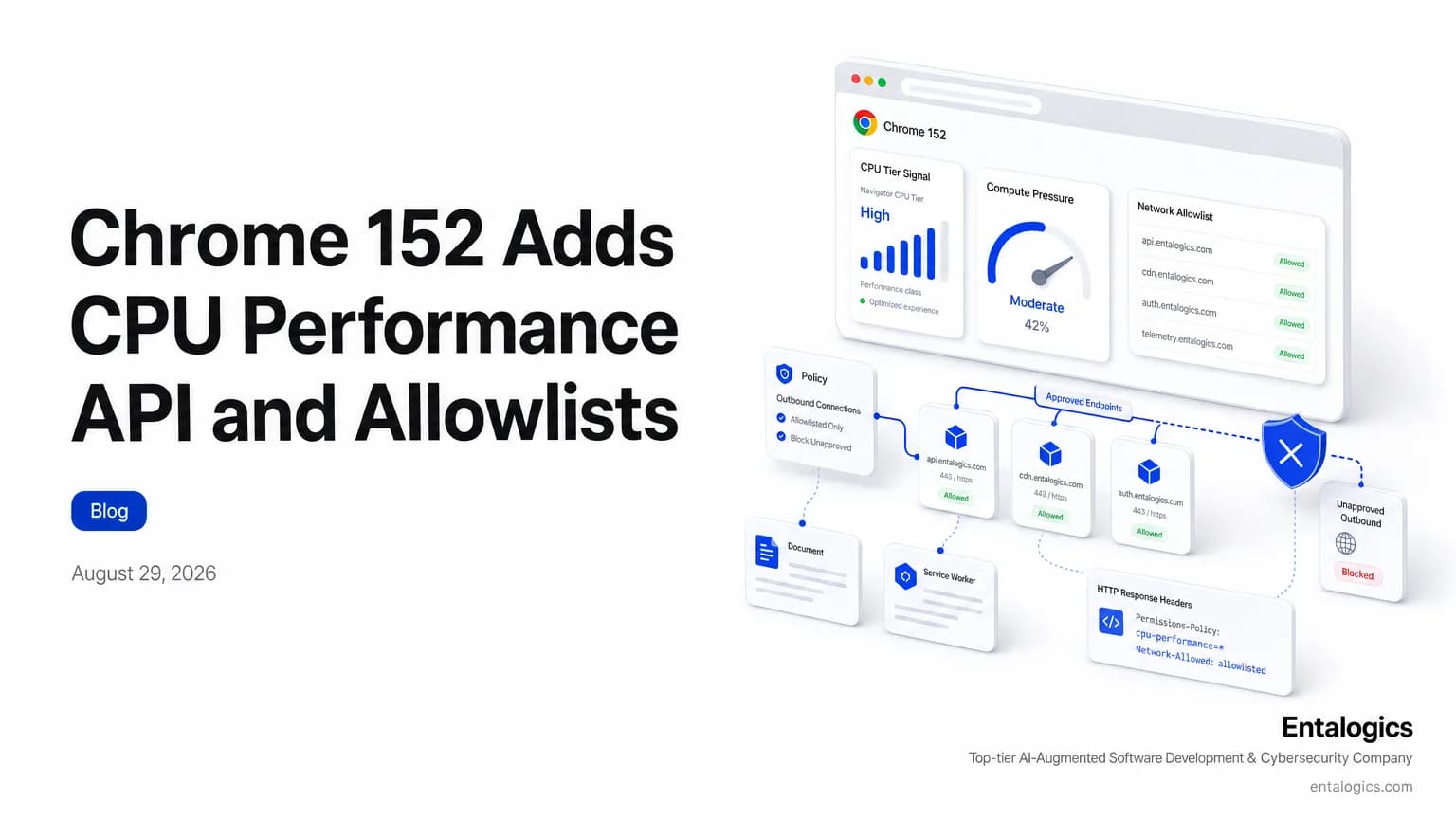
Chrome 152 ships two browser controls for web apps
Chrome 152 stable landed on August 25th, 2026, and the release applies across 5 platforms: Android, ChromeOS, Linux, macOS, and Windows. It adds two features that security teams and frontend engineers will both care about: the CPU Performance API and Connection Allowlists.
The first lets a web app learn the CPU performance tier of the device it is running on. The second lets a server narrow which outbound connections a document or worker can make through the Fetch API and other web platform APIs.
That is a small change on paper. In practice, it gives browser code more context about the client and more control over where that client can talk. Outbound requests are one of the easiest paths for data to leave a page: a compromised script, a risky dependency, or a misconfigured app can turn a normal browser session into an exfiltration channel. Chrome 152 does not solve that by itself, but it adds a control point that web apps and platform teams can reason about at the browser boundary.
Chrome 152 adds the CPU Performance API and Connection Allowlists on August 25th, 2026, giving web apps more device context and tighter outbound control.
If you have been tracking browser platform changes that affect security, this release sits in the same lane as other Chrome changes that reshape the boundary between app logic and browser policy. For background on that broader shift, see Browsers Before AI vs. Now: What Actually Changed for Users.
What the CPU Performance API does
The CPU Performance API lets a web application determine the CPU performance tier of a user's device. The draft community group report was published on 15 August 2026, and its abstract says the API exposes information about how powerful the user device is.
The intent is straightforward. Some apps need a coarse signal before they pick a heavy rendering path, a large model, or a background task. Chrome says web applications can use this information to improve user experience, and can combine it with the Compute Pressure API to react to CPU pressure changes.
That combination matters for performance-aware code. A static tier can guide the first decision. Compute Pressure can then help the app respond when the device gets hot, busy, or constrained.
The browser also keeps the final say in the user's hands. Users and administrators can override the reported CPU performance tier using Chrome settings and enterprise policies.
The API exposes information about how powerful the user device is, and Chrome says users and administrators can override the reported tier in Chrome settings and enterprise policies.
For teams already thinking about how AI-heavy frontends behave on weaker hardware, that signal can matter. If you are building apps that depend on browser-side automation or model-assisted flows, the security question is no longer only "can the code run?" It is also "what assumptions does the app make about the client device, and who can change those assumptions?"
A good next read is AI Coding Tools and AppSec Risk: What to Audit Now, especially if your team ships browser code generated or assisted by AI.
How Connection Allowlists work in Chrome 152
Connection Allowlists give developers explicit control over external endpoints. Chrome says the feature restricts connections initiated through the Fetch API and other web platform APIs from a document or worker.
The draft community group report was published on 26 August 2026. Its goal is to provide a concise policy language and delivery mechanism for constraints on a context's ability to communicate with other servers.
The mechanism is simple. Servers distribute an authorized endpoint list through an HTTP response header. Chrome then evaluates destination endpoints against that allowlist before establishing connections.
The response header format is simple in concept but strict in effect. The Connection-Allowlist header contains a list of serialized URL pattern strings that define the endpoints a context may connect to. The Connection-Allowlist-Report-Only header uses the same parsing rules, but it only reports violations instead of blocking traffic. The spec also allows the token response-origin, which means the browser can treat the response's own origin as an allowed pattern.
The spec is designed to reduce one of the oldest web risks: unplanned data flow out of a page.
That design goal is explicit in the spec. It says this control is needed to limit how users' data can flow through the user agent, including mitigating exfiltration attacks, and to preserve control over a site's architecture and dependencies. In plain terms: if your app should only talk to a short list of domains, the browser can now help enforce that list.
The spec also defines how policy relationships are compared. A candidate allowlist satisfies a requirement only if it is a subset of the requirement allowlist. That matters for enterprise policy, application frameworks, and any layered setup where one component wants tighter rules than the base platform. It also defines two disposition modes, 2 redirect modes and 2 WebRTC modes, so the design is not limited to a single transport path. It is trying to shape broader connection behavior across the web platform.
That design is security-relevant because it makes outbound access part of the browser policy layer instead of only application code. It is also narrowly scoped. The WICG draft says the goal is to mitigate explicit exfiltration channels in a way that is narrowly tailored to the problem.
For readers who already worry about browser-based exfiltration, this is a direct fit. It does not replace server-side controls. It gives web apps one more place to state, in a machine-checkable way, where network traffic may go.
If that sounds familiar, it should. Modern appsec teams have been asking for similar guardrails in other parts of the browser and web platform. The broader pattern shows up in Chrome hardening work around supply-chain attacks too: reduce the blast radius, then make the allowed path explicit.
Security impact for browser apps
These features solve different problems, but both push toward more explicit browser policy.
The CPU Performance API gives a site a better guess about client capability. That can improve load decisions, animation choices, media quality, or background processing. It can also become a signal that influences what code runs, how much data is fetched, or which features are exposed.
Connection Allowlists do something more obviously defensive. They limit outbound network paths from browser contexts. That matters when you have untrusted content, complex client-side workflows, or code that might otherwise reach arbitrary endpoints.
From a security review perspective, a few questions now become more concrete:
- Does the app branch on the reported CPU tier in ways that change security behavior?
- Are workers or documents allowed to contact only known endpoints?
- Do any browser-side flows depend on broad network access that should now be narrowed?
- Do overrides in browser settings or enterprise policy change the assumptions your app makes?
Those are the kinds of questions that separate a feature note from a security review.
If your team wants help answering them at the code and policy level, the natural place to start is an AI Code Security Audit when browser logic, generated code, or client-side policy needs a deeper review.
Connection Allowlists also help in three specific places:
- Accidental exfiltration. If a document or worker should only talk to a specific service, the browser can reject everything else before the request leaves the page.
- Dependency control. Modern apps pull data, telemetry, media, and remote configuration from many endpoints. When those endpoints are known and few, an allowlist is easier to audit than a broad outbound policy.
- Incident response. Instead of asking whether a page could connect outward in theory, you can inspect whether the browser was allowed to make that connection at all.
Ship faster with senior engineers
Direct collaboration, AI-augmented delivery, and no agency markup.
Get in touchHow to roll out Connection Allowlists safely
Start with the smallest useful scope. A good allowlist should match real application behavior, not a guessed ideal. Use the report-only header first so you can see which requests would fail without breaking production traffic. That is the same rollout pattern many security teams prefer for CSP and other browser policies: measure, then block.
Then map the allowed endpoints to owners. Every entry should have a reason to exist. If an endpoint only supports one feature, tie it to that feature and remove it when the feature is retired. The real question is not just "Can Chrome enforce it?" It is "Who owns the endpoint list, how is it reviewed, and how do we know a worker or embedded document did not drift outside policy?"
Pay close attention to workers. The Chrome release notes explicitly say the control applies to connections initiated through the Fetch API or other web platform APIs from a document or worker, so background code can trigger the same policy path as front-end code. Also watch for redirect behavior and WebRTC behavior. The spec gives each of those 2 modes, so verify how your app behaves when a connection path changes under the hood.
Pair the policy with code review checks and runtime logs. A browser policy is strongest when you can confirm the policy source, the request destination, and the application owner in one place.
Other new features in Chrome 152
Connection Allowlists are the security headline, but Chrome 152 also ships several platform features that developers will notice quickly.
One update extends CSSPseudoElement support beyond the 3 pseudo-elements already defined for ::after, ::before, and ::marker. The release adds ::backdrop, ::scroll-marker, and ::view-transition. That gives developers better hooks for dialogs, scroll stats, and view transitions without custom workaround code.
Chrome 152 also adds relative alpha colors. This feature changes only 1 channel (alpha) of an origin color, so developers can derive transparency from an existing value instead of rebuilding the whole color.
Another change renames the app-region CSS property to window-drag. The new name standardizes the behavior, changes the value names to 2 value names, move and none, and adds explicit inheritance behavior.
The release also exposes autocorrect as a global HTML attribute and reflects it on HTMLElement. That is a small change on paper, but it is the kind of API cleanup that makes browser behavior easier to inspect and reason about.
Finally, OpaqueRange now enables operations on form-control text ranges, including 3 example operations: getBoundingClientRect(), getClientRects(), and integration with the CSS Custom Highlight API. That will matter for inline suggestions, highlights, and anchored popovers.
Other security and policy changes in Chrome 152
Chrome 152 includes more than one security-related change, and some of them affect operational behavior rather than pure code paths.
For users of Safe Browsing Enhanced protection, Chrome now shows a bypassable warning popup when visiting sites with signals indicating they are potentially malicious. That warning is an additional layer on top of existing interstitial warnings for confirmed malicious websites. It does not replace the hard stop, but it does create earlier friction for risky visits.
The release also changes notification behavior on macOS. When a Progressive Web App is installed on macOS, notifications are attributed to the PWA itself rather than Google Chrome. Chrome also no longer supports the requireInteraction field for notifications on macOS, and the Badging API requires notification permissions for the app badge to appear. If you ship a PWA, this is not just a cosmetic update. It changes how users see your app in Notification Center and how your badge flows depend on permission state.
Chrome 152 also starts a deprecation trial for client-side XSLT, which gives sites additional migration time, and it removes the Private Aggregation API along with related Privacy Sandbox APIs. If your product still depends on those paths, confirm what remains in your stack before the old APIs disappear from your assumptions.
What developers should do now
Chrome 152 is not a reason to rewrite your frontend. It is a reason to check where your app trusts the browser too much.
Start with the new CPU signal. If your app changes rendering, data volume, or background work based on device class, document those branches. Make sure the default behavior is safe on every tier, not just fast devices. Treat the browser-reported tier as a hint, not an entitlement.
Then look at outbound access. If your app talks to a fixed set of APIs, consider whether a Connection Allowlists policy fits your architecture. If you already enforce tight egress at the server or proxy layer, use this feature to add another layer of restraint in the client path.
Finally, audit the places where browser policy meets generated code. The more AI helps write client-side logic, the more likely it is to create broad network assumptions or brittle device checks. For teams seeing that pattern, the right move is not to ban the tools. It is to review the code paths that those tools produce.
Browser behavior keeps shifting under real applications. Keep an eye on release notes, inventory every endpoint your page and workers can reach, turn on report-only mode, and tighten the allowlist until the browser rejects everything that is not essential. If your app really does need broad network access, document why. Broad access is often a convenience, not a requirement, and Chrome 152 gives you a chance to prove that difference. Test the security impact of any browser feature before you ship it.