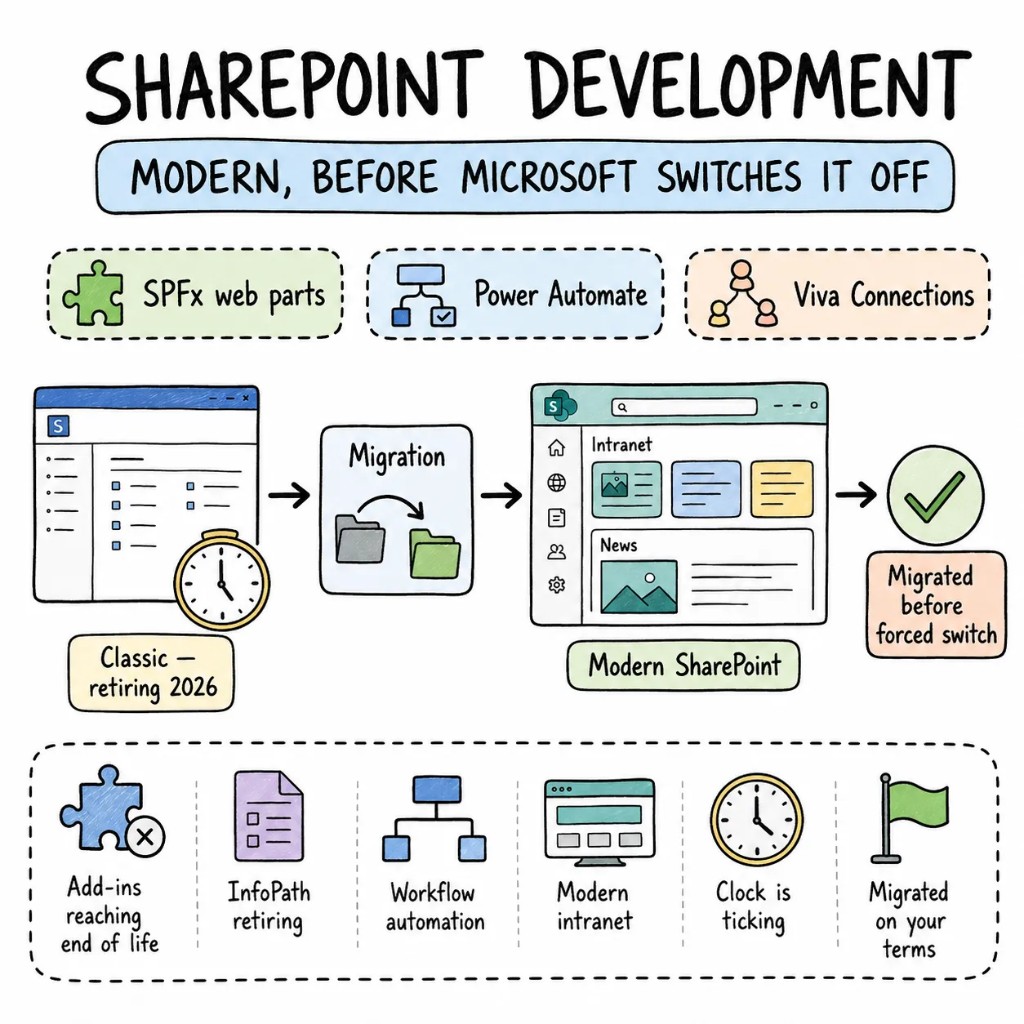
SharePoint Development. Modern,SharePointDevelopment. Modern,Before Microsoft Forces It.Before Microsoft Forces It.
Classic SharePoint retires in 2026. Designer workflows, InfoPath forms, and custom master pages are all reaching end of life — and Microsoft isn't extending the deadline. Our SharePoint development services handle the full migration to modern SharePoint: SPFx web parts replacing deprecated customizations, Power Automate replacing Designer workflows, and Viva Connections replacing the intranet nobody updated since 2019.
What every SharePoint development company should fix first.
The SharePoint environments we take over always have the same four problems — and fixing them in order is the difference between a clean modern org and a broken migration nobody finishes.
Architecture01
Classic pages with injected scripts that break on every Microsoft update.
Script Editor and Content Editor web parts are deprecated. SPFx web parts built in React and TypeScript are the only supported customization path. We build on SPFx from the start — the same stack your web developers already write, running in SharePoint, Teams, and Viva from one codebase.
Automation02
Designer workflows that Microsoft is switching off, and no replacement planned.
SharePoint Designer workflows retire in 2026. Every approval chain, document routing, and notification that runs on them needs to move to Power Automate — with proper error handling, retry logic, and run-history monitoring. Not a silent failure that nobody notices for a month.
Governance03
Permissions inherited through six layers until nobody could explain who has access.
Broken inheritance chains, "everyone" groups with edit access, and no audit trail. We redesign permissions at the site level with hub-level governance, Microsoft Purview sensitivity labels, and DLP policies. Permissions your compliance team can actually read.
Migration04
340 classic sites, and 60% of the content hasn't been opened in two years.
Migrating everything wastes time and money. We audit first, classify every site as migrate, archive, or retire, and only transform what your organization actually uses. The rest gets archived properly instead of carried forward as dead weight.
When SharePoint, when not
SharePoint is a platform. Not every problem belongs on it.
SharePoint handles document management, intranets, and team collaboration better than most alternatives. It's Microsoft's platform — and outside a Microsoft 365 organization, the integration value disappears entirely. We'll say so on the first call.
BUILD ON SHAREPOINT WHEN
Microsoft 365 is already your workplace — Teams, Outlook, OneDrive, Azure AD
Document management with versioning, metadata, retention policies, and compliance labels is a core requirement
An intranet with Viva Connections for company news, communications, and employee engagement
Governance and compliance requirements that Microsoft Purview handles natively
CONSIDER ALTERNATIVES WHEN
The product is a standalone web app that happens to manage documents — a purpose-built solution may cost less
Your organization doesn't run Microsoft 365 — SharePoint's value is the ecosystem, not the product alone
The need is a public-facing website — SharePoint is not a CMS for external audiences
WE SAY NO WHEN
"SharePoint as a customer-facing website" — that's not what the platform is built for
"Keep classic sites running and hope Microsoft changes their mind" — they won't
"Migrate 500 sites in three weeks" — that ship has sailed
What we build on SharePoint
SharePoint development services and consulting we deliver.
Eight ways this work shows up for real clients. Each built for modern SharePoint Online — not classic legacy that's already being retired.
S01
SharePoint intranet development on Viva Connections
SharePoint intranet development on Viva Connections
Company news, department hubs, people directories, event calendars. Communication sites with SPFx branding and Viva Connections for the mobile experience your employees actually open.
VIVA CONNECTIONSSPFXCOMMUNICATION SITESREACT
S02
SharePoint document management platforms
SharePoint document management platforms
Libraries with metadata-driven navigation, retention labels, sensitivity labels, and approval workflows. SharePoint used as the document management platform it was designed to be — not a shared drive with a browser on top.
SHAREPOINT ONLINEPURVIEWPOWER AUTOMATEMETADATA
S03
Custom SPFx web part development
Custom SPFx web part development
React-based web parts for dashboards, data visualizations, forms, and interactive tools. Components that run in SharePoint, Teams, and Viva Connections from a single codebase — no duplicate development across platforms.
SPFXREACTMICROSOFT GRAPHTYPESCRIPT
S04
SharePoint integration services
SharePoint integration services
CRM, ERP, and line-of-business systems connected to SharePoint through Microsoft Graph, Power Automate, and custom APIs. Data flowing between systems automatically — not manually exported and re-uploaded.
MICROSOFT GRAPHPOWER AUTOMATEREST APIAZURE FUNCTIONS
S05
SharePoint customization and Power Platform
SharePoint customization and Power Platform
Power Automate for document workflows. Power Apps for custom forms replacing InfoPath. Power BI dashboards embedded directly in SharePoint pages. The low-code layer that extends SharePoint without writing Apex-level custom code.
POWER AUTOMATEPOWER APPSPOWER BIDATAVERSE
S06
SharePoint governance and compliance
SharePoint governance and compliance
Hub site architecture, permission model redesign, Purview sensitivity labels, retention policies, DLP rules. Governance that scales across hundreds of sites without requiring a manual review on every one.
PURVIEWHUB SITESDLPRETENTION POLICIES
S07
Classic to modern SharePoint migration
Classic to modern SharePoint migration
Page transformation, web part replacement, Designer workflows to Power Automate, InfoPath forms to Power Apps, navigation redesign. Site by site — the classic environment stays live until every site has earned its migration.
PAGE TRANSFORMATIONSPFXPOWER AUTOMATESHAREGATE
S08
SharePoint maintenance and support
SharePoint maintenance and support
Ongoing monitoring, SPFx component updates, Power Automate flow health checks, and governance reviews — so the modern environment that launched clean doesn't quietly drift back into the permission chaos and stale content we were hired to fix.
SHAREPOINT ONLINESPFXPOWER AUTOMATEPURVIEW
The playbook
SharePoint development patterns we ship on repeat.
Patterns from real enterprise SharePoint deployments — not tutorial screenshots.
P01
SPFx with React and TypeScript
Every custom component built as an SPFx web part. Typed Graph API calls. Unit tested with Jest. Deployable to SharePoint, Teams, and Viva from one package.
P02
Hub site architecture, not flat site collections
Hubs for department-level governance. Communication sites for publishing. Team sites for collaboration. Navigation inherited from hubs — not manually maintained on 200 sites.
P03
Power Automate with real error handling
Every workflow has try-catch, failure notifications, and run-history monitoring. No silent failures running for a month before someone notices.
P04
Metadata over folders
Documents tagged with content types and managed metadata. Views filter by metadata. No ten-level-deep folder structures nobody navigates.
P05
Purview labels from day one
Sensitivity labels for confidential documents. Retention labels for compliance. DLP policies preventing accidental external sharing. Governance automated, not dependent on someone remembering.
P06
Content audit before any migration
Classic pages classified as migrate, archive, or retire before transformation starts. 40-60% of classic content is stale — migrating all of it wastes time and pollutes the modern environment.
Signature case
A classic org, modernized in 14 weeks.
A 12,000-employee organisation on classic SharePoint — 340 sites, 86 custom master pages, 120 Designer workflows, 45 InfoPath forms, and permissions so broken that HR documents were accessible to the entire company. Migrated to modern SharePoint with Viva Connections, Power Automate, and Power Apps in 14 weeks. Permissions audited and fixed. 58% of content archived instead of migrated.
142 modern sites · SPFx branding · Power Automate workflows · Power Apps forms · audited permissions
Sites migrated (post-audit)340 → 142
Content archived58%
To fully modernised14wk
Permission violations fixed100%
Industries we serve
SharePoint development across industries.
We've delivered SharePoint development services for finance, healthcare, government, manufacturing, and enterprise operations — anywhere Microsoft 365 is already the workplace and document governance isn't optional.
Site by site. The classic environment stays live the entire time we work.
W01
Audit + RFC
Two senior SharePoint developers. Classic site inventory, workflow audit, InfoPath dependency scan, permissions review. A ranked, dollarized plan.
W02–03
Foundation + first site
Modern site architecture established, SPFx branding deployed, hub site configured, first site migrated end-to-end. Live in production.
W04–08
Site by site
Pages transformed, workflows migrated to Power Automate, forms rebuilt in Power Apps. The classic environment keeps running throughout.
W09+
Governance + handoff
Purview labels applied, permissions audited. Governance runbook handed to your team — or we stay on for SharePoint maintenance and support.
Stack
Tools we Tools we reach reach for for first.
Our default SharePoint development stack — picked for modern enterprise SharePoint.
Development
SPFx · React · TypeScript · Microsoft Graph API
Power Platform
Power Automate · Power Apps · Power BI · Dataverse
Governance
Microsoft Purview · DLP · Retention Policies · Hub Sites
Migration
ShareGate · SharePoint Page Transformation · SPMT
Testing
Jest · SPFx Fast Serve · Playwright
Infra
SharePoint Online · Azure AD · Microsoft 365 · Viva Connections
VOICES
What founders say on the record.
Verified feedback from Upwork, Clutch, and reference calls we're happy to set up before you sign anything.
Evan Kanouse
CEO, Modestly
Entalogics has successfully delivered extension prototypes on time, and we are impressed with their project management and the finished product. The client communicates with Entalogics via virtual meetings, email, and messaging apps.
Adam Strock
Founder, Flourish Schools
Collaborating with Entalogics was a great experience. Communication was clear, we aligned quickly, and their team delivered high-quality code on time with thoughtful technical decisions.
Giles Whitman
CTO, SentryBay
Their Chromium expertise helped us ship a hardened browser with live threat controls and enterprise rollout support. Security operations became significantly faster.
George Irvin
Founder, G3 Ventures LLC
Entalogics delivered our custom Electron browser in six months with isolated profile workflows and stable policy sync. Agent onboarding improved by 55% after rollout.
Dani Keo
Project Manager, Sociall
Entalogics built our iOS Chromium-based mobile app with a smooth native feel, stable media rendering, and reliable sync. We shipped faster and improved engagement after launch.
Project Manager
RozmeriGPT
The web dashboard and Chrome extension now share prompts, billing, and analytics in one platform. Our content turnaround improved 4x after launch.
IIYA KHODAKOVSKY
Project Manager, Omni Browser
Entalogics built our Omni Browser on top of Chromium with deep product-level execution. They implemented an integrated VPN and Omni Crypto Wallet directly in the browser, made strong architectural decisions, and delivered quality code on schedule with clear communication.
Sherzod Khabibullayev
Project Manager, Digital Office: Aura
Entalogics built Digital Office: Aura as a custom Chromium-based authentication platform. Their team modified Chromium internals and integrated our manual custom authentication flow with reliable implementation, fast delivery, and consistent communication.
Engagement
Three ways to hire SharePoint developers at Entalogics.
No hourly billing for thinking time. Fixed quote or a transparent monthly rate.
FIXED SCOPEone-off build
Ship a SharePoint project, end to end.
Fixed scope, fixed price, senior-only team. Audit to modern SharePoint in 8-14 weeks.
SharePoint development — questions we get on every call.
Classic retirement, migration timelines, branding, cost, training — in roughly the order people ask.
Yes. Microsoft is retiring classic add-ins, ACS authentication, Designer workflows, and InfoPath through 2026. Classic sites won't vanish overnight, but every customization built on deprecated features will stop working. Migration to modern SharePoint is the only path forward.
12-20 weeks for a typical enterprise. Content audit first — 40-60% of classic content is stale and shouldn't migrate. The rest transforms site by site using page transformation and SPFx rebuilds for custom web parts.
Yes — via SPFx Application Customizers for headers, footers, and mega menus, plus tenant-level theme configuration. Custom master pages are gone, but SPFx provides equivalent branding control with better maintainability.
Depends on scope — number of classic sites, workflow complexity, and governance requirements. The week-one audit gives real numbers. The quote is fixed from there, not a range that grows. Most engagements run 8-14 weeks.
Yes. We train your team on modern SharePoint, SPFx development, Power Automate workflow building, and governance administration — so the environment we hand over is maintained by your own people, not dependent on us permanently.
Yes. The engineers who write the RFC ship the migration. No handoff mid-engagement, no account manager in between.
Senior engineers
Tell us whatyou're building.
Thirty minutes with a senior SharePoint developer, the relevant playbook, and a candid read on whether modern SharePoint is the right platform, or a different intranet or document management approach fits better.