SQL Server Development Services.SQL ServerDevelopment Services.Built to Handle the Load.Built to Handle the Load.
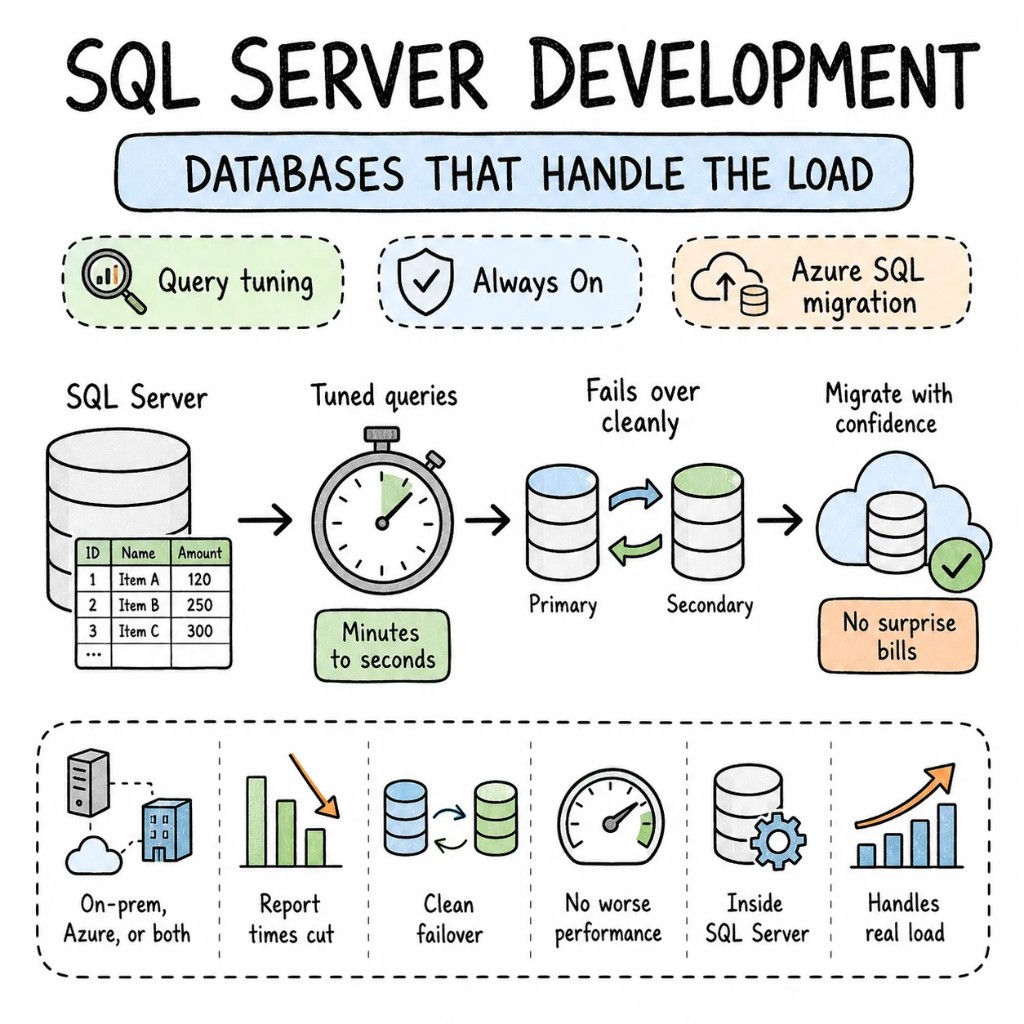
Our MS SQL development services and consulting cover organizations running SQL Server on-prem, in Azure, or both. Query tuning that cuts report times from minutes to seconds. Always On configurations that actually fail over cleanly when tested, not just when configured. Azure SQL migrations that don't surprise you with worse performance on a bigger bill. We work inside SQL Server, not just around it.
What every SQL Server development company should fix before anything else.
Every SQL Server environment we audit has the same problems — missing indexes on columns filtered millions of times daily, `SELECT *` in production queries, maintenance plans that haven't run in months, and an Always On group nobody's actually tested for failover.
Performance01
Ninety percent of "SQL Server is slow" turned out to be the queries, not the server.
Missing indexes, outdated statistics, implicit conversions, parameter sniffing — the usual suspects behind almost every performance complaint. We profile with Query Store and wait stats before touching anything, because the database is rarely the actual bottleneck.
Indexes02
Eighty indexes existed on one table because someone kept clicking "Create Missing Index."
Covering indexes for the critical queries. Filtered indexes for common WHERE clauses. Index maintenance that weighs fragmentation against I/O cost — not indexes added reflexively until the table can barely accept a write.
Availability03
Always On had been configured two years ago and never actually tested.
AG groups with synchronous commit for zero data loss, async for cross-region DR. Failover tested quarterly, not assumed to work because it was set up once. Read-only replicas taking reporting load off the production instance.
Migration04
The Azure SQL migration happened blind, and the bill went up while performance went down.
Performance baselined before migration. Service tier matched to actual workload, never the default. Azure Hybrid Benefit applied to cut licensing cost. A migration that performs the same or better, because we measured both sides of it.
When SQL Server, when not
SQL Server is a tool. Not the only database.
SQL Server is the most widely deployed enterprise relational database on Windows. It's also expensive to license and overkill for plenty of workloads. We'll tell you honestly on the first call if MSSQL is actually the right fit.
STAY ON SQL SERVER WHEN
You're a Microsoft shop — .NET, Azure, Windows Server — where SQL Server integration is native
Enterprise workloads need SSRS, SSIS, SSAS, cross-database queries, and linked servers that PostgreSQL can't match without a real rewrite
Always On Availability Groups are your HA/DR strategy — proven, battle-tested, and already understood by your ops team
Regulatory or vendor requirements specifically mandate SQL Server
CONSIDER ALTERNATIVES WHEN
You're greenfield with no Microsoft dependency — PostgreSQL is free, open-source, and handles most OLTP workloads identically
Cost is the primary constraint — SQL Server licensing adds up fast without Azure Hybrid Benefit in play
Your workload is read-heavy analytics — a data warehouse like BigQuery, Redshift, or Snowflake may genuinely serve it better
WE SAY NO WHEN
"SQL Server because we always have" — that's habit, not architecture
"Enterprise Edition for a 10GB database" — Standard Edition handles that, keep the licensing cost down
"Migrate to Azure SQL in two weeks" — baseline first, migrate second
What we build on SQL Server
SQL Server development services and consulting we deliver.
Eight ways this work shows up for real clients. Each one tuned, maintained, and production-ready.
S01
SQL Server performance tuning
SQL Server performance tuning
Query Store analysis, wait stats profiling, index recommendations, execution plan review. Queries that took minutes reduced to seconds, with a measured before and after on every change.
QUERY STOREWAIT STATSEXECUTION PLANSINDEXES
S02
Always On high availability
Always On high availability
AG groups configured for your actual RPO/RTO. Synchronous for zero data loss, async for cross-region DR. Failover genuinely tested, read-only replicas offloading reporting.
ALWAYS ONAG GROUPSFAILOVERREAD REPLICAS
S03
Azure SQL migration services
Azure SQL migration services
On-prem to Azure SQL Database, SQL Managed Instance, or SQL Server on an Azure VM. Performance baselined, service tier matched, Hybrid Benefit applied, zero-downtime cutover through DMS.
AZURE SQLSQL MIDMSHYBRID BENEFIT
S04
SQL Server database administration
SQL Server database administration
Backup policy monitoring, log reviews, security audits, patching, and ongoing performance checks — the DBA work that keeps a database healthy between the projects that get all the attention.
BACKUPSSECURITY AUDITSPATCHINGMONITORING
S05
Database schema design
Database schema design
Normalized schemas for transactional workloads. Proper data types, not `nvarchar(max)` for a 10-character code. Foreign keys, constraints, and check conditions enforced at the database level, not just in application code.
SCHEMA DESIGNCONSTRAINTSDATA TYPESNORMALIZATION
S06
SSIS, SSRS, and custom SQL reporting
SSIS, SSRS, and custom SQL reporting
Data integration with SSIS packages, custom SQL reporting through SSRS, scheduled ETL that runs reliably and fails loudly when it doesn't. Manual Excel exports replaced with pipelines that actually run themselves.
SSISSSRSCUSTOM REPORTINGSQL AGENT
S07
SQL Server upgrades and maintenance
SQL Server upgrades and maintenance
SQL Server 2014 or 2016 through to 2022. Compatibility level testing, deprecated feature remediation, maintenance plan configuration. The current database stays online throughout.
SQL 2022COMPATIBILITYMAINTENANCE PLANSBACKUP
S08
SQL Server consulting and ongoing support
SQL Server consulting and ongoing support
Architecture reviews, capacity planning, and a standing partner for teams that need SQL Server expertise on call, not just during a one-time project.
SQL Server development patterns we ship on repeat.
Patterns from real production databases, not certification exam answers.
P01
Query Store for continuous tuning
Enabled on every production database. Regressed queries flagged automatically. Plan forcing on critical queries. Performance regression caught before users notice it.
P02
Index strategy, not index sprawl
Covering indexes for the top 20 queries by resource consumption. Unused indexes dropped. Maintenance jobs that rebuild only when fragmentation actually justifies the I/O cost.
P03
Proper backup strategy
Full, differential, and transaction log backups on a schedule matched to your RPO. Restores tested quarterly, not assumed to work because backups complete.
P04
Wait stats before tuning
`sys.dm_os_wait_stats` and `sys.dm_exec_query_stats` analyzed before any change. We tune what the database is actually waiting on, not what someone guesses is slow.
P05
Parameterized queries everywhere
No string concatenation in SQL. Parameterized queries from every application layer. SQL injection eliminated at the data access layer, not patched over at the WAF.
P06
Azure SQL right-sizing
Service tier matched to actual DTU or vCore consumption, not the default. Elastic pools for multi-tenant databases. Serverless tier for genuinely variable workloads. Cost matched to real usage.
Signature case
A reporting database, tuned from 14-minute reports to 8-second reports.
An enterprise reporting database on SQL Server 2019 — critical monthly report taking 14 minutes, 340 missing indexes identified by Query Store, statistics updated once a year, and an Always On replica that hadn't been tested for failover since setup. Tuned indexes, updated statistics, rewrote the top 10 worst-performing queries, and tested failover in 6 weeks. Monthly report runs in 8 seconds. Failover tested and verified.
We've delivered SQL Server development services for healthcare, financial services, eCommerce, and enterprise operations — anywhere real-time data accuracy or 24/7 availability genuinely isn't optional.
Database by database. The current environment stays live the entire time we work.
W01
Audit + RFC
Two senior SQL Server DBAs. Query Store analysis, wait stats profiling, index audit, HA configuration review. A ranked, dollarized plan.
W02–03
Foundation + quick wins
Top 10 worst queries tuned, critical missing indexes created, statistics updated, maintenance plans configured. Measurable improvement visible by week two.
W04–08
Systematic tuning or migration
Database by database. Indexes optimized, queries rewritten, Always On tested, Azure SQL migrated with a real baseline comparison. Your applications keep running.
W09+
Handoff
Query Store monitoring configured, maintenance plans automated. Runbook handed to your team — or we stay on for SQL Server consulting and ongoing support.
Stack
Tools we Tools we reach reach for for first.
Our default SQL Server development stack — picked for production databases.
SQL Server development — questions we get on every call.
On-prem vs Azure, tuning approach, edition choice, cost, continuity — in roughly the order people ask.
Azure SQL Managed Instance for most enterprise migrations — near-100% SQL Server compatibility, no OS management, built-in HA. Azure SQL Database for simpler workloads. Stay on-prem when compliance, latency, or vendor requirements mandate it. We baseline performance before migration so there are no surprises after.
Wait stats first, to identify what the server is actually waiting on. Then Query Store for the worst-performing queries. Then an index strategy based on real query patterns. We never tune blind — every change has a measured before and after.
Standard for most workloads. Enterprise when you need Always On with multiple read replicas, columnstore indexes, or advanced security features. We audit your actual feature usage and recommend honestly, not upsell.
A typical tuning or migration engagement runs $15K-$30K over 6-10 weeks, depending on scope and database count. The week-one audit gives you real numbers specific to your environment.
Yes. The engineers who write the RFC do the tuning. No handoff mid-engagement, no account manager in between.
Yes. We audit what's there, tune what's slow, fix what's broken, and migrate what needs moving. No rip-and-replace.
Founder-direct
Tell us whatyou're building.
Thirty minutes with the founder — a senior SQL Server DBA, the relevant playbook, and a candid read on whether your database needs tuning, migration, or a different platform entirely.