
NOVEMBER 22, 2026
What to Put in AGENTS.md (and What to Leave Out)
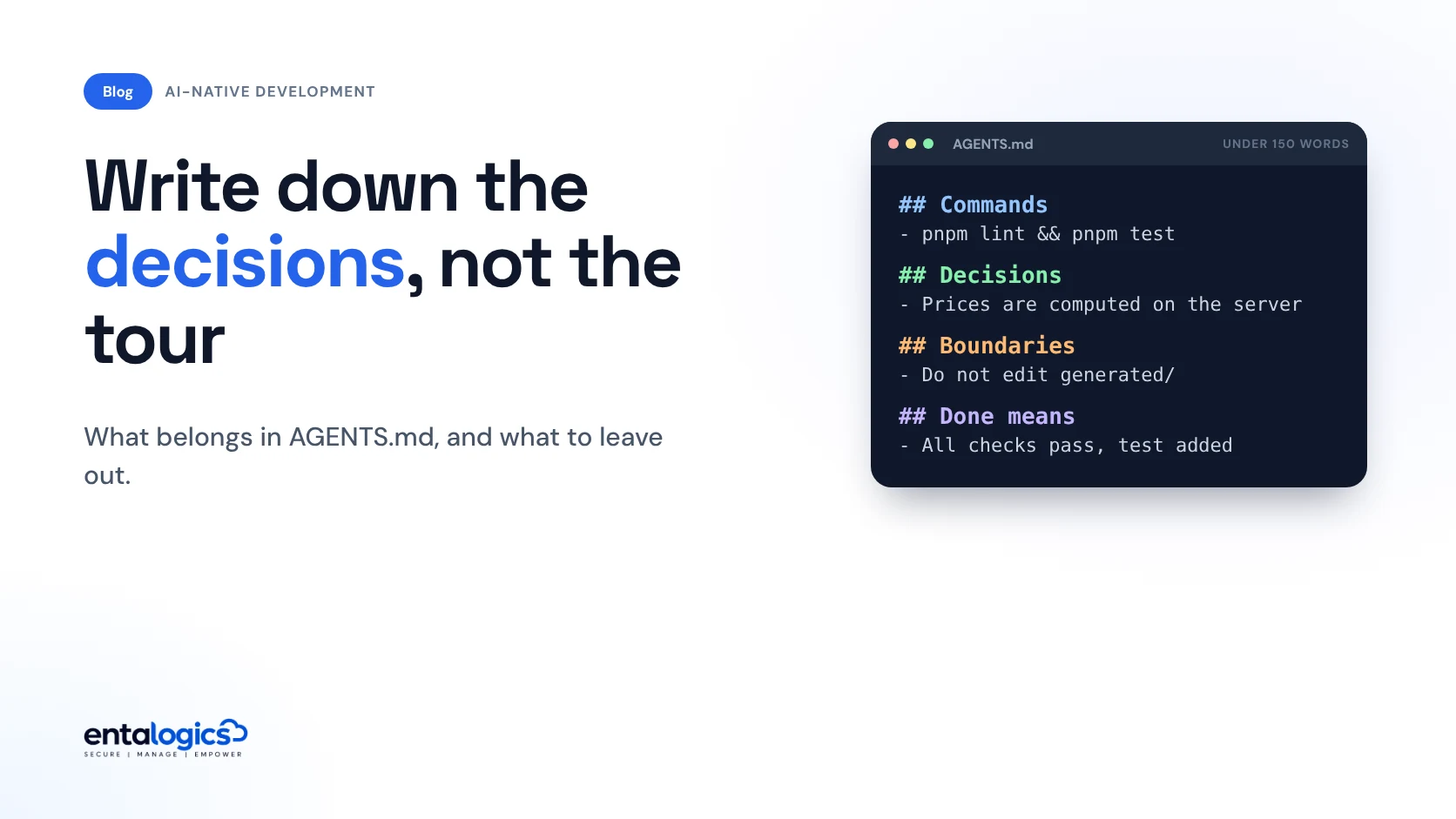
An AGENTS.md file is loaded into your coding agent's context when it works, so treat every line as a cost. Put in the commands, the decisions the code cannot show and the definition of done. Leave out the tour of the codebase.

By Umar Abdullah · AI-Native Development
Short answer
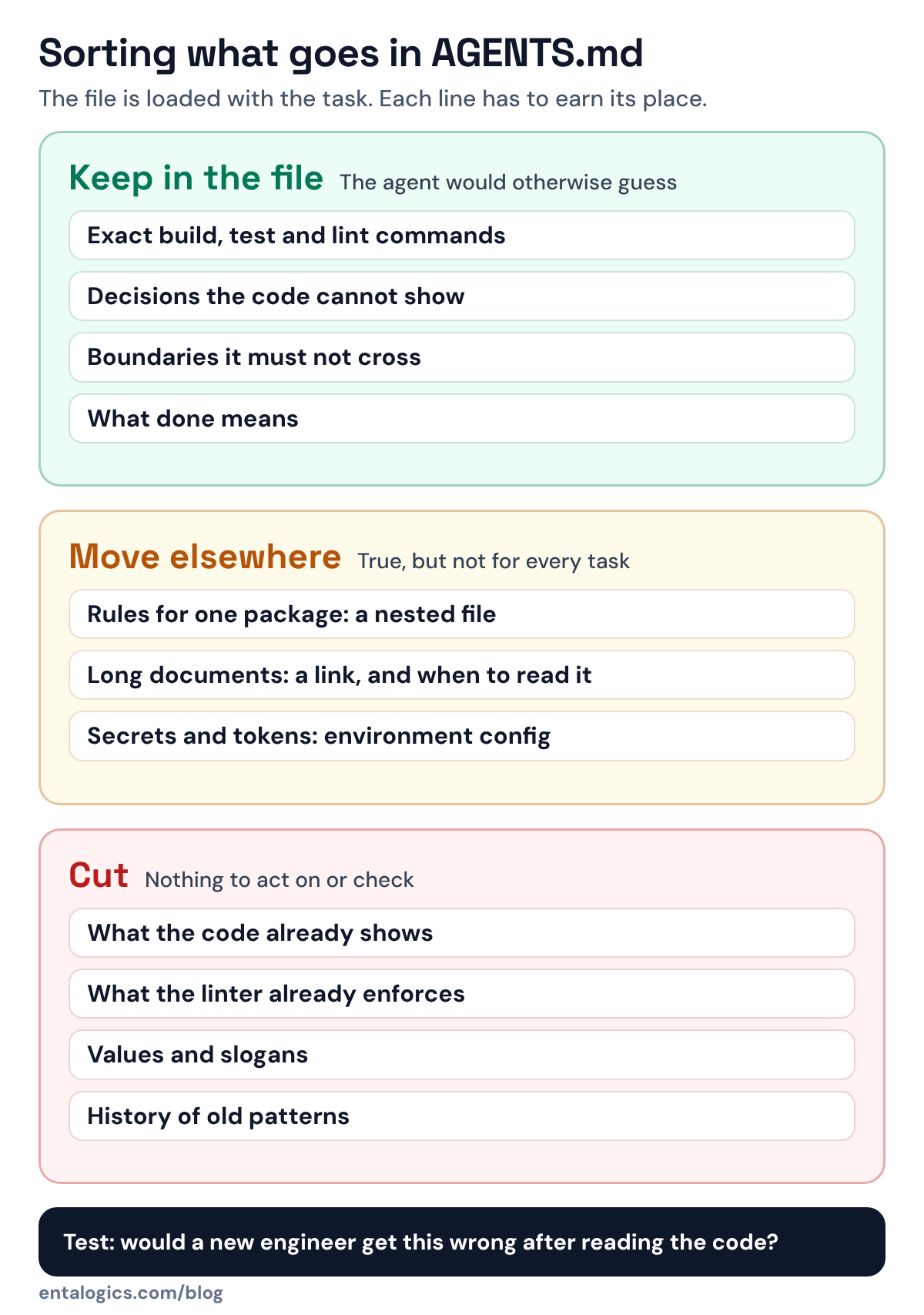
Put four things in AGENTS.md: the exact commands to build, test and check the project; the decisions an agent cannot work out from the code; the boundaries it must not cross; and what "done" means. Leave out anything the agent can see by reading the repository. The file travels with every task, so a short file of real decisions beats a long tour of the codebase.
What is AGENTS.md, and how do agents use it?
The AGENTS.md project calls it "a simple, open format for guiding coding agents" and suggests thinking of it as "a README for agents". Its site says the format is used by over 60k open-source projects and is now stewarded by the Agentic AI Foundation under the Linux Foundation.
There is no schema. The project's FAQ answers "Are there required fields?" with "No. AGENTS.md is just standard Markdown." What gives the file its force is how an agent is told to treat it. Codex's own base instructions tell the model that for every file it touches, it "must obey instructions in any AGENTS.md file whose scope includes that file."
Two mechanics follow from that, and both shape what you should write.
The file is loaded with the task. Codex's instructions say the root file, and any between the working directory and the root, are included with its developer message; files deeper in the tree it is told to check for as it works. Gemini CLI's context file documentation is blunter: it concatenates all the context files it finds and "sends them to the model with every prompt." So it is reasonable to treat every line as a cost, in tokens and in attention taken from the task itself.
The agent takes it seriously. A README can say "we generally prefer small pull requests" and a person will use judgment. Codex is told it must obey the file. Our working assumption for any agent is the same: it will try to apply what you wrote, so write only what you want applied.
What belongs in AGENTS.md?
Four kinds of content earn their place.
1. Exact commands
How to install, build, run one test, run all tests, lint and type-check. Exact, copy-ready, with the flags you really use. The format's FAQ says that when you list testing commands, the agent "will attempt to execute relevant programmatic checks and fix failures before finishing the task." We think this is the highest-value part of the file, because it turns "I think it works" into a check the agent runs on its own.
2. Decisions the code cannot show
This is the part we think matters most. An agent can read your folder structure. It cannot read why the structure is that way, or which of two existing patterns is the one you want copied.
When we build with AI, the split is explicit. In implementation, AI writes the CRUD, schemas, tests, migrations and glue code. Our senior engineers own where business rules live, what runs on the server, failure handling and the security-critical paths. Our recommendation is to write decisions of that kind into the instructions file, so the agent applies them without being told each time. For example:
- "Prices and totals are computed in
server/billing. Never accept them from the client." - "Every new route needs an ownership check. Use
requireOwner(); seeroutes/invoices.ts." - "External calls go through
lib/httpso retries and timeouts stay in one place."
In our view, lines like these are worth more than any style rule. In the 35+ audits we reported on in September, 18 had broken or missing authorization. As we wrote then, the code does what it was asked to do; nobody asked for the check. An instructions file is where you ask, once, for every future task.
3. Boundaries
What the agent must not touch or do: generated files, migration history, the payments module without a human, production configuration, new dependencies without asking. Keep the list short and concrete. A boundary the agent can check ("do not edit files under generated/") works better than a value it has to interpret ("be careful with core code").
Boundaries in a text file are requests, not enforcement. For anything that matters, back them with a real control, as we described in the post on sandboxing coding agents.
4. What "done" means
The checks that must pass before the agent reports success: tests green, lint clean, types clean, a test added for the changed behaviour, no skipped tests. Without this, "done" means "the code was written". The same audits found no automated tests at all in 23 codebases. A definition of done that includes a test is a cheap guard against that.
What should you leave out?
This section is our recommendation, and it is stricter than the tools' own suggestions. The AGENTS.md site lists a project overview and code style among popular sections, and Codex's generator asks for project structure and style conventions. We would cut most of that.
| Leave out | Why | Do this instead |
|---|---|---|
| A tour of the folder structure | The agent can list directories itself | One line per non-obvious location |
| Rules your linter or formatter enforces | The tool already fails the check | List the lint command under "done" |
| Long architecture documents | Loaded on every task, mostly irrelevant to it | Link to the document; say when to read it |
| Rules for one package | They load for work elsewhere too | A nested file in that package |
| Values and slogans ("write clean code") | Nothing to act on, nothing to check | A concrete rule, or nothing |
| Secrets, tokens, internal URLs | The file is committed and sent to a model | Environment configuration |
| History ("we used to use X") | The agent may follow the old pattern | State only the current rule |
A useful test for each line: would a capable new engineer get this wrong on their first task, even after reading the code? If not, delete it.
Ship faster with senior engineers
Direct collaboration, AI-augmented delivery, and no agency markup.
Get in touchHow long should it be?
Shorter than you think. The clearest number we found comes from a tool vendor's own defaults. The prompt Codex uses when it generates an AGENTS.md for a repository instructs the model: "Keep the document concise. 200-400 words is optimal." It also asks for explanations that are "short, direct, and specific to this repository."
That is a starting size for a generated guide, not a law. A file with real decisions in it may run longer. Treat length as a budget: when you add a line, look for one to remove.
How do nested files and precedence work?
In Codex's instructions, the scope of a file is the directory it sits in and everything below. When files disagree, the format's FAQ gives the rule: "The closest AGENTS.md to the edited file wins; explicit user chat prompts override everything." Codex's instructions say the same in their own words: more deeply nested files take precedence, and direct instructions in a prompt take precedence over the file.
Use this to keep the root file small.
- Root file: commands and rules that hold everywhere.
- Package files: what is special about that package, such as its own test command or a stricter rule for the billing code.
- Your prompt: anything that applies to this task only.
The AGENTS.md site notes that, at the time it was written, OpenAI's main repository had 88 of these files. You do not need 88. You probably need more than one.
If your team uses several tools, pick one file as the source. Gemini CLI reads GEMINI.md by default but lets you set the file name, and its own example lists AGENTS.md. It also supports importing other files, which is another way to keep a single source.
A starting template
## Commands
- Install: `pnpm install`
- Test one file: `pnpm vitest run path/to/file.test.ts`
- All checks: `pnpm lint && pnpm typecheck && pnpm test`

## Decisions
- Business rules live in `server/domain`. Routes and UI call them; they do not copy them.
- Money, permissions and user data are handled on the server only.
- Every route that returns user data checks ownership. Pattern: `routes/invoices.ts`.
- Outbound HTTP goes through `lib/http` (timeouts and retries are set there).

## Boundaries
- Do not edit `generated/` or existing files in `migrations/`.
- Ask before adding a dependency or changing `server/billing`.

## Done means
- All checks pass, with no skipped tests.
- Changed behaviour has a test that fails without the change.
That is under 150 words. Most of it is something the agent would otherwise have to guess.
How to keep it honest
Writing decisions down fits the way we run AI-augmented development: AI handles repetitive execution while senior engineers handle decisions. If you want a team where senior engineers own those decisions on your product, see our SaaS development service.
Sources: AGENTS.md project README and site content (FAQ, how-to); OpenAI Codex base instructions and AGENTS.md generation prompt; Gemini CLI context files documentation, all as published in their repositories on 22 November 2026. Entalogics figures are from our own audit reports.