
NOVEMBER 19, 2026
Coding Agent Sandbox: What It Can Read, Write and Reach
A coding agent runs commands as you, on your machine. A sandbox decides what those commands can read, write and reach on the network. Here is what the sandboxes in three of today's coding agents enforce, where they leave gaps, and the settings a team should agree on.

By Umar Abdullah · Cybersecurity
Short answer
A coding agent runs shell commands with your user account, so by default it can touch whatever you can. A sandbox puts an operating system boundary around those commands and answers three questions: what can they read, what can they write, and what can they reach on the network. The three sandboxes we looked at all limit writes well. Reads and network access are where the settings differ and where teams need to make their own decisions.
Why does a coding agent need a sandbox?
Because the agent reads things you did not write. It opens dependencies, issue text, web pages, logs and other people's repositories, and any of them can contain instructions aimed at the agent. In our post on agent permissions the rule was that a prompt cannot be the security boundary, because the model weighs your instructions and a stranger's text together. The same holds on a developer laptop. "Do not touch files outside the project" in an instructions file is a request.
A sandbox turns the request into a limit. Anthropic's Sandbox Runtime, a research preview built for Claude Code, describes the approach: restrictions enforced by OS-level primitives "that apply to the entire process tree". If the agent starts a script that starts another program, the limit follows.
The developer machine is also where the valuable things are: SSH keys, cloud credentials, package registry tokens, .env files for five other projects. In the 35+ code security audits we reported on in September, 11 had secrets or API keys exposed in code, config or the client bundle. Those were secrets that leaked into the product. A coding agent with no boundary sits next to all the ones that have not leaked yet.
The three questions: read, write, reach
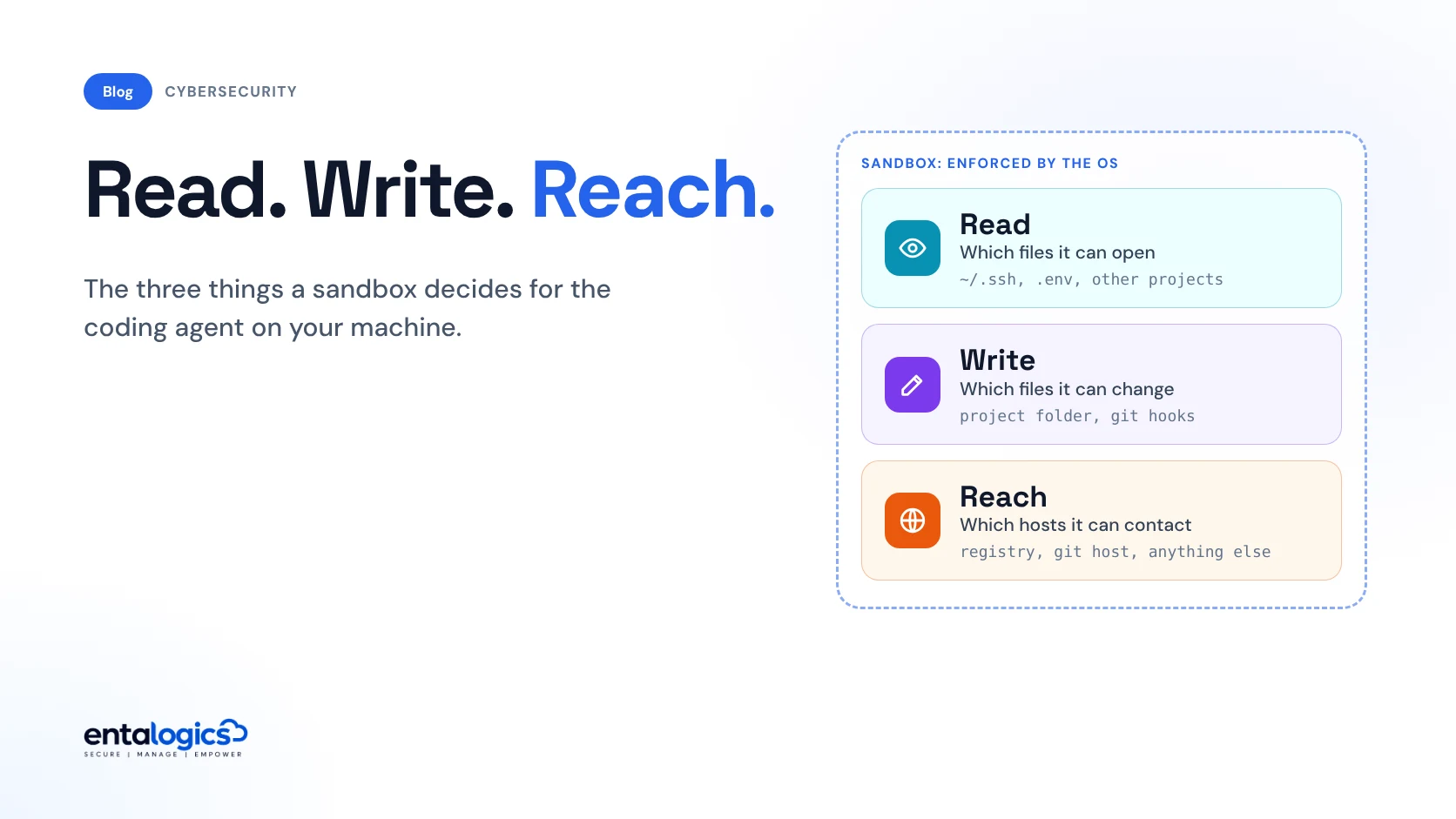
Every sandbox, whatever the tool, comes down to three lists.
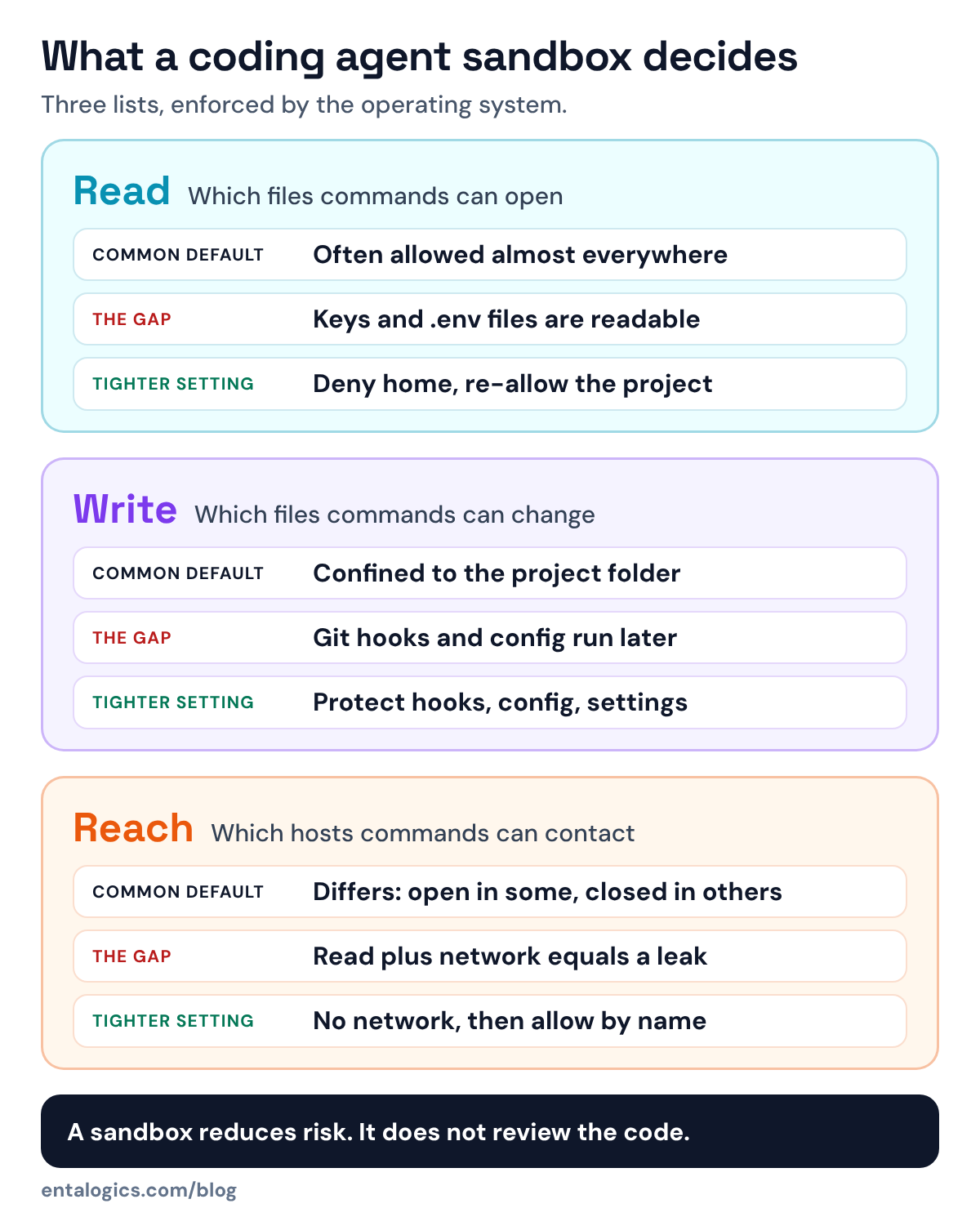
Read. Which files can commands open? In all three tools below, reads are broadly allowed unless you restrict them. Our reading of why: build tools need to read widely, from compilers to package caches and system libraries.
Write. Which files can commands create or change? This is the best-covered of the three. The tools we looked at confine writes to the project or to paths you list.
Reach. Which hosts can commands contact? This decides whether anything read can leave the machine.
The Sandbox Runtime documentation explains why you need more than one of them: "Without file isolation, a compromised process could exfiltrate SSH keys or other sensitive files. Without network isolation, a process could escape the sandbox and gain unrestricted network access."
What do three tools' sandboxes enforce?
We read the documentation that ships in three public repositories. The table shows what each one says. Read the columns with care. Sandbox Runtime is the library, not the configuration Claude Code ships with. The Gemini CLI column is the default profile once you switch the macOS sandbox on. The Codex column is its workspace-write mode, which the files we read do not describe as the default. Settings also change between releases, so treat this as a map of what to check, not a product ranking.
| Sandbox Runtime (built for Claude Code) | Gemini CLI, macOS default profile | Codex, workspace-write mode | |
|---|---|---|---|
| Mechanism | sandbox-exec on macOS, bubblewrap on Linux, plus a network proxy | sandbox-exec (Seatbelt); containers and others also offered | sandbox-exec on macOS, bubblewrap on Linux |
| Read | Allowed everywhere by default; you deny regions | Broad file reads allowed | Reading files permitted |
| Write | Denied everywhere by default; you allow paths | Confined to the project directory | The working directory and listed writable roots; elsewhere needs approval |
| Reach | Denied by default; you allow domains | Network allowed | Set by policy |
| Protected inside the project | Git hooks and config, shell and IDE config, agent command folders | Not stated in the sandbox doc | .git and .codex kept read-only (macOS profile) |
Three things stand out.
Writes are handled well. All three confine writes to the project or to paths you list. Gemini CLI's default macOS profile "confines writes to the project directory", and Codex's workspace-write mode permits edits in the working directory and configured writable roots, with other directories requiring approval.
Reads are wide open unless you act. Sandbox Runtime states that "by default, read access is allowed everywhere" and leaves it to you to deny regions such as the home directory and re-allow the project. Gemini CLI's default macOS profile allows "broad file reads". Stricter profiles exist. Someone has to choose them.
Network defaults differ the most. Sandbox Runtime denies all network access until you allow domains. Gemini CLI's default macOS profile allows the network, with "proxied" profiles available. In Codex, the core documentation says network access and file roots are controlled by the sandbox policy. Two developers on one team can have very different exposure and not know it.
Gemini CLI's own security notes are honest about the limit of all this: "Sandboxing reduces but doesn't eliminate all risks."
Ship faster with senior engineers
Direct collaboration, AI-augmented delivery, and no agency markup.
Get in touchWhy is "write only inside the project" not enough?
Because some files inside the project run code later, outside the sandbox.
A git hook is the clearest example. If an agent can write .git/hooks/pre-commit, the next commit you make from your own terminal runs that script with your full access. The same goes for editor task files, shell configuration and the agent's own command and settings folders.
The tools know this. Sandbox Runtime keeps a list of paths that are "always blocked from writes, even if they fall within an allowed write path": shell config files, git config, .git/hooks/, IDE directories such as .vscode/, the agent's command folders and .mcp.json. Its documentation calls this "defense-in-depth against sandbox escapes and configuration tampering." On macOS, Codex's workspace-write profile keeps .git and its own .codex folder read-only.
If your tool or your own container setup does not do this, add it. A sandbox that lets the agent edit the files that configure the sandbox, or the scripts that run after it, has a door in it.
Trust the folder before the agent reads it
A second boundary sits before the sandbox: what the agent loads from a repository when it starts. Project settings can add tools, connect MCP servers, register hooks and set environment variables. Cloning a repository and starting an agent in it means running someone else's configuration.
Gemini CLI's Trusted Folders feature shows what a careful version looks like. Before you choose, it lists what the folder would add: commands, MCP servers, hooks, skills and setting overrides. If you do not trust the folder, the CLI runs in a safe mode: project settings are ignored, .env files are not loaded, MCP servers do not connect, custom commands are not loaded, and every tool call asks first.
The detail to notice is one line in that document: the feature "is disabled by default." The same is true elsewhere in Gemini CLI: the sandbox is switched on with a flag or a setting, and the stricter profiles have to be chosen. The protective option exists, and it is something you turn on.
What a sandbox does not do
- It does not review the code. A sandbox protects the machine while the agent works. Whether the code checks permissions and validates input is a separate job. That is the subject of our audit findings.
- It does not protect what you hand over. A token placed in the agent's environment so it can deploy is inside the boundary. Anything the agent can use, a hijacked agent can use.
- It does not stop you approving a bad request. Gemini CLI can ask to expand the sandbox for one command, when something is blocked or when it expects a command such as
npm installto need more. That is useful, and it is also the moment a person clicks "yes" without reading. Treat expansion requests like a pull request, not a cookie banner. - It does not cover tools that run elsewhere. A remote MCP server or a cloud agent has its own boundary, set by someone else.
A baseline for a team
Individual defaults are not a policy. These are the settings we would write down and check, whichever agent a team uses.
-s flag, the GEMINI_SANDBOX variable or a setting. Agree on one mode and put it in shared configuration.~/.ssh, cloud credential folders, other projects and password manager files.**/.env stays denied even inside an allowed folder. On Linux the pattern only covers files that exist when the command starts.danger-full-access for a reason. If a task needs it, give it a disposable machine.cat ~/.ssh/id_rsa returns "Operation not permitted".We let AI write most of our code, and the three decisions that stay with our engineers include where rules live and what happens when things fail. We treat where the agent is allowed to operate the same way. If AI tools built your product and nobody has checked what they left behind, including secrets in the repository and its history, that is what our AI code security audit covers.
Sources: Anthropic Sandbox Runtime README; Gemini CLI sandboxing and trusted folders documentation; OpenAI Codex core README and sandbox mode definitions, all as published in their repositories on 19 November 2026. Entalogics figures are from our own audit reports.