
AUGUST 7, 2026
Microsoft Build 2026: The Desktop AI Roadmap for Windows
Microsoft Build 2026 points to native desktop AI, tighter governance, and Windows tooling, with MAI-Code-1, MXC, and Copilot app preview.

By Asad, Senior Content Writer at Entalogics · Artificial Intelligence
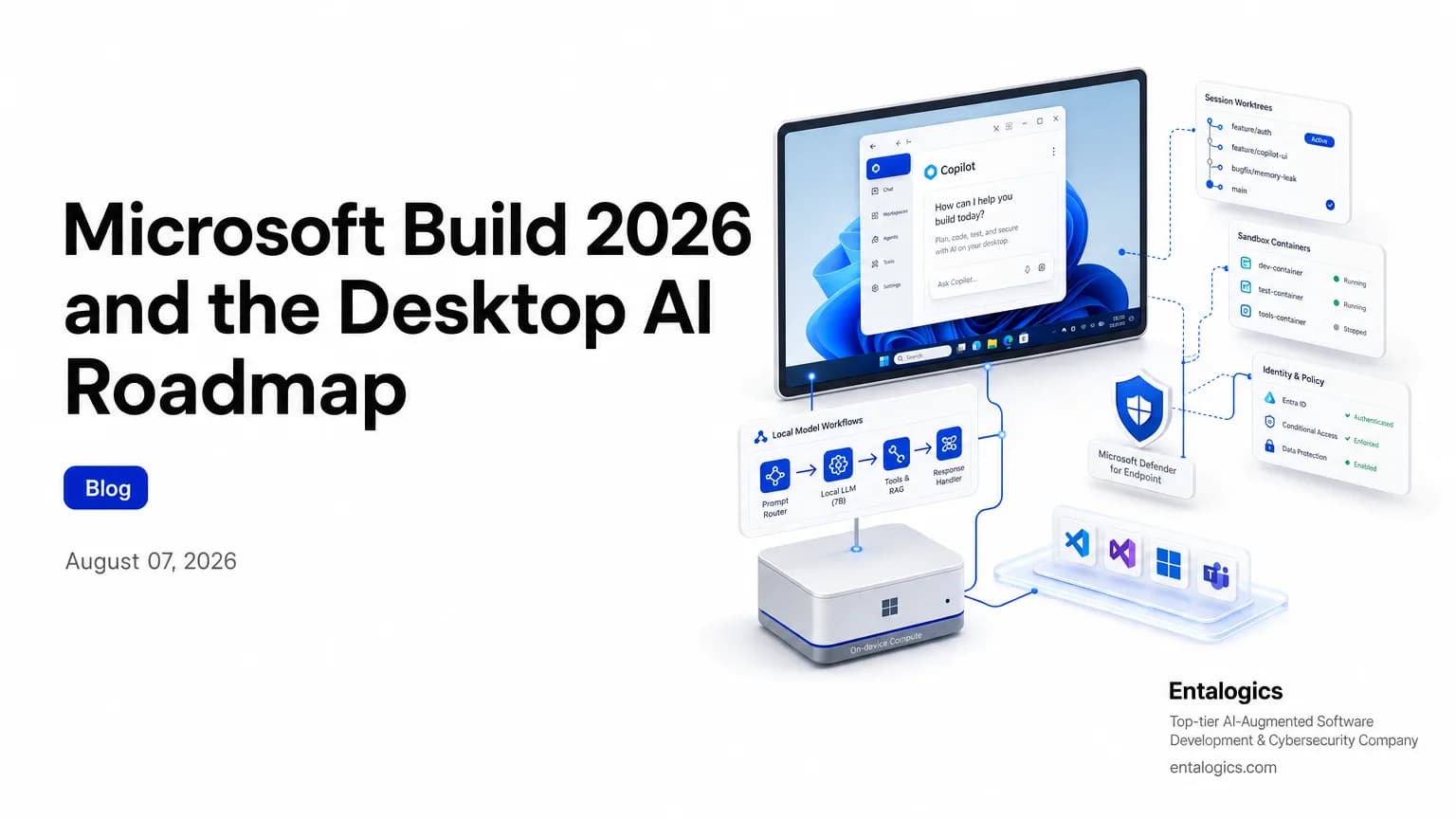
Microsoft Build 2026 points to a desktop-first AI stack
Microsoft Build 2026, published on June 2, 2026, reads like a roadmap for enterprise desktop apps that now have to ship AI, not just consume it. The message is clear: Microsoft wants native desktop AI, tighter governance, and more Windows-native control points around agents.
That matters for teams building Windows apps, admin tools, and internal desktop software. Build announcements often look broad at first. This one is unusually specific. Microsoft is pushing AI into the desktop experience, into local execution, into enterprise controls, and into the dev tools that teams already use.
Microsoft says the GitHub Copilot app is now in preview and that each session uses git worktrees, so work stays separated.
If you build enterprise desktop apps, that combination changes the baseline. Users will expect AI in the app itself. Security teams will expect controls around it. Platform teams will need a way to isolate sessions, trace actions, and decide what runs locally versus in the cloud.
Native desktop AI is now part of the roadmap
The most direct signal is the GitHub Copilot app. Microsoft says it is now in preview, and it brings agentic development to a native desktop experience. That is not a small packaging change. It is a shift in where the work happens.
The app runs with session separation through git worktrees. That detail matters. Desktop AI stops being a single chat box and starts acting more like a workspace with boundaries. For enterprise app teams, that suggests future desktop products may need built-in support for separate task contexts, isolated side effects, and audit trails that survive beyond a single prompt.
Microsoft also paired the app story with MAI-Code-1, which it says is available in Copilot and VS Code. That makes the pattern even clearer: the company wants coding assistance to feel native in the desktop workflow, not bolted on through a web panel.
For desktop app roadmaps, the implication is simple. AI features are moving closer to the shell, the editor, and the app frame itself. If your product roadmap still treats AI as a separate assistant screen, you are probably already behind the direction Microsoft is taking.
Governance and sandboxing for enterprise agents
The other major signal is control. Microsoft says Agent 365 for local agents extends Entra, Defender, and Purview into a single control plane. That is the kind of statement security and IT teams should read twice. It means Microsoft is trying to make agent oversight part of the same enterprise stack that already handles identity, threat detection, and compliance.
Microsoft says Agent 365 for local agents extends Entra, Defender and Purview into a single control plane to observe, govern and secure agents across your estate.
That control-plane language is not just for platform teams. It is a roadmap clue for app developers. If agents are going to run inside desktop products, the enterprise will want to know who launched them, what they touched, where they stored state, and whether the execution environment was isolated.
Microsoft Execution Containers, or MXC, is another piece of the same direction. Microsoft says it is now in preview and gives developers and IT administrators a simpler way to create enterprise-grade sandboxed environments for agents, with containment enforced by the operating system itself. OpenClaw on Windows already uses this to enable multi-step workflows inside these OS-enforced boundaries.
That is a strong signal for enterprise desktop app roadmaps. Future Windows apps that embed agents may need to think in terms of sandboxes first, features second. The question is no longer just “Can the app call a model?” It is “Can the app call a model without giving that model broad access to the user’s environment?”
For teams that need a deeper checklist for those boundaries, AI Coding Tools and AppSec Risk: What to Audit Now is a useful companion read.
Windows tooling is shifting toward local AI workflows
Microsoft is also pushing compute and model support closer to the developer machine. The Surface RTX Spark Dev Box, powered by NVIDIA RTX Spark, delivers up to one petaflop of AI compute, 128 GB of unified memory, up to 120B parameter LLMs, and up to 1 million tokens context locally without cloud GPU instances.
That is a big clue about where Microsoft thinks serious work will happen. Local AI is no longer only for hobby demos or tiny models. Microsoft is positioning the Windows workstation as a place where large models can run with enough memory and context to support agentic workflows.
The timing matters too. Microsoft says the device will be available later this year in the US via Microsoft.com. So this is not a far-off concept. It is part of the near-term Windows tooling story.
For enterprise desktop teams, this means two things. First, performance expectations rise. Users will expect responsive AI tools on-device. Second, security boundaries matter even more, because local execution reduces cloud visibility. If a workflow can run entirely on the desktop, your controls need to exist there too.
Ship faster with senior engineers
Direct collaboration, AI-augmented delivery, and no agency markup.
Get in touchWhat Build says about model choice and latency
Microsoft did not stop at packaging and deployment. It also highlighted model capability. The company says MAI-Thinking-1 is a mid-sized model with 35 billion active parameters and a 256K context window. Microsoft also says independent raters prefer it to Sonnet 4.6 in a blind test, and that it matches Opus 4.6 on coding abilities on SWE Bench Pro.
Those claims matter less as a benchmark race and more as a product signal. Microsoft wants enterprise teams to believe that useful agentic work can happen in a narrower, more controlled model stack. That fits the desktop roadmap: lower latency, lower token cost, and fewer reasons to send every task to a generic cloud assistant.
Microsoft also says Web IQ returns relevant passages at nearly 2.5x the speed of the next best alternative. In practice, that points to a broader desktop pattern: apps that feel fast because they retrieve context early and keep workflows tight.
For enterprise teams, the takeaway is not to chase the largest model. It is to pick the model that fits the workflow, the budget, and the control boundary. Desktop apps rarely win because they use the biggest model. They win because they fit the task and stay usable under real enterprise constraints.
How enterprise app teams should respond
If you own a Windows app roadmap, Build 2026 suggests four near-term shifts.
First, treat AI as part of the desktop shell, not an add-on. The Copilot app preview shows that native desktop AI is no longer experimental theater. It is becoming a product expectation.
Second, design for isolated execution. MXC, hosted agents in Foundry Agent Service, and git worktrees all point to the same pattern: sessions need boundaries. If your app launches agents, those agents need per-task separation, not shared state by default.
Third, plan for central governance. Agent 365 for local agents tells you where Microsoft thinks enterprise oversight belongs: identity, security, and compliance in one control plane. That means app teams should expose logs, permissions, and policy hooks early.
Fourth, decide where the work should run. Local compute is getting stronger, but local execution also shifts the burden to the device. Some tasks belong on the workstation. Some should remain in managed cloud services. The roadmap needs both paths.
If you are already mapping controls for desktop agents, the Enterprise AI Agents: How to Secure Them in 2026 guide pairs well with this one.
What to build next
Microsoft Build 2026 is not just a product launch recap. It is a directional map. Desktop apps are moving toward native AI, local execution, and centralized oversight. The company is saying the same thing in several ways: the AI layer belongs close to the user, but the control layer belongs above it.
That creates a clear roadmap for enterprise teams. Add AI where it improves workflow. Keep sessions isolated. Make governance visible. Decide which actions run locally and which require a managed service. Then test those decisions against real Windows desktop usage, not just web demo flows.
The practical next step is to review your app architecture against those boundaries now. If your desktop roadmap includes agents, local inference, or task automation, you should know whether you can observe it, constrain it, and revoke it before the first enterprise rollout.
If you need help mapping those controls to a real codebase, an AI Code Security Audit can answer that question before the roadmap hardens into shipping risk.