
FoodGo – iOS Food Delivery App
A native iOS food delivery app for UrbanBite Foods — restaurant discovery, menu customization, ordering, and live tracking built on Swift and SwiftUI.
 Swift
Swift SwiftUI
 Xcode
Xcode Firebase
 REST APICore Data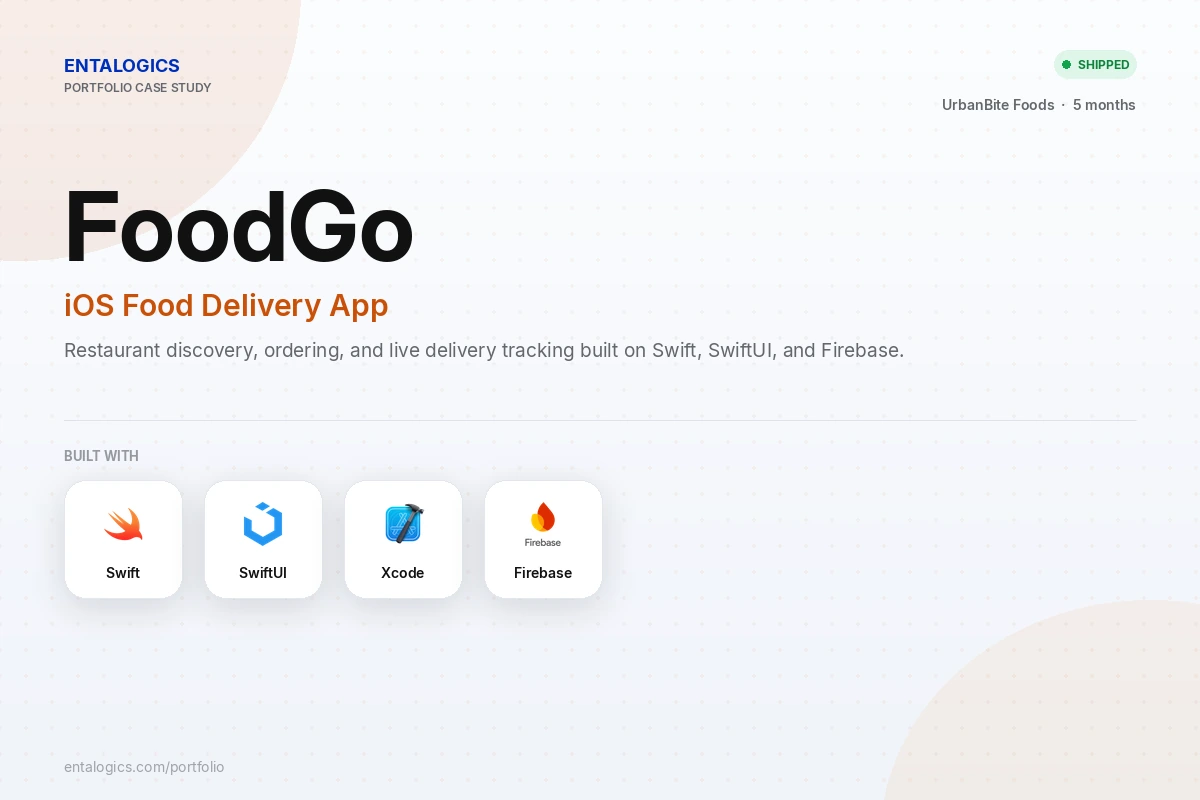
Case study
Project Overview
UrbanBite Foods needed an iOS ordering experience that felt as polished as the restaurants on it — fast to browse, easy to customize an order in, and clear about where that order actually is.
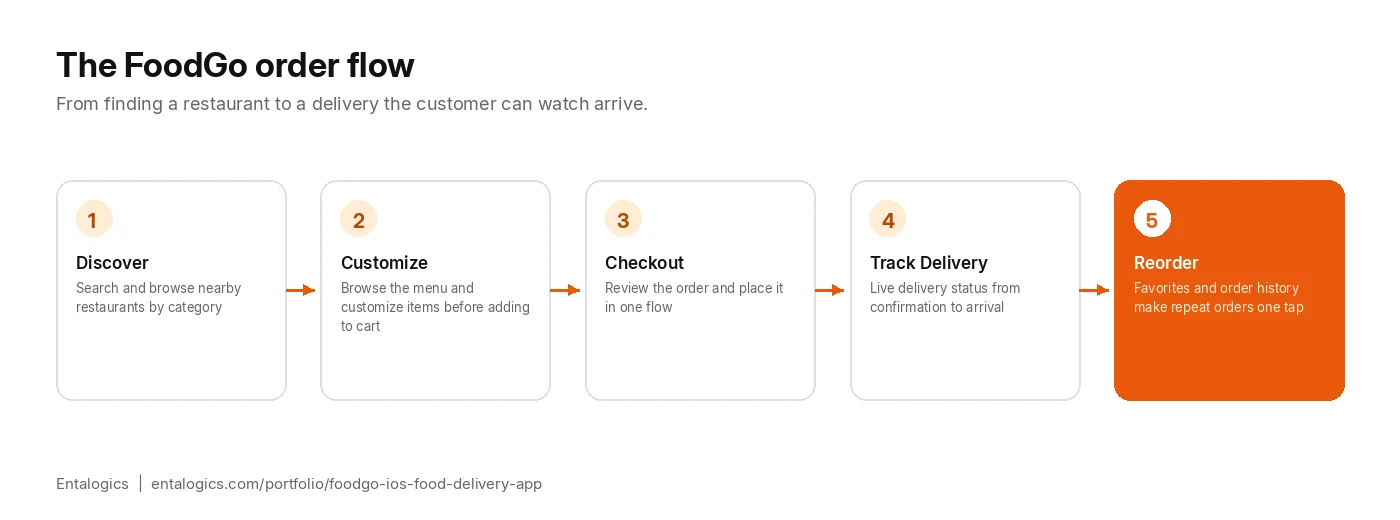
We built FoodGo natively in Swift and SwiftUI: restaurant discovery and search, category and menu browsing, food customization with cart management, order placement and history, and live delivery status tracking. Firebase handles push notifications so customers know the moment their order is accepted, out for delivery, or has arrived, while Core Data keeps favorites and recent orders available locally.
Every screen was tested across a real range of iPhone sizes, so the ordering flow holds up whether someone’s on the latest Pro Max or an older SE.
Scope
What We Built
Restaurant Discovery
- Restaurant search and category browsing
- Menu browsing with full item details
Ordering & Customization
- Food customization and cart management
- Order placement flow and a full order history screen
Delivery & Engagement
- Live delivery status tracking from confirmation to arrival
- Favorites and saved restaurants for quick reordering
- Push notifications for every order status change
Data & Platform
- REST API integration across restaurants, orders, and delivery status
- Core Data for local persistence of favorites and recent activity
- Modern SwiftUI interface tested across different iPhone screen sizes
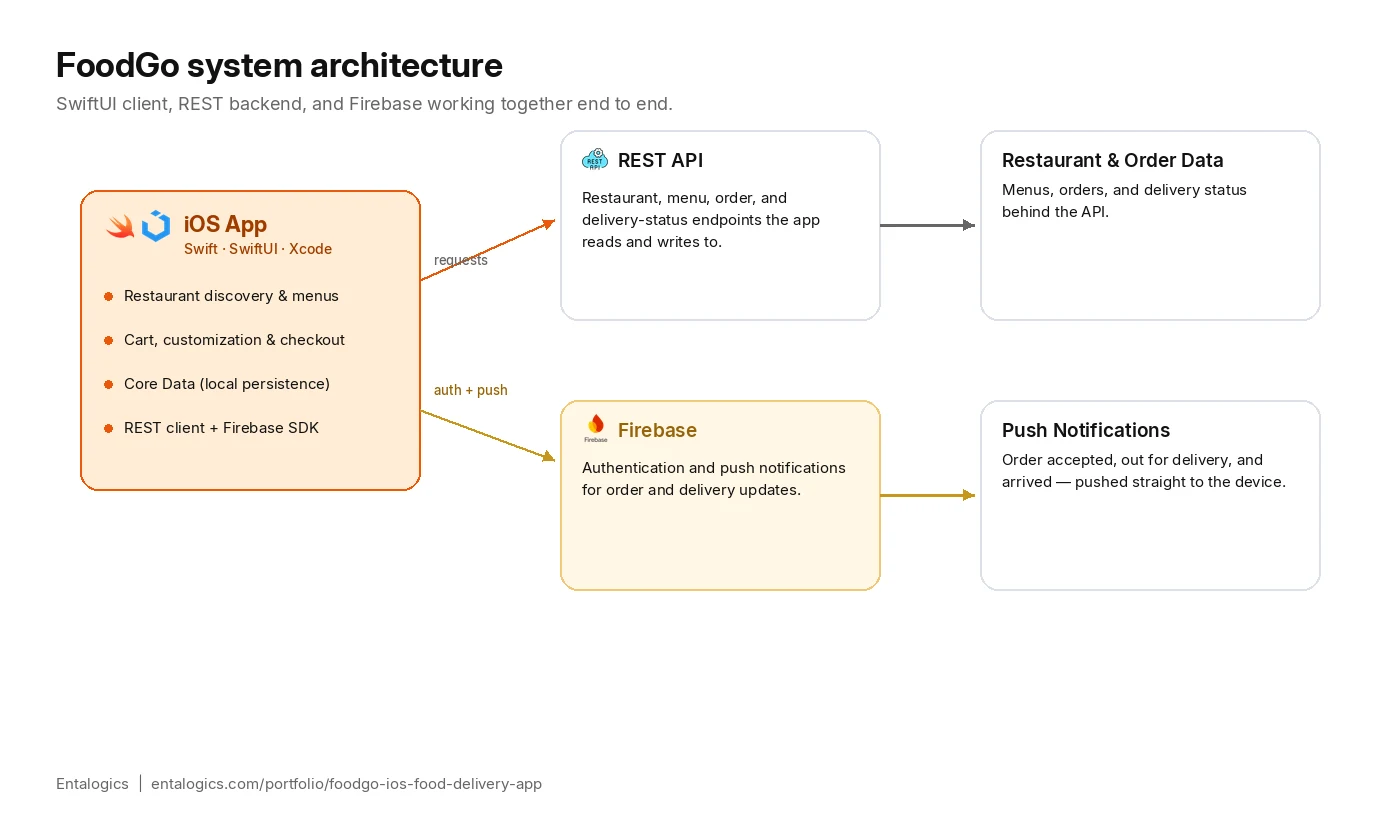
Architecture
Why Native Swift, Not a Cross-Platform Framework
A food delivery app lives or dies on how it feels to use during the parts that matter most — customizing an order fast, and watching a delivery status update in real time. Those are exactly the places where cross-platform frameworks add a layer of translation between the code and the OS that shows up as jank or delay, however small.
FoodGo was built natively in Swift and SwiftUI specifically so live delivery-status updates, push notifications, and the customization UI could use iOS’s own frameworks directly rather than through a bridge. It also means UrbanBite Foods gets the App Store’s full trust in a native app during review, and every new SwiftUI or iOS platform capability is available on day one instead of waiting on a cross-platform framework to catch up.
The tradeoff is that an eventual Android version is a separate build, not a shared codebase. For a first release where the ordering experience itself was the priority, that was the right call.
Deep dive
Technical Challenges
Three parts of FoodGo needed more care than a typical CRUD screen.
Keeping delivery status current without draining the battery
Live delivery tracking has to feel real-time without the app polling the REST API constantly in the background. Status changes are pushed through Firebase the moment they happen server-side, and the app only pulls a fresh snapshot from the REST API when the user actually has the order-tracking screen open — so the experience feels live without a background polling loop running all day.
Customization state that survives interruptions
Customizing a food order — sizes, add-ons, special instructions — across multiple items can take a few minutes, and a call or a dropped connection shouldn’t lose that work. Cart and customization state is persisted through Core Data as it’s built, not just at checkout, so a user can back out, get interrupted, and come back to exactly what they had.
Menu customization without a messy cart model
A single order can carry several items, each with its own sizes, add-ons, and special instructions — the kind of nested complexity that turns into a tangle of optional fields if the cart model isn’t designed for it up front. Each cart line item owns its own customization state independently, so changing one item’s options never risks corrupting another’s, and the checkout screen renders an accurate order summary straight from that same model rather than reconstructing it from scratch.
Outcomes
Results
- Full ordering flow shipped end to end — discovery, customization, checkout, delivery tracking, reorder
- Live delivery status delivered via Firebase push notifications rather than constant polling
- Core Data persistence keeping favorites and in-progress orders safe through interruptions
- Modern SwiftUI interface verified across a real range of iPhone screen sizes
- REST API integration covering restaurants, menus, orders, and delivery status in one consistent data layer
- Order customization holds up cleanly even on complex, multi-item orders with different add-ons per item